
Install the proxy
Install an access proxy in your network so the panel can reach your devices without opening any port.
Who can do this: people with Total on Remote Access or Backup (the Manager, in the default role). Remote Access managers do not install proxies.
Before you start
Section titled “Before you start”- Supported systems: Debian 12, Debian 13 and Ubuntu 24.04 LTS.
- A server with 2 vCPU and 4 GB, clean 64-bit install, with internet access.
- The proxy runs on Docker. The install command installs Docker for you.
- The server must be able to reach the devices it will serve.
Step by step
Section titled “Step by step”-
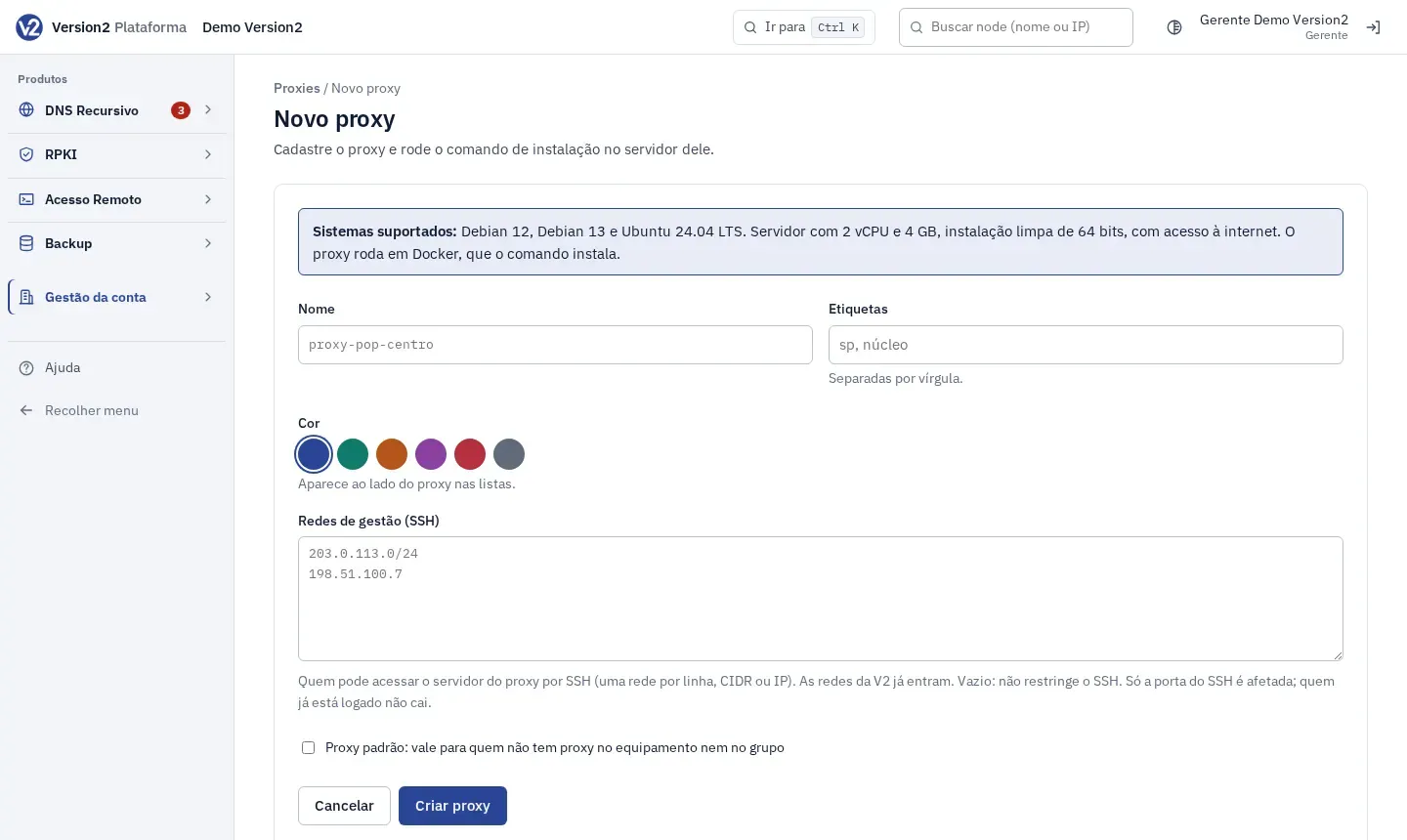
In the menu, open Gestão da conta > Proxies (Account management > Proxies) and click Novo proxy (New proxy).
-
Fill in Nome (Name, e.g. proxy-pop-centro), Etiquetas (Tags, comma separated) and pick the Cor (Color), shown next to the proxy in lists.
-
Under Redes de gestão (SSH) (Management networks, SSH), enter who may log in to the proxy server over SSH, one network per line (e.g. 203.0.113.0/24). The V2 networks are already included. If left empty, SSH is open to any source.
-
Check Proxy padrão: vale para quem não tem proxy no equipamento nem no grupo (Default proxy: used when neither the device nor the group has a proxy) if that applies. The first proxy comes checked.
-
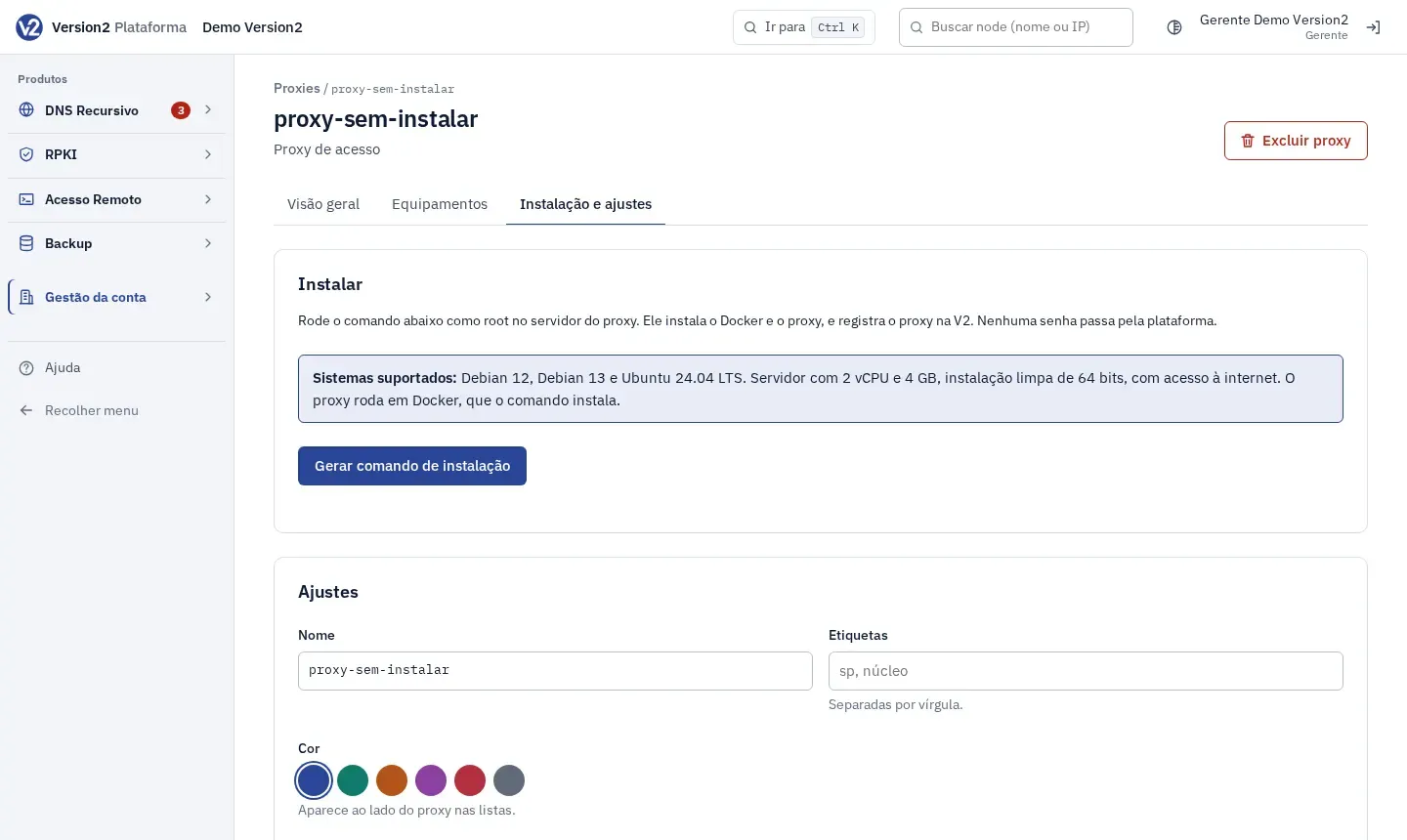
Click Criar proxy (Create proxy). The panel opens the proxy page on the Instalação e ajustes (Install and settings) tab, with the command ready.
-
Click Copiar (Copy) and run the command as root on the server. If the server has no curl, open Sem curl no servidor? (No curl on the server?). The panel shows until when the command is valid. After that, click Gerar comando de instalação (Generate install command) to get a new one.
-
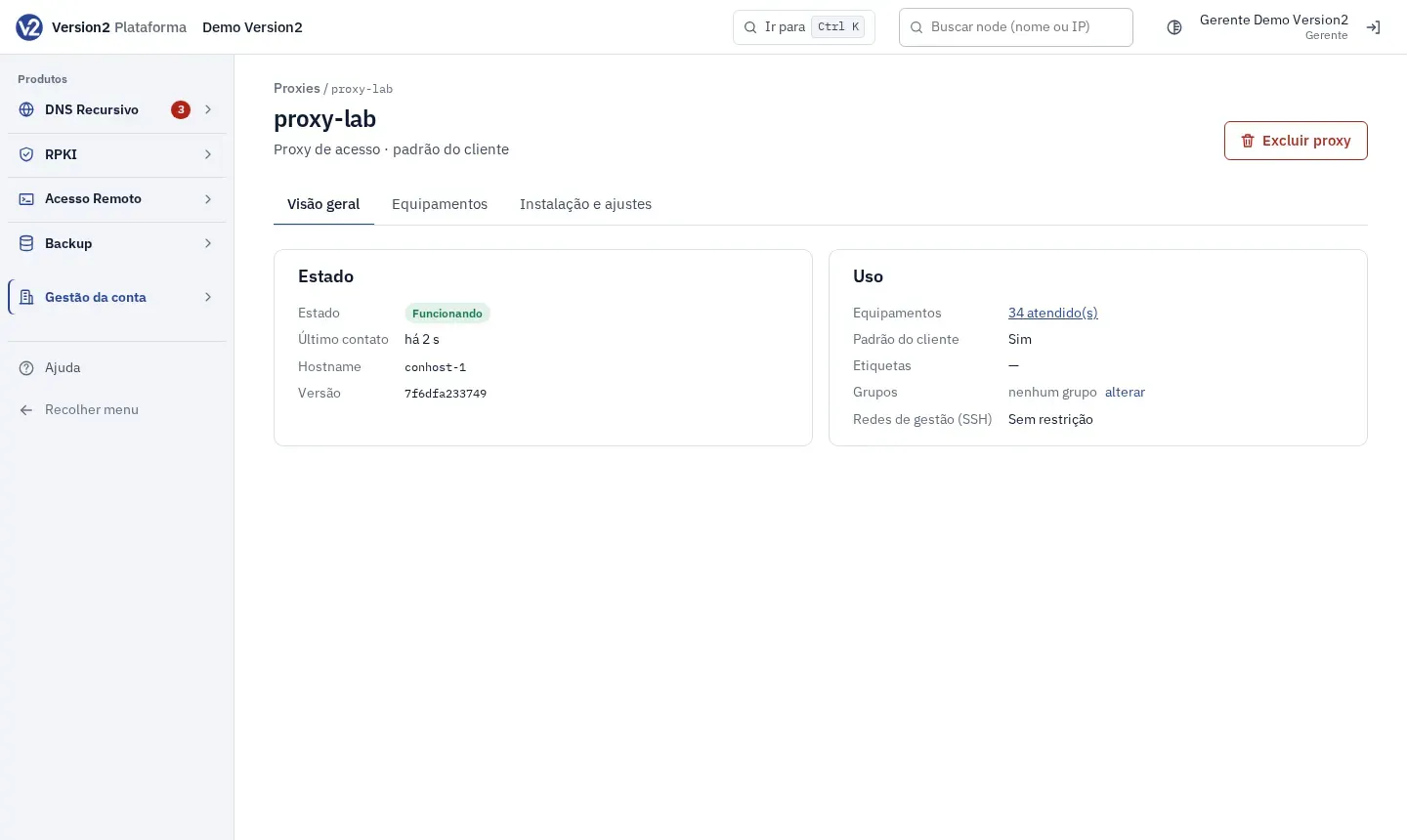
Open the Visão geral (Overview) tab and wait for Estado (Status) to change to Funcionando (Running).
Reinstall
Section titled “Reinstall”- On the Instalação e ajustes tab, the section is now called Reinstalar (Reinstall). Click Gerar comando de instalação and run it on the new server.
- The old server stops working as the proxy once the new one registers.
Expected result
Section titled “Expected result”The proxy registers with V2, shows Hostname, Versão (Version) and Último contato (Last contact), and starts serving the devices that use it.
If something goes wrong
Section titled “If something goes wrong”- Não instalado (Not installed) after running the command: check that the system is one of the supported ones and that the server has internet access.
- Sem comunicação (No communication): the proxy server has no outbound internet access or is powered off. Check the server network and firewall.
- “Expirado: gere outro.” (Expired: generate another.) Click Gerar comando de instalação and run the new command.