
People and roles
Invite people to the customer, choose each person’s role and remove access.
Who can do it: viewing the list requires Ver (View) on Gestão da conta (Account management). Inviting, changing profiles and removing access require Total (Full) on Gestão da conta. In the default roles, that’s the Manager.
The three default roles
Section titled “The three default roles”| Role | What it does |
|---|---|
| Gerente (Manager) | Everything: makes changes, approves, and manages people, profiles, the audit log and settings. |
| Editor | Changes clusters, nodes, prefixes, blocking and the rest of the day-to-day work. With approval turned on, changes become requests. |
| Visualizador (Viewer) | View only. |
A default role has the same level on every module. To open up only part of a module, use a custom profile.
Step by step
Section titled “Step by step”Invite a person
Section titled “Invite a person”-
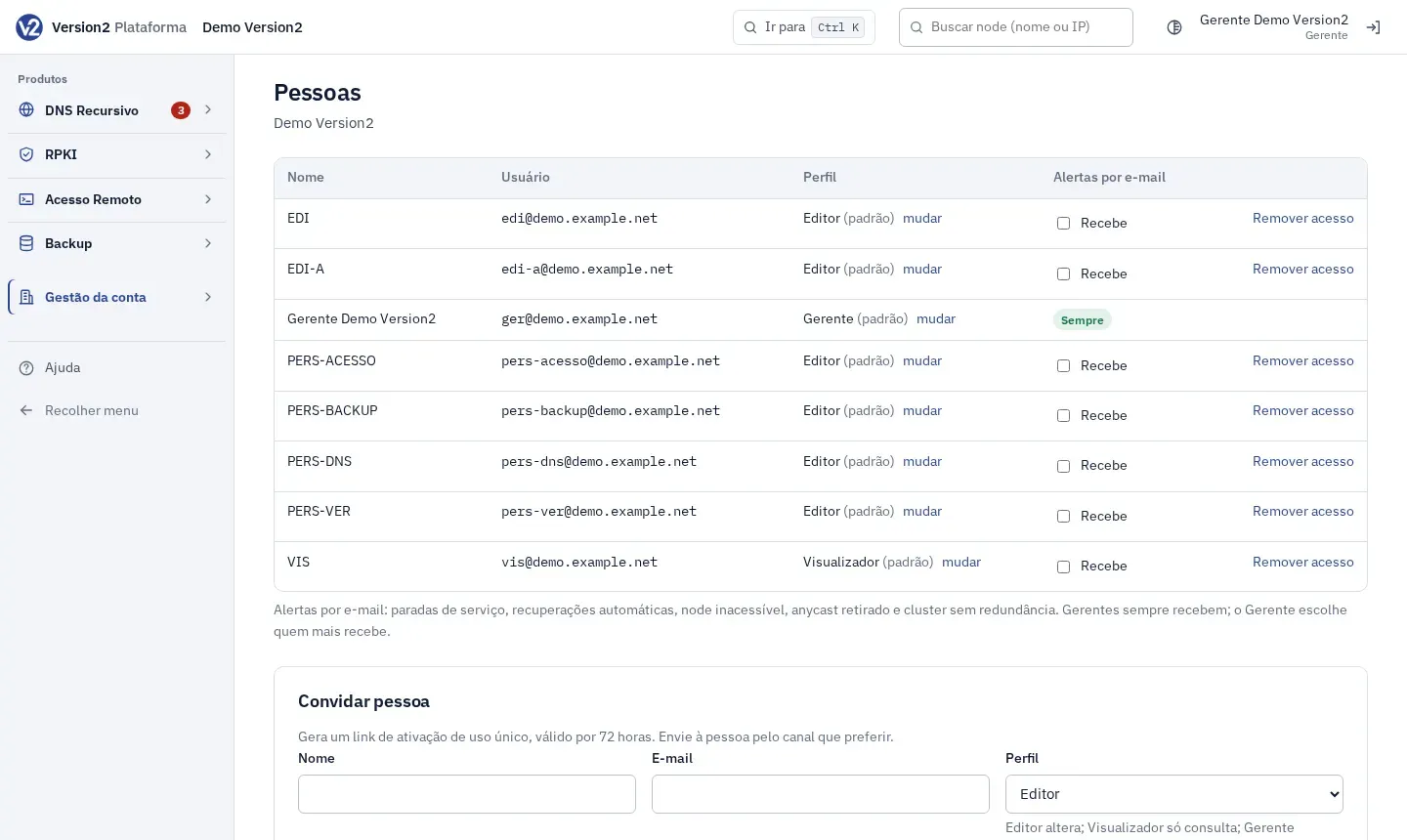
In the menu, open Gestão da conta and click Pessoas (People).
-
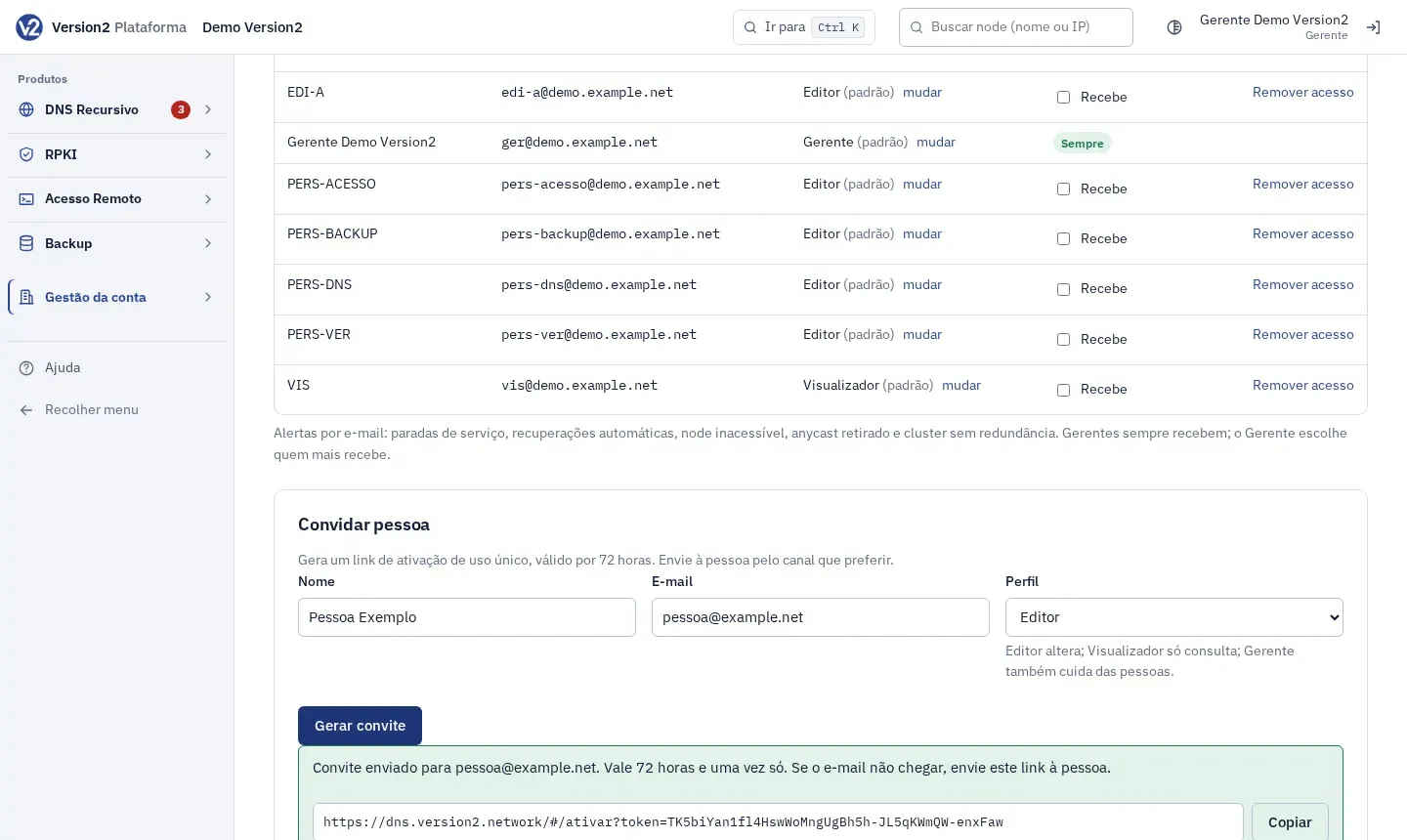
Under Convidar pessoa (Invite person), fill in Nome (Name) and E-mail (Email) and choose the Perfil (Profile): Editor, Visualizador or Gerente.
-
Click Gerar convite (Generate invitation). The panel shows the result and, when there is one, the activation link with the Copiar (Copy) button. The link is valid for 72 hours and works once. Send it to the person through any channel you like.
Change a person’s profile
Section titled “Change a person’s profile”- In the Perfil column, click mudar (change) next to the name.
- In the Perfil de (Profile of) dialog, pick a profile or Papel padrão (Default role) and click Salvar (Save).
Remove access
Section titled “Remove access”- On the person’s row, click Remover acesso (Remove access).
- Confirm with Remover acesso. The person leaves this customer right away. Their actions stay in the audit log.
Expected result
Section titled “Expected result”The person shows up in the list after accepting the invitation. The Perfil column shows the custom profile name, or the role followed by “(padrão)” (default).
If something goes wrong
Section titled “If something goes wrong”- “Informe nome (até 120 caracteres) e e-mail válidos.” (Enter a valid name, up to 120 characters, and email.) Check the name and the email address.
- “Escolha Gerente, Editor ou Visualizador.” (Choose Manager, Editor or Viewer.) Pick a profile before generating the invitation.
- “Você não pode remover o próprio acesso.” (You can’t remove your own access.) Ask another Manager.
- “Seu perfil não permite esta ação.” (Your profile doesn’t allow this action.) You don’t have Full on Gestão da conta. Ask a Manager.