
Access rules
Decide who reaches which devices, how people log in to the device and who manages Remote Access.
Who can do this: the Manager, people with Total on Remote Access, or a Remote Access manager. Managers are chosen by people with Total on Remote Access.
Step by step
Section titled “Step by step”-
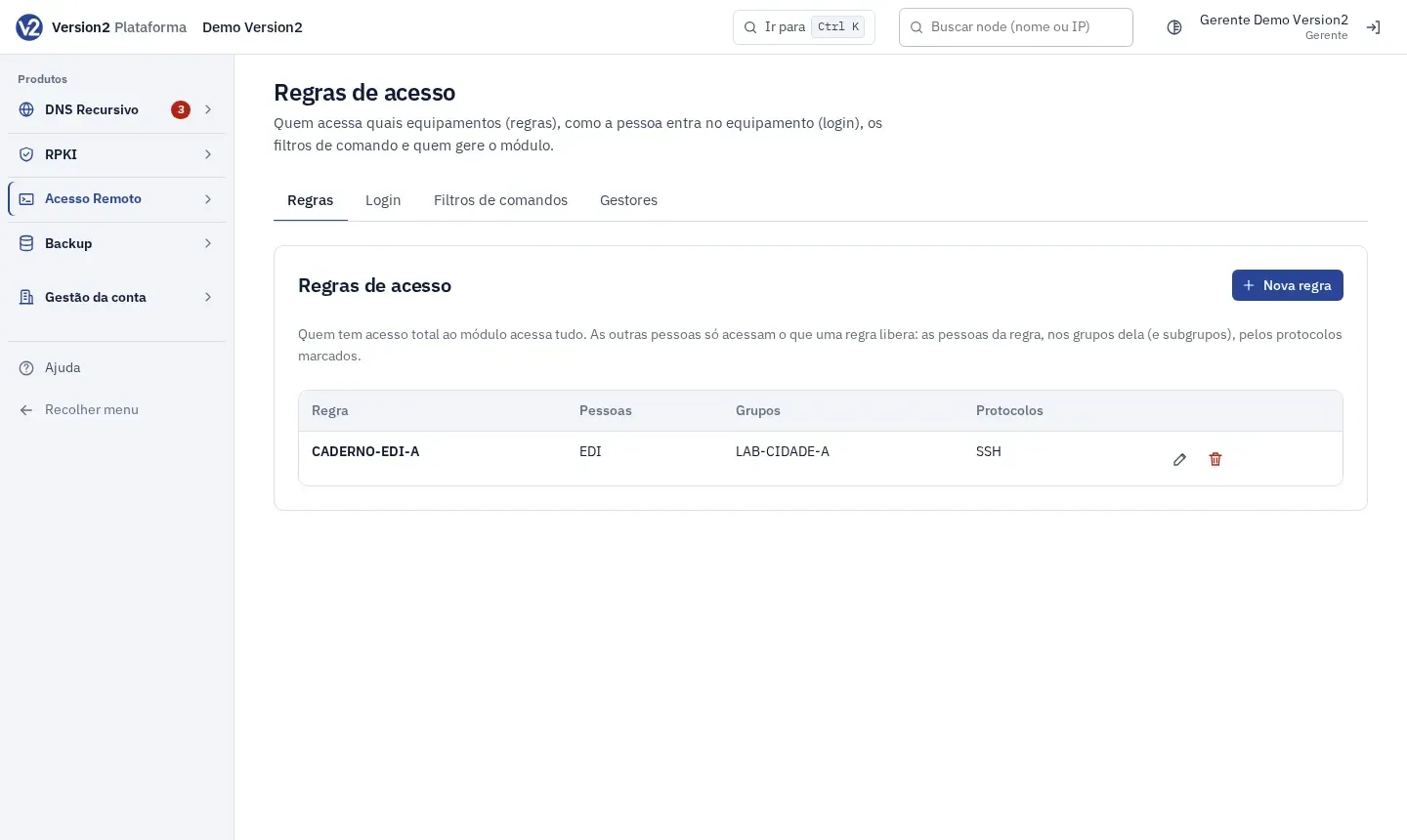
In the menu, open Acesso Remoto > Regras de acesso (Remote Access > Access rules). The tabs are Regras (Rules), Login, Filtros de comandos (Command filters) and Gestores (Managers).
-
Click Nova regra (New rule).
-
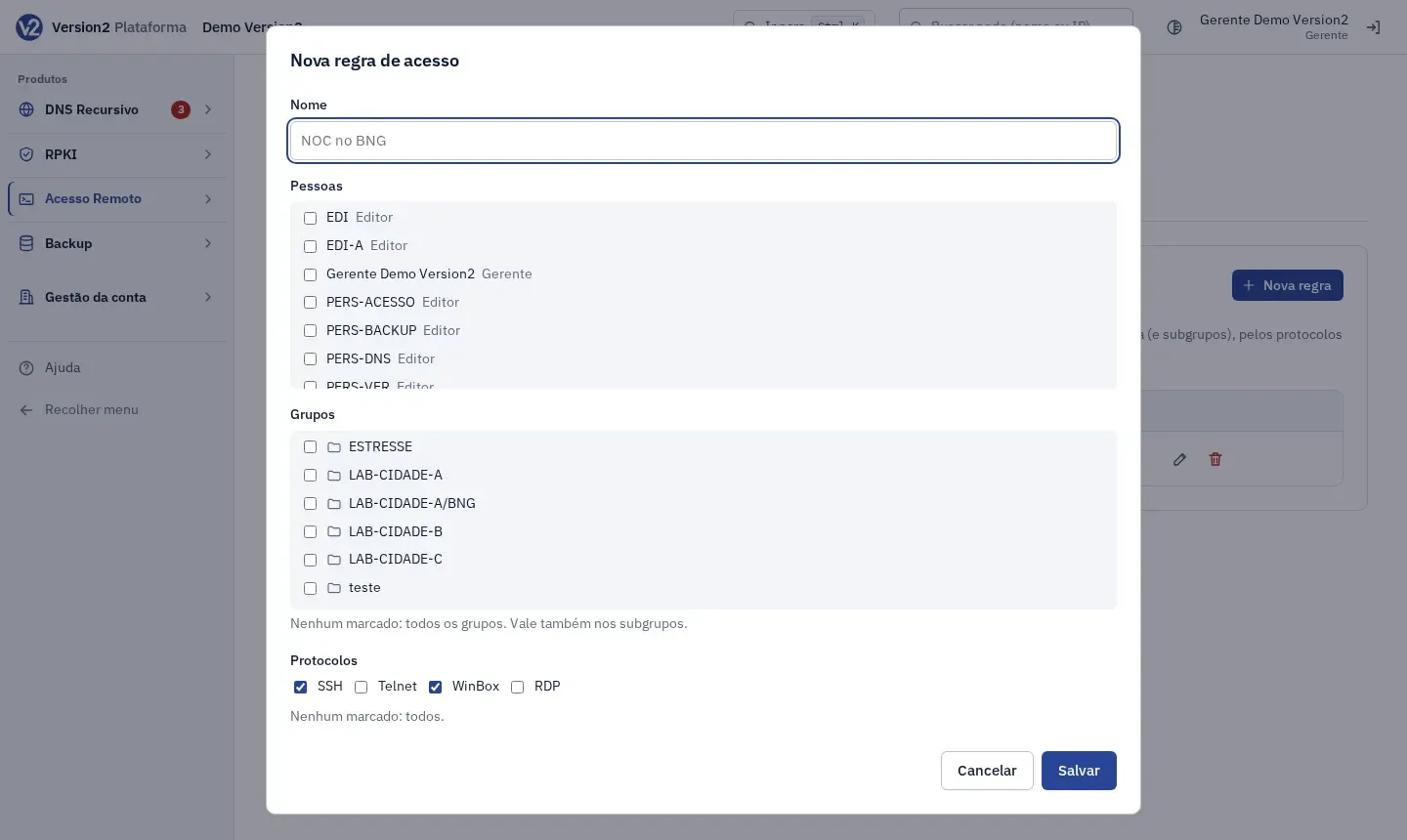
Fill in Nome (Name, e.g. NOC no BNG) and check the Pessoas (People), Grupos (Groups) and Protocolos (Protocols). With no group checked, the rule applies to all groups, and it always applies to subgroups too. With no protocol checked, it applies to all. Click Salvar (Save).
-
Use Editar (Edit) and Excluir (Delete) on the rule row. Anyone whose access came only from a deleted rule loses it from their next session on.
-
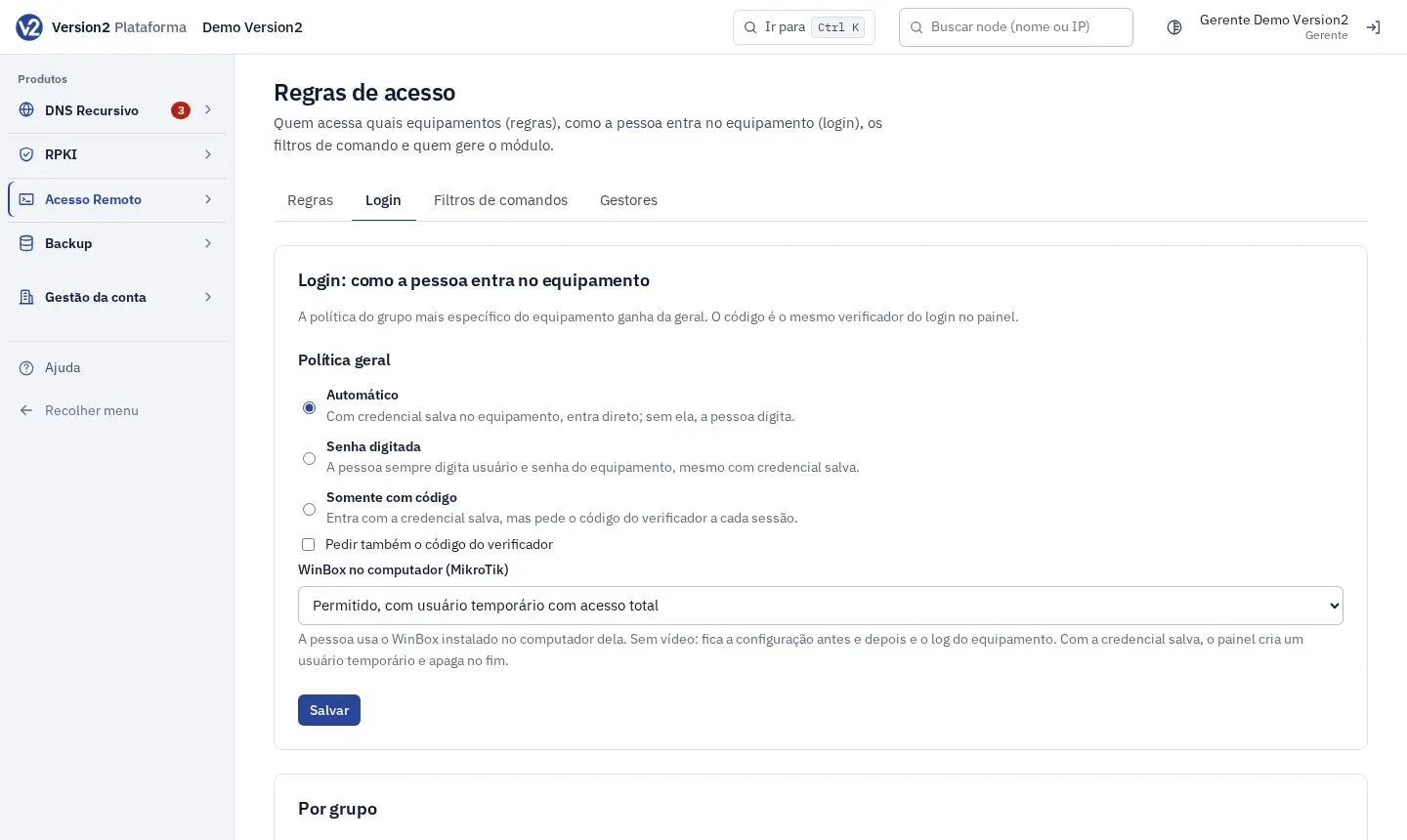
Open the Login tab. Under Política geral (General policy), choose:
- Automático (Automatic): with a saved credential the person goes straight in. Without one, they type it.
- Senha digitada (Typed password): the person always types the device username and password.
- Somente com código (Code only): logs in with the saved credential but asks for the authenticator code on every session.
-
Check Pedir também o código do verificador (Also ask for the authenticator code) if you want the code asked as well. Click Salvar.
-
To give a group its own policy, pick the group in Política própria para o grupo (Group-specific policy), adjust it and click Salvar. The Herdar (Inherit) option uses the parent group policy or the general one. The policy of the device’s most specific group is the one that applies.
Managers
Section titled “Managers”- Open the Gestores tab and check the people who will handle devices, permissions, login, filters and backup. Managers (Gerentes) are not listed because they already manage everything.
Expected result
Section titled “Expected result”People with Total on Remote Access reach every device. Everyone else reaches what a rule allows: the people in the rule, in its groups and subgroups, over the checked protocols. With no rules at all, only people who manage Remote Access reach the devices.
If something goes wrong
Section titled “If something goes wrong”- “Só o Gerente ou um gestor do Acesso Remoto pode mudar isto.” (Only the Manager or a Remote Access manager can change this.) Ask the Manager to make the change or to add you as a manager.
- “Só o Gerente ou um gestor do Acesso Remoto vê e muda as regras de acesso.” (Only the Manager or a Remote Access manager can see and change access rules.) For people who don’t manage, the screen is empty. Ask the Manager.
- The authenticator code asked by the device is the same one you use to log in to the panel.