
SFTP and FTP destinations
Send a copy of the device configuration backup to an SFTP or FTP server of your own.
Who can do this: the Manager, people with Total on Remote Access, or a Remote Access manager.
Step by step
Section titled “Step by step”-
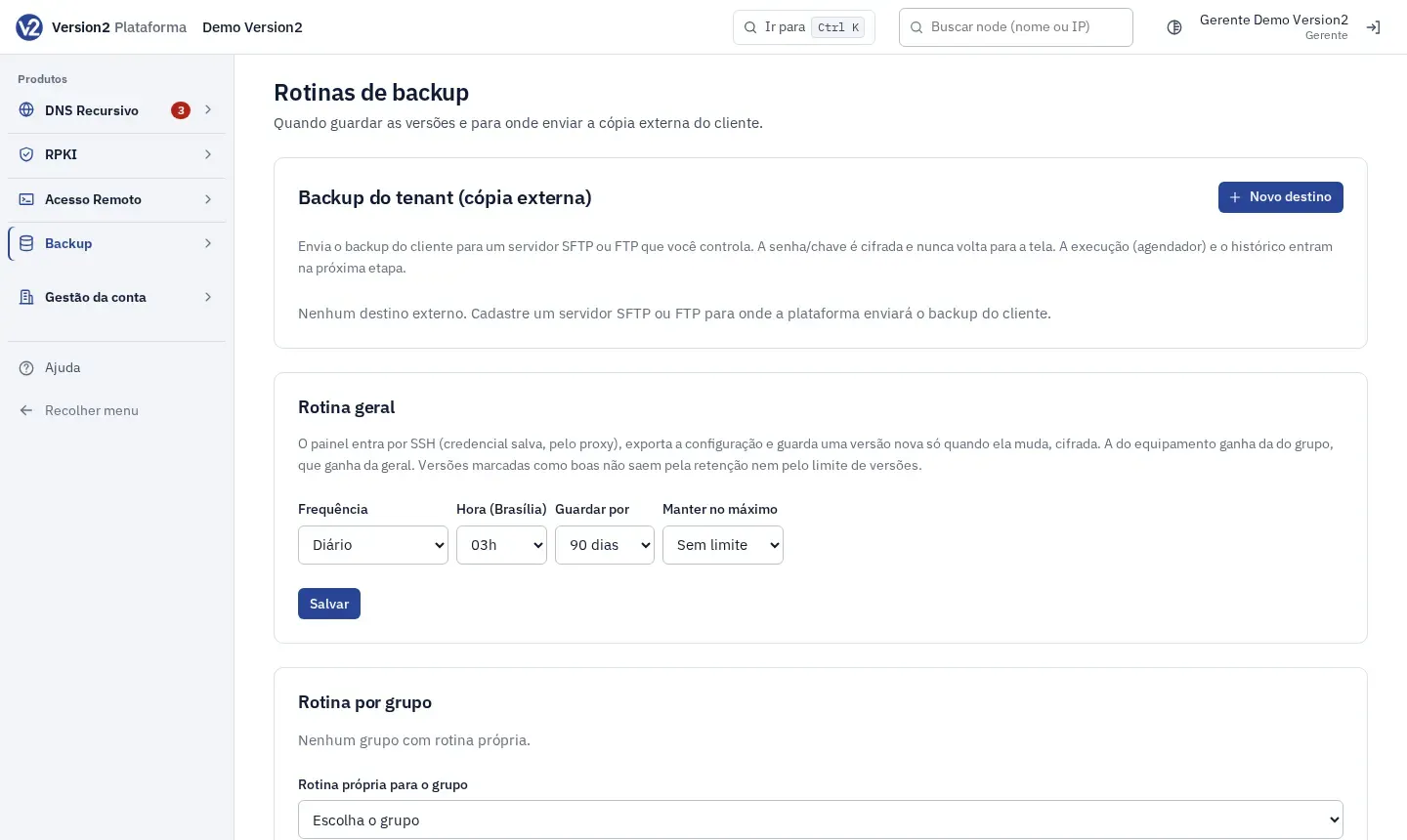
In the menu, open Backup > Rotinas (Schedules). The Backup do tenant (cópia externa) (Tenant backup, external copy) section is at the top.
-
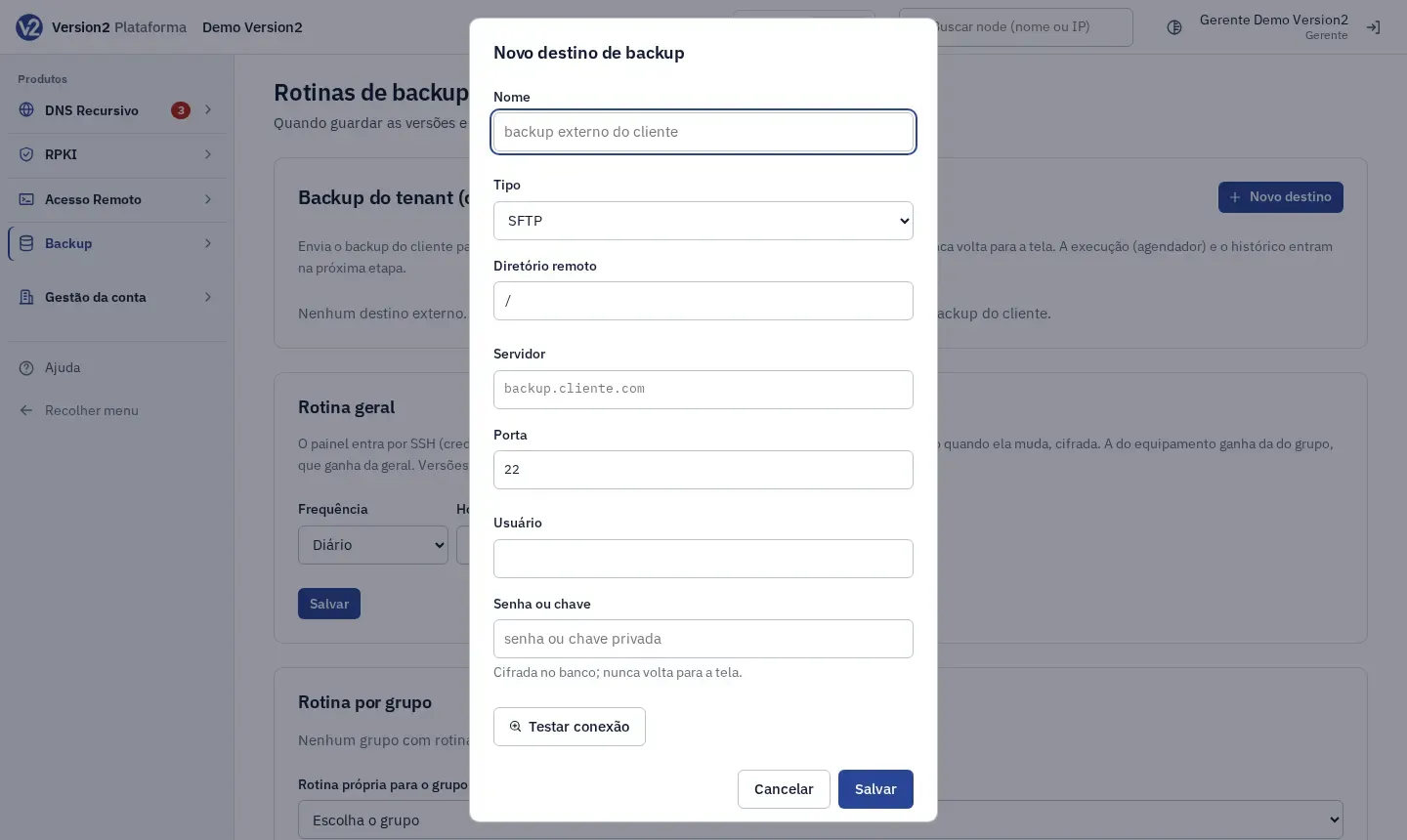
Click Novo destino (New destination). Fill in Nome (Name), Tipo (Type: SFTP or FTP), Diretório remoto (Remote directory), Servidor (Server, e.g. backup.example.net), Porta (Port: 22 for SFTP, 21 for FTP), Usuário (Username) and Senha ou chave (Password or key).
-
Click Testar conexão (Test connection), then Salvar (Save). Once saved, the password or key is not shown on screen again.
-
On the destination card, click Configurar política (Set up policy). Choose Tipo de backup (Backup type: Somente FULL (diário) (FULL only, daily), FULL + Incremental or Últimas 24 horas (diário) (Last 24 hours, daily)), Horário (Time, HH:MM), Guardar por (Keep for, 7 to 365 days) and, for FULL + Incremental, Dia do FULL (FULL day). Leave Rotina ativa (Schedule active) checked and click Salvar.
-
To send right away, click Executar agora (Run now). Pausar (Pause) stops the schedule and Ativar (Activate) turns it back on. Testar (Test) checks the connection again.
-
Open Histórico (History) to see Data (Date), Tipo (Type), Arquivos (Files), Tamanho (Size), Duração (Duration) and Status for each upload.
Expected result
Section titled “Expected result”The card shows the policy, the Próxima execução (Next run) and the last backup with its status (Sucesso (Success), Erro (Error) or Executando (Running)). With FULL + Incremental, if there is no FULL to start from yet, the first upload is a FULL. The Backup Visão geral (Overview) shows a summary under Cópia externa do cliente (Customer external copy).
If you remove the destination, uploads stop. Files already sent stay on your server.
If something goes wrong
Section titled “If something goes wrong”- “Informe a senha ou a chave do servidor de backup.” (Enter the password or key for the backup server.) Fill in Senha ou chave.
- “Horário inválido (use HH:MM).” (Invalid time, use HH:MM.), “Dia da semana inválido.” (Invalid day of week.) or “Retenção inválida.” (Invalid retention.) Fix the field shown.
- “Já existe um destino com esse nome.” (A destination with this name already exists.) Pick another name.
- “Falha no backup: …” (Backup failed: …) The message gives the reason. Check the server, port, username and write permission on the directory.
- With SFTP, your server key is recorded on the first run. If it changes later, uploads stop until you check the server.