
Alerts and incidents
Follow up and handle the incidents opened by node alerts.
Who can: view, anyone with Ver (View) on DNS Recursivo. Acknowledge, update and turn on maintenance, anyone with Escrever (Write).
How it works
Section titled “How it works”Monitoring checks every node every 30 s. An alert opens after 2 checks in a row (1 minute) and closes by itself when things return to normal. Alerts from the same server are grouped into one incident. The thresholds are in Settings.
Step by step
Section titled “Step by step”-
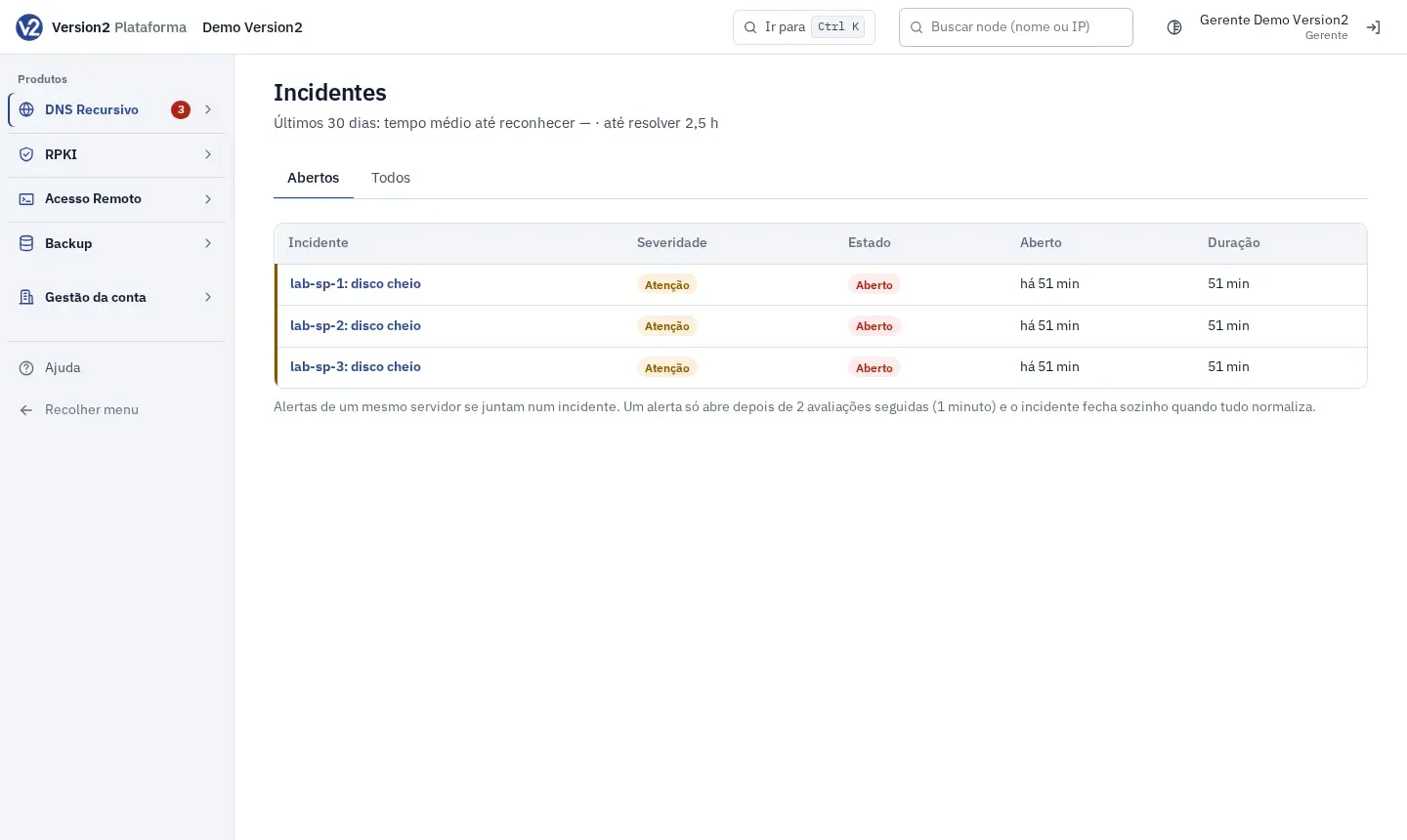
In the menu, open Operação (Operations) > Incidentes (Incidents). The tabs are Abertos (Open) and Todos (All). The top shows the average time to acknowledge and to resolve over the last 30 days.
-
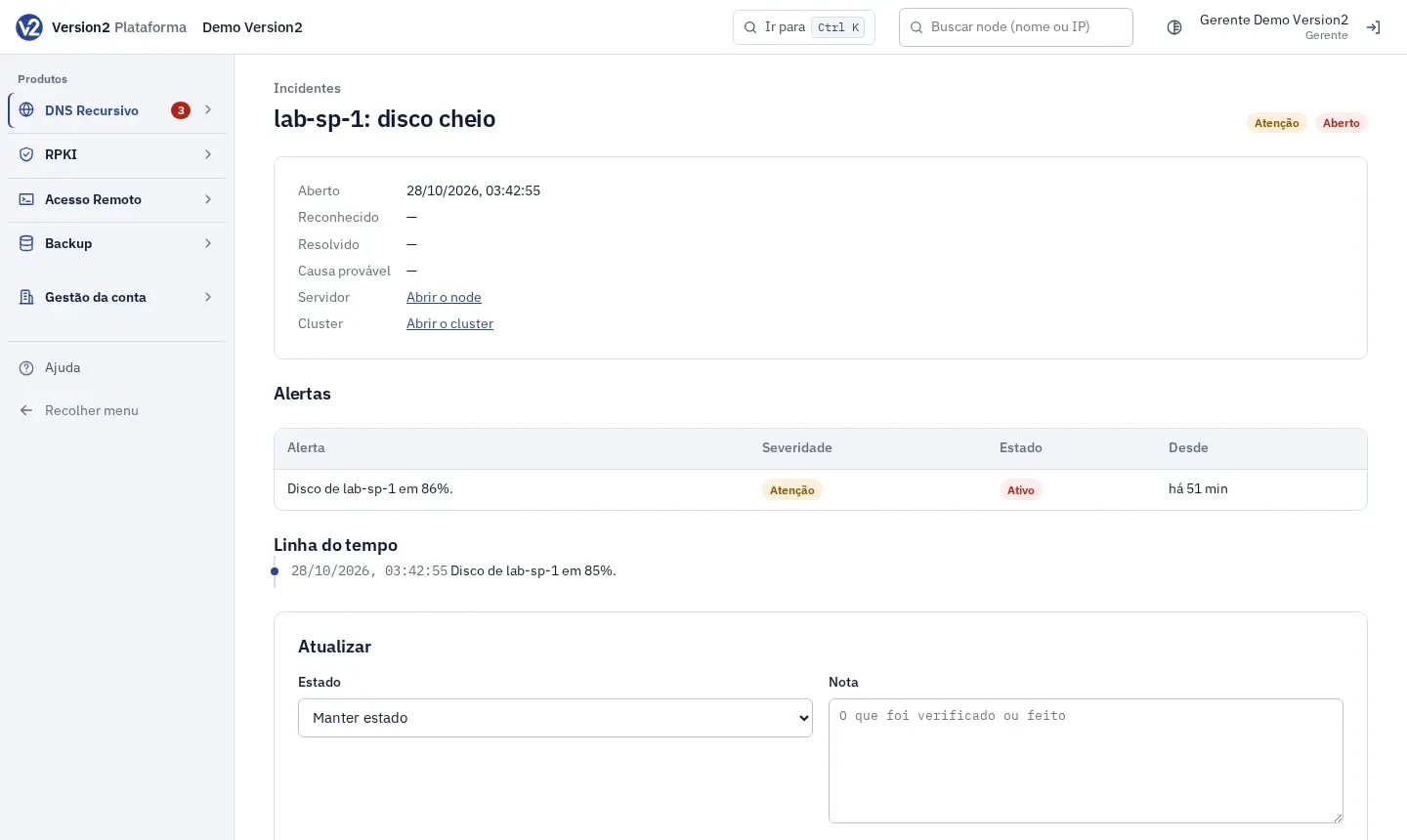
Click the incident. The page shows Aberto (Opened), Reconhecido (Acknowledged), Resolvido (Resolved), Causa provável (Probable cause), links to the node and the cluster, the Alertas (Alerts) table and the Linha do tempo (Timeline).
-
Click Reconhecer (Acknowledge) to let others know someone is on it.
-
Under Atualizar (Update), choose the Estado (Status: Reconhecido, Em investigação (Investigating), Mitigado (Mitigated) or Resolvido), write the Nota (Note) and click Salvar (Save).
-
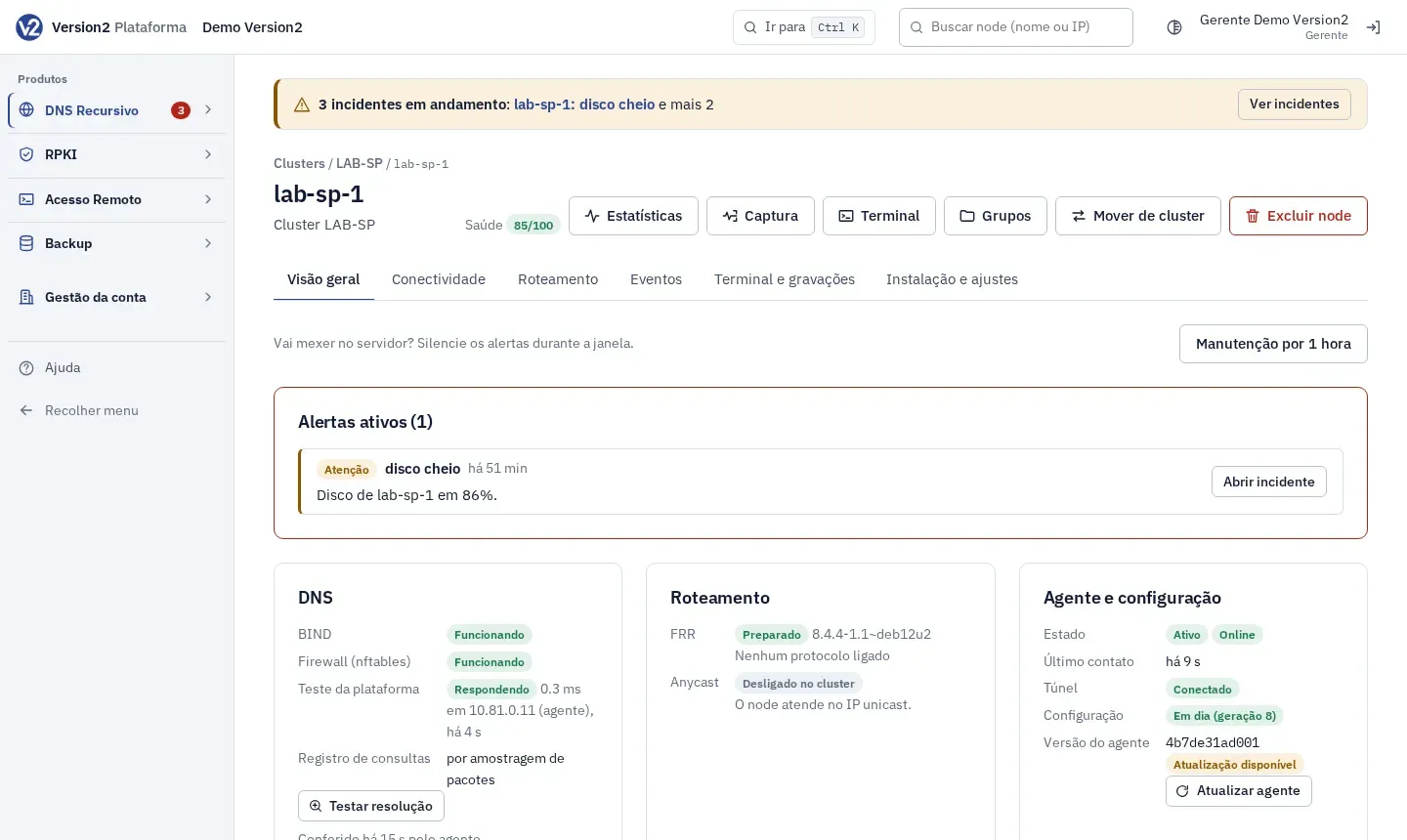
On the node page, Alertas ativos (Active alerts) shows each alert with Causa provável, O que fazer (What to do) and Abrir incidente (Open incident).
-
Before you work on a server, click Manutenção por 1 hora (Maintenance for 1 hour) on the node page. The node’s alerts are muted. Encerrar manutenção (End maintenance) goes back to normal.
Expected result
Section titled “Expected result”The incident moves to Reconhecido and then to Resolvido, with each step on the timeline. When everything returns to normal, it closes by itself.
If something goes wrong
Section titled “If something goes wrong”- Falha crítica (Critical failure) on the node: the service shown stopped and did not come back by itself. Open the terminal and check that service.
- Sem comunicação (No communication): the node stopped sending reports. Check that the server has outbound internet access.
- Fora do padrão (Out of standard): someone changed files directly on the server. On the Instalação e ajustes (Installation and settings) tab, click Reaplicar a configuração da plataforma (Reapply the platform configuration).
- Cluster without redundancy warning: the cluster has only 1 active node. Add another node for redundancy.