
Account groups
Build the account’s group tree (for example CITY/BNG) and place items from each module into groups.
Who can do it: anyone on the account can view. To create, rename and delete groups: the Manager, anyone with Total (Full) on some module, or a Remote Access administrator.
Step by step
Section titled “Step by step”-
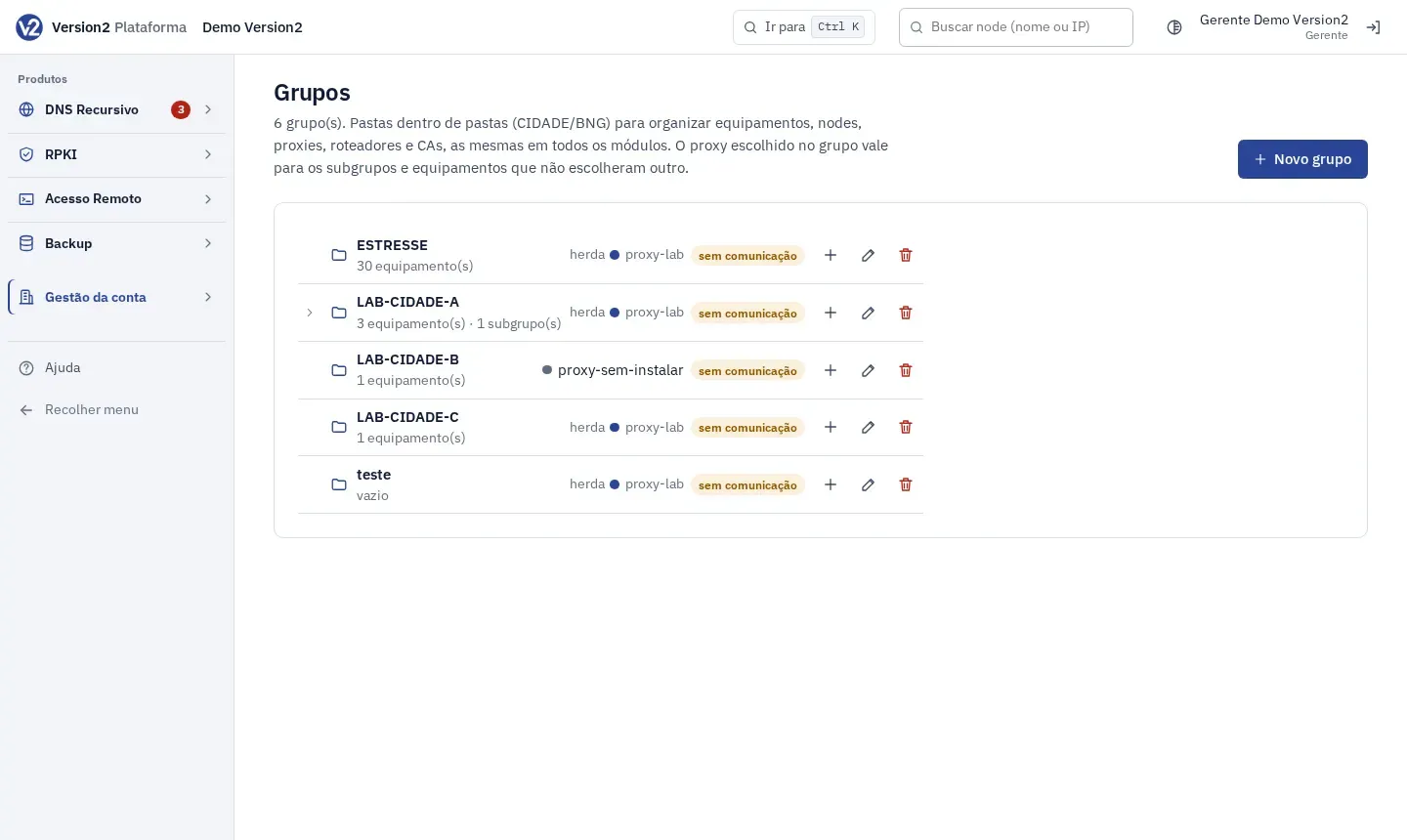
In the menu, open Gestão da conta (Account management) and click Grupos (Groups).
-
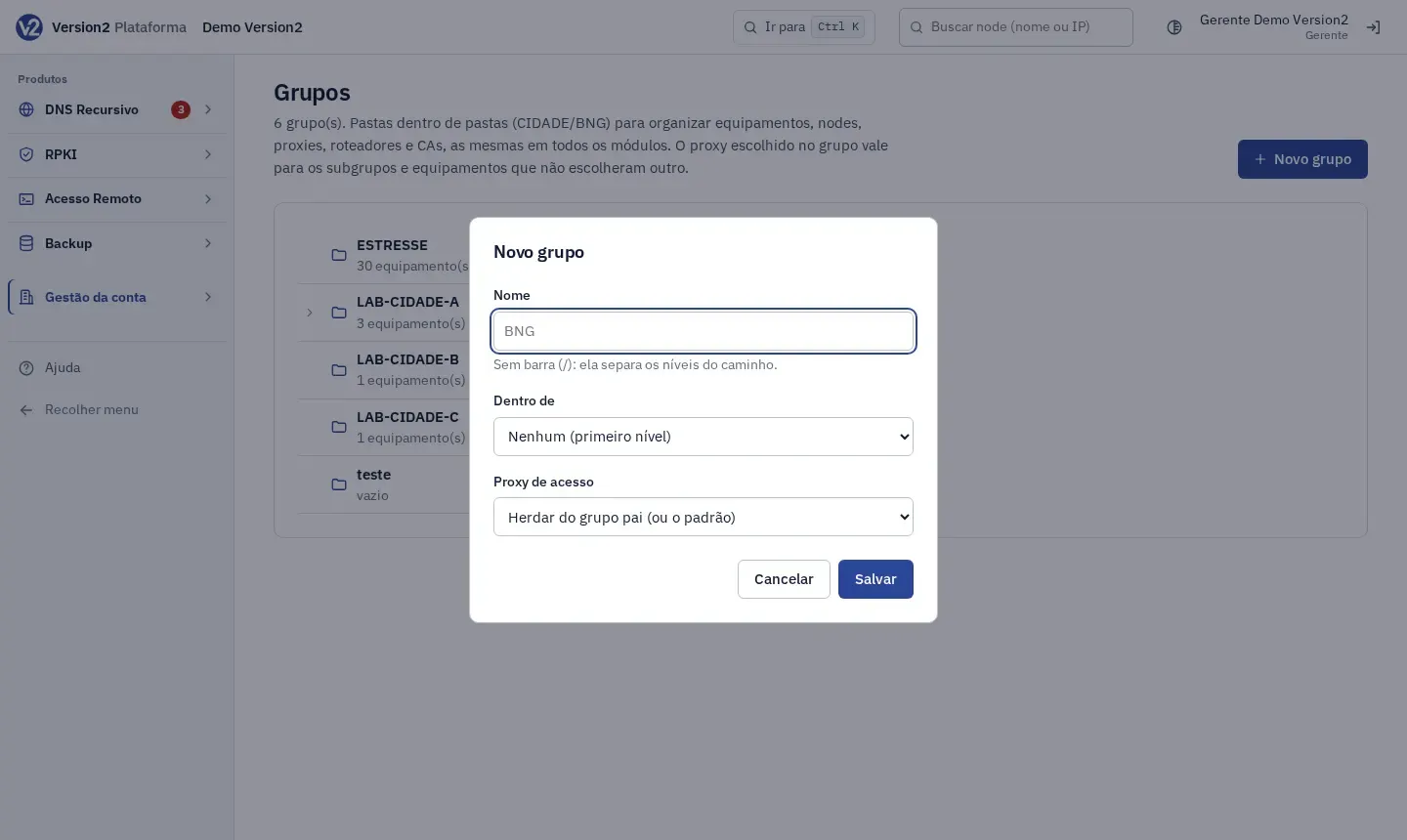
Click Novo grupo (New group). In the dialog, fill in Nome (Name), without slashes, choose Dentro de (Inside), either Nenhum (primeiro nível) (None, top level) or a parent group, and, if you use Remote Access or Backup, the Proxy de acesso (Access proxy). Click Salvar (Save).
-
To create a subgroup, use the Criar subgrupo em (Create subgroup in) icon on the group’s row. The Editar (Edit) and Excluir (Delete) icons are next to it.
-
The tree starts collapsed. Click the arrow to open a group. With more than 8 groups, use the Buscar grupo (abre o caminho) (Search group, opens the path) search. It opens only the path to the group it finds.
-
To put an item in a group, open the item and click Grupos: on the DNS node page, on the RPKI account page, or on the folder icon of the RTR router or proxy. In the Grupos de (Groups of) dialog, check the groups and click Salvar. An item can be in several groups. Devices pick their groups in their own form.
Expected result
Section titled “Expected result”Each row in the tree shows how many items of each type are in the group and its subgroups, and which proxy applies there (its own, or “herda” (inherits) from the parent). Lists such as Nodes and Proxies get the Todos os grupos (All groups) filter.
Deleting a group also deletes its subgroups. The items stay registered and are only removed from those groups.
The group tree also drives the inheritance of the access proxy and the default credential: in both, the device’s most specific group wins.
If something goes wrong
Section titled “If something goes wrong”- “Dê um nome ao grupo (até 64 caracteres, sem barra), por exemplo BNG.” (Give the group a name, up to 64 characters, no slash, for example BNG.) Use a short name without slashes.
- “Já existe um grupo com esse nome neste nível.” (A group with this name already exists at this level.) Pick another name or another parent group.
- “Um grupo não pode ficar dentro dele mesmo nem de um subgrupo dele.” (A group cannot be inside itself or one of its subgroups.) Choose another group under Dentro de.
- “Só o Gerente ou quem tem Total em algum módulo pode mudar os grupos.” (Only the Manager or someone with Full on some module can change groups.) Ask a Manager.