
Install a node
Register one or more nodes in a cluster and install each server with the command the panel generates.
Who can: anyone with Escrever (Write) on DNS Recursivo (Editor or Manager).
Before you start
Section titled “Before you start”- Supported systems: Debian 12, Debian 13 and Ubuntu 24.04 LTS. Use a clean 64-bit install with internet access to download packages. Other versions are rejected by the pre-check.
- The cluster must already exist. See Clusters, anycast and prefixes.
Step by step
Section titled “Step by step”-
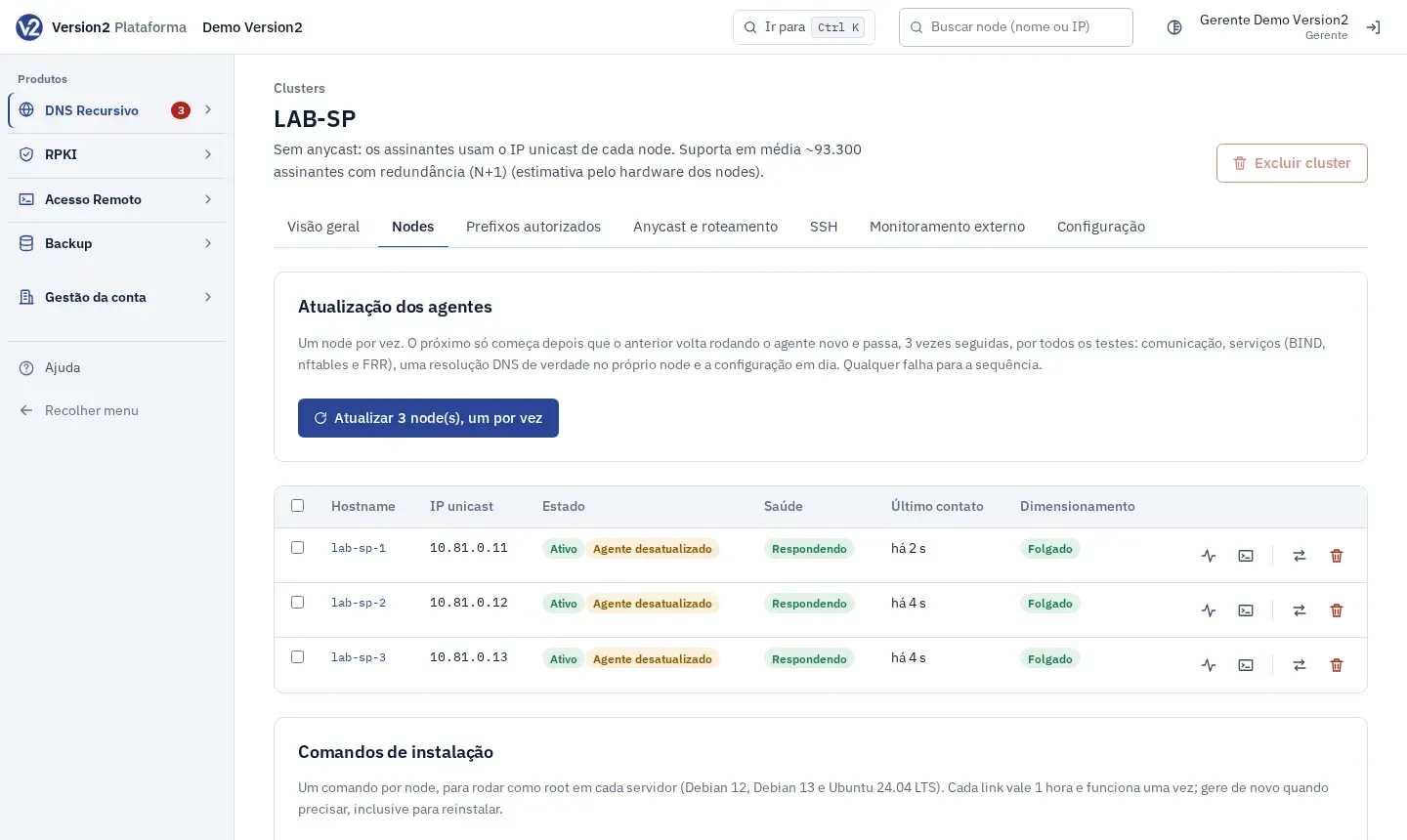
Open Clusters, click the cluster and open the Nodes tab.
-
Under Adicionar nodes (Add nodes), fill in Hostname, IPv4, IPv6 and Porta SSH (SSH port) for each node. Use + Linha (+ Row) for more rows and Tirar (Remove) to delete one.
-
For many nodes, click Colar CSV em vez disso (Paste CSV instead) and paste into the Colar CSV (Paste CSV) field one line per node, in the format
hostname,ipv4,ipv6,porta_ssh. The header is optional. Example:hostname,ipv4,ipv6,porta_sshdns-01,198.51.100.11,2001:db8::11,22dns-02,198.51.100.12,,22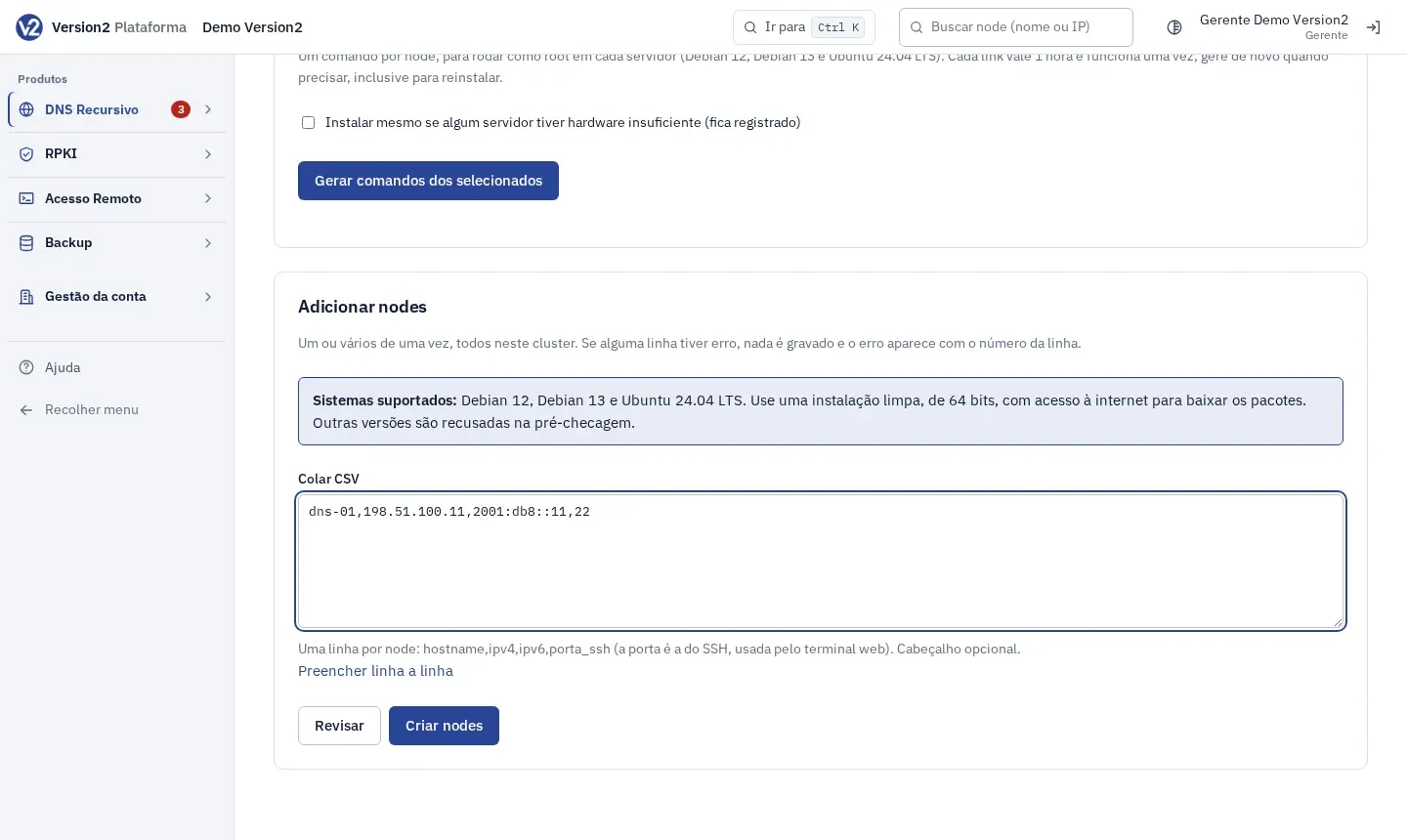
-
Click Revisar (Review). The panel checks everything and tells you how many nodes would be created, without saving anything.
-
Click Criar nodes (Create nodes). If any line has an error, nothing is saved and the error shows with the line number.
-
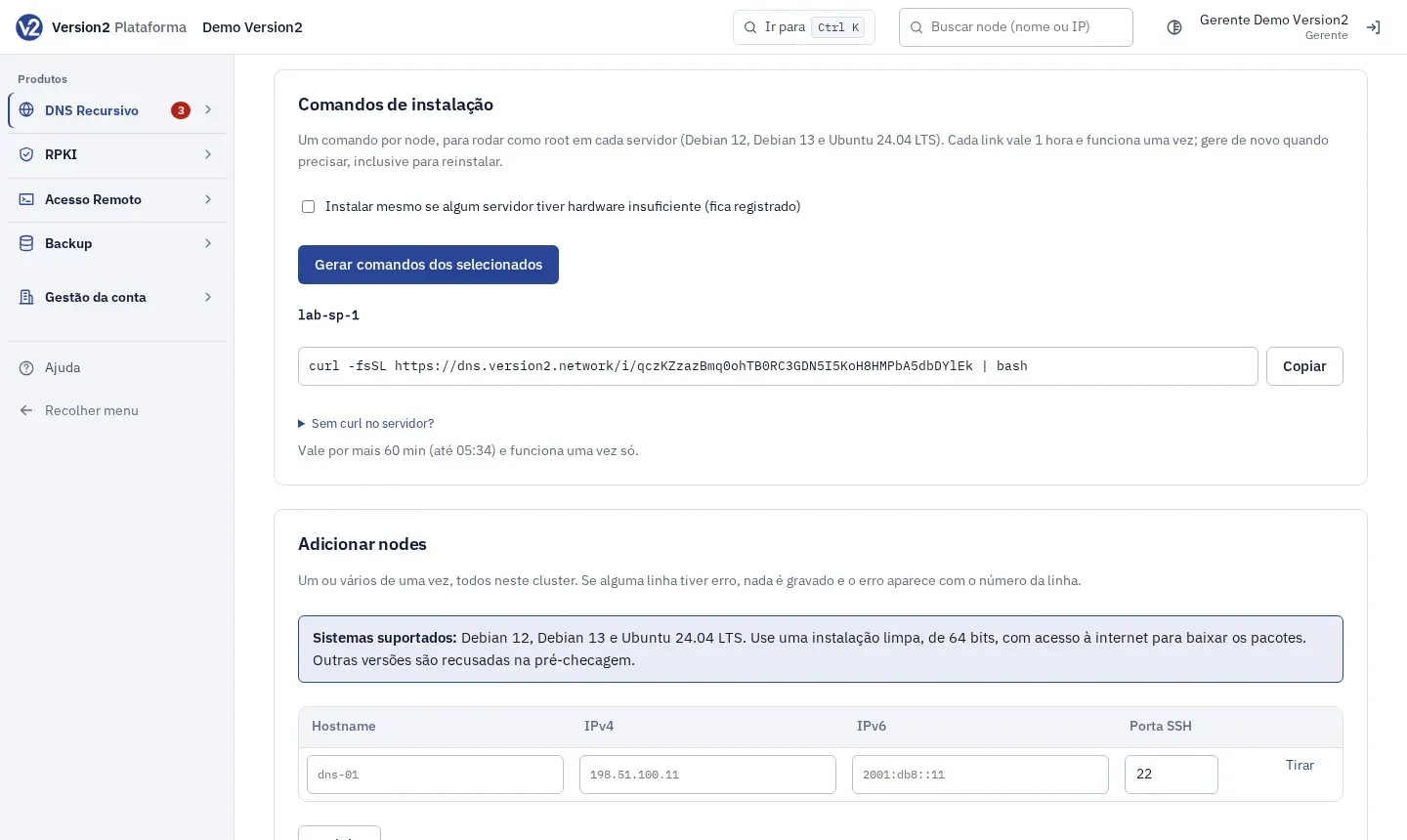
Under Comandos de instalação (Install commands), the nodes not yet installed come already checked in the table. Click Gerar comandos dos selecionados (Generate commands for selected). For a server with little hardware, first check Instalar mesmo se algum servidor tiver hardware insuficiente (fica registrado) (Install even if a server has insufficient hardware, this is logged).
-
For each node, click Copiar (Copy) and run the command as root on the server. Without curl, open Sem curl no servidor? (No curl on the server?) and use the other option. The panel shows how long the command is valid.
-
For a single node, or to reinstall, open the node, Instalação e ajustes (Installation and settings) tab, and click Gerar comando de instalação (Generate install command).
Expected result
Section titled “Expected result”The command runs the pre-check, installs BIND9, nftables, FRR and the agent, and applies the cluster configuration. The node goes through Pendente (Pending), Checando (Checking) and Instalando (Installing) until Ativo (Active), and metrics start arriving every 30 seconds. Each command is valid for 1 hour and works once. Generate another one when you need it.
If something goes wrong
Section titled “If something goes wrong”- “Hostname … inválido: letras minúsculas, números, hífen e ponto, até 63 caracteres entre pontos.” (Invalid hostname: lowercase letters, digits, hyphen and dot, up to 63 characters between dots.) Fix the name on that line.
- “Hostname … repetido (linha N).” (Duplicate hostname, line N.) or “Há IPs em conflito.” (There are conflicting IPs.) Each node needs its own name and IPs.
- “Porta SSH inválida.” (Invalid SSH port.) or “Linha mal formada.” (Malformed line.) Check the line against the format
hostname,ipv4,ipv6,porta_ssh. - “No máximo 500 nodes por vez.” (At most 500 nodes at a time.) Split the list into parts.
- “Selecione os nodes na tabela.” (Select the nodes in the table.) Check the nodes under Comandos de instalação.
- “Expirado: gere outro.” (Expired: generate another.) The command is older than 1 hour. Generate a new one.
- The node shows Falhou (Failed): check the server’s operating system and internet access.