
Routers (RTR)
Connect your edge routers to the V2 validator so they drop invalid routes.
Who can do this: anyone with View permission on RPKI can view. Only the account Manager can register and delete routers.
Step by step
Section titled “Step by step”-
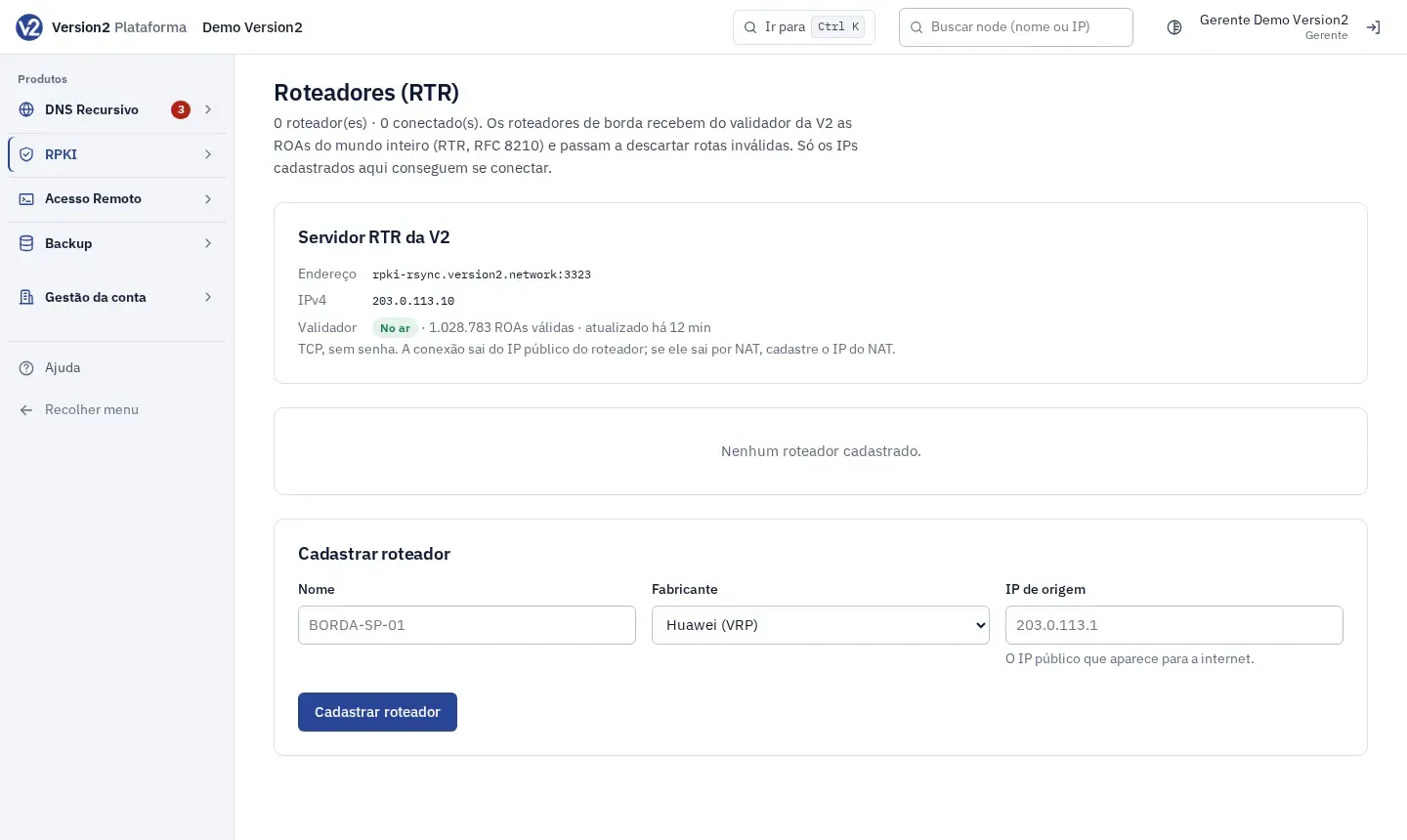
In the menu, open Validação > Roteadores (RTR) (Validation > Routers, RTR). Under Servidor RTR da V2 (V2 RTR server) you see the Endereço (Address), the IPv4 and the Validador (Validator) status.
-
Under Cadastrar roteador (Register router), fill in Nome (Name, e.g. BORDA-SP-01), Fabricante (Vendor) and IP de origem (Source IP), which is the public IPv4 the router uses to reach the internet (e.g. 203.0.113.1). If it goes out through NAT, use the NAT IP. Click Cadastrar roteador.
-
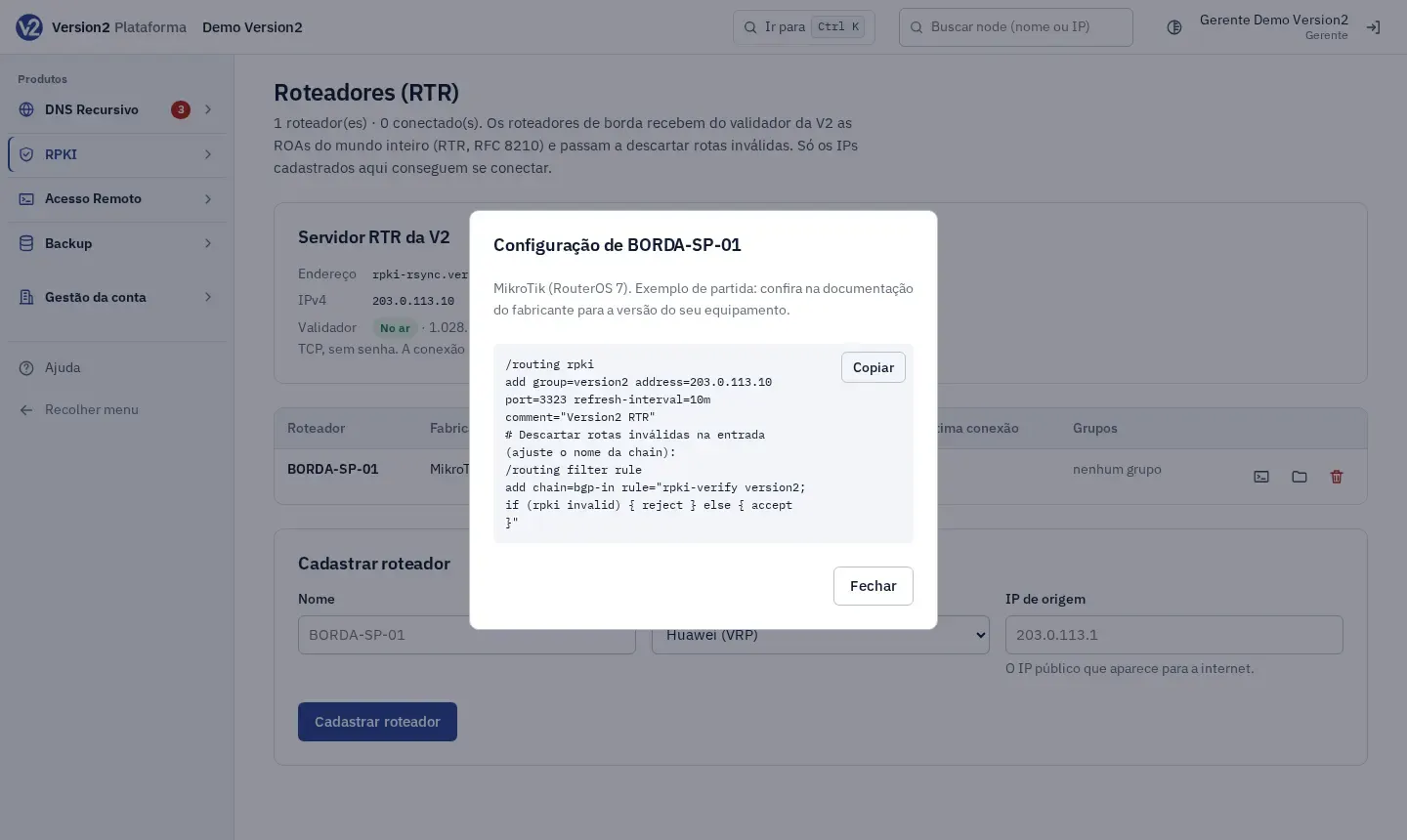
On the router’s row, click the Configuração de (Configuration for) (name) icon. The dialog shows a starting configuration for the vendor, with a Copiar (Copy) button. Check your vendor’s documentation to confirm it fits your software version. If the account has several ASNs, first pick the ASN do roteador (para a configuração) (Router ASN, for the configuration).
-
Apply the configuration on the router.
-
To remove a router, click Excluir (Delete) (name) and confirm. The open session is closed right away.
Expected result
Section titled “Expected result”The router’s Estado (State) changes from Nunca conectou (Never connected) to Conectado (Connected). The screen refreshes every 30 s.
If something goes wrong
Section titled “If something goes wrong”- “Informe o IP público de onde o roteador sai para a internet (IPv4 ou IPv6), sem máscara.” (Enter the public IP the router uses to reach the internet, IPv4 or IPv6, without a mask.): type only the address, without /32 or any other mask.
- You entered an IPv6 address: enter the public IPv4 the router uses to reach the internet.
- “IP já cadastrado.” (IP already registered.): each IP can be registered once. Check whether the router is already in the list.
- “Escolha o fabricante.” (Choose the vendor.): select the vendor before registering.
- Sem comunicação (No communication): the router connected before and dropped. Check that it reaches the internet from the registered IP and that the configuration is still applied.
- The state stays at Nunca conectou: check that the source IP is correct (with NAT, the NAT IP) and that the configuration was applied.