
Security and compliance
Find out which management services on your devices are open to the internet and which best practices each device follows.
Who can do this: people with Total on Backup or who manage Remote Access.
The analysis reads the configuration stored in the backup. It does not scan ports. RouterOS devices are analyzed. Devices from other vendors show as not evaluated.
Step by step
Section titled “Step by step”All devices
Section titled “All devices”-
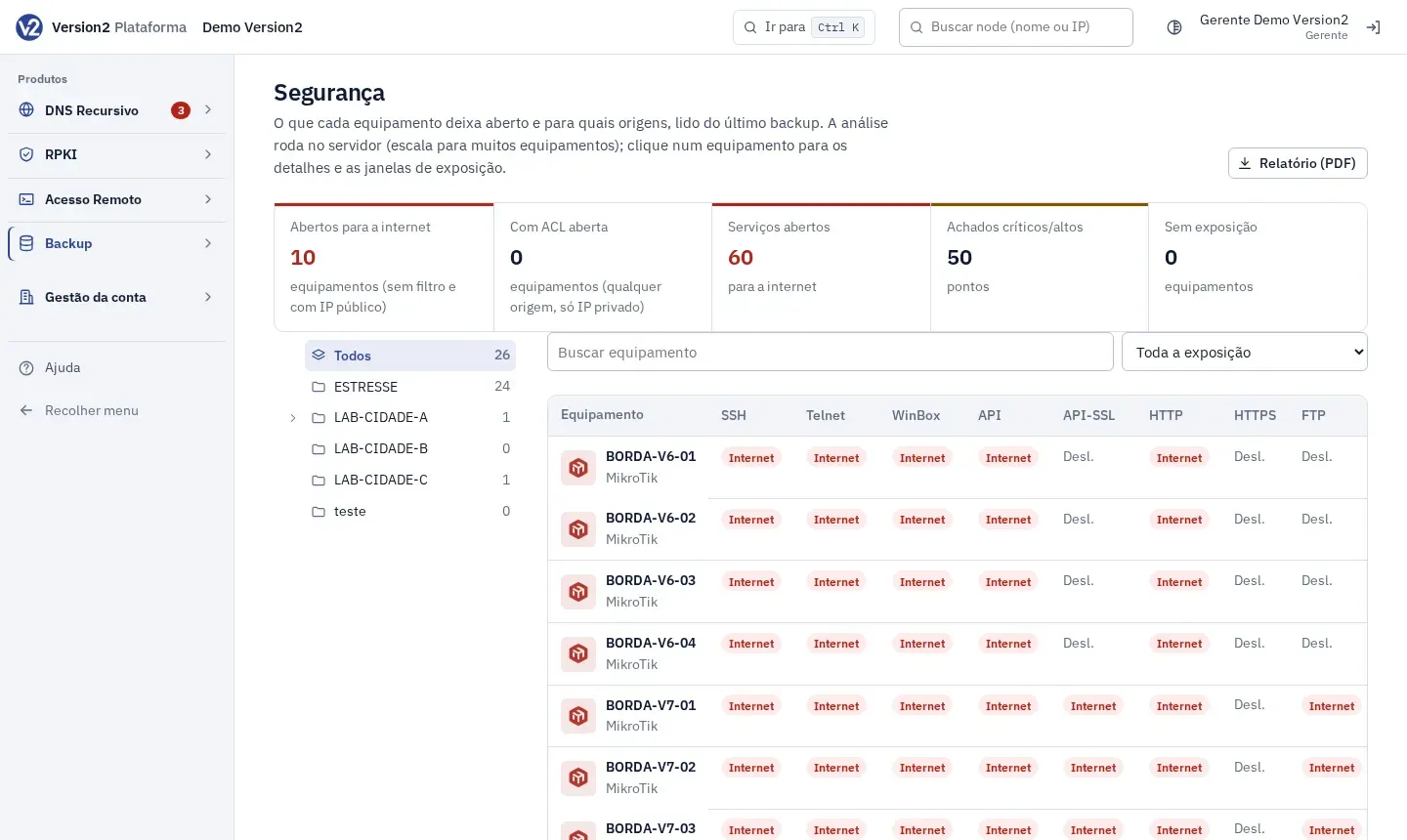
In the menu, open Backup > Segurança (Security). The top shows Com algo aberto (Something open), Serviços abertos (Open services), Achados críticos/altos (Critical/high findings) and Sem exposição (No exposure).
-
The table has one column per service (SSH, Telnet, WinBox, API, API-SSL, HTTP, HTTPS, FTP, SNMP). Internet means the service accepts any source, Restrito (Restricted) means it accepts only known sources, and Desl. (Off) means it is turned off.
-
Filter with Buscar equipamento (Search device), the group tree and Toda a exposição (All exposure), Com algo aberto, Sem exposição or Não avaliados (Not evaluated). Click a device to see the details.
One device
Section titled “One device”-
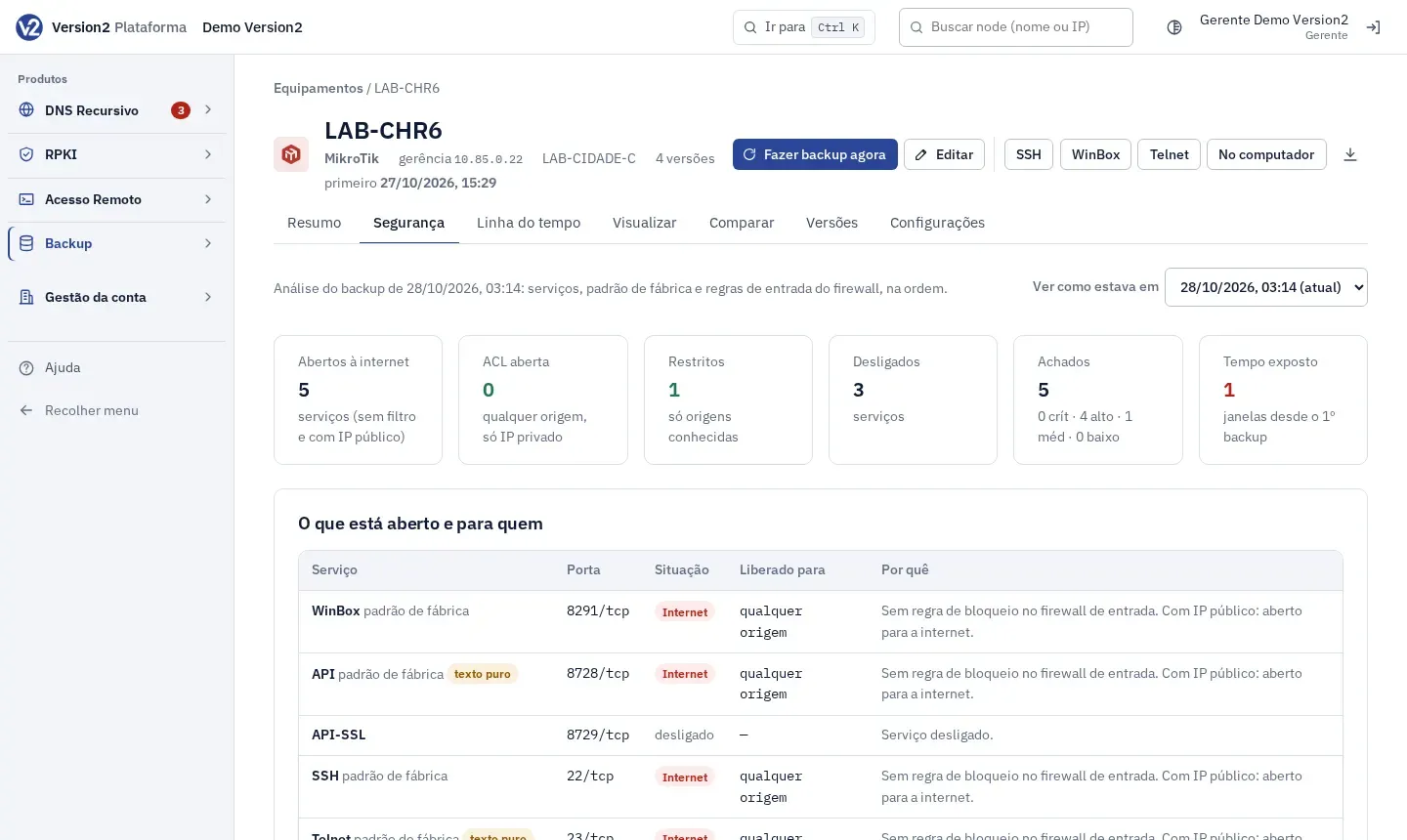
On the device Segurança tab, pick the version in Ver como estava em (View as it was on).
-
Read O que está aberto e para quem (What is open and to whom: Serviço (Service), Porta (Port), Situação (State), Liberado para (Allowed for), Por quê (Why)), Achados e recomendações (Findings and recommendations: critical, high, medium, low), Regras de entrada do firewall (Firewall input rules) and Janelas de exposição (Exposure windows). The windows show when a service started accepting any source and when it went back to restricted.
Compliance
Section titled “Compliance”-
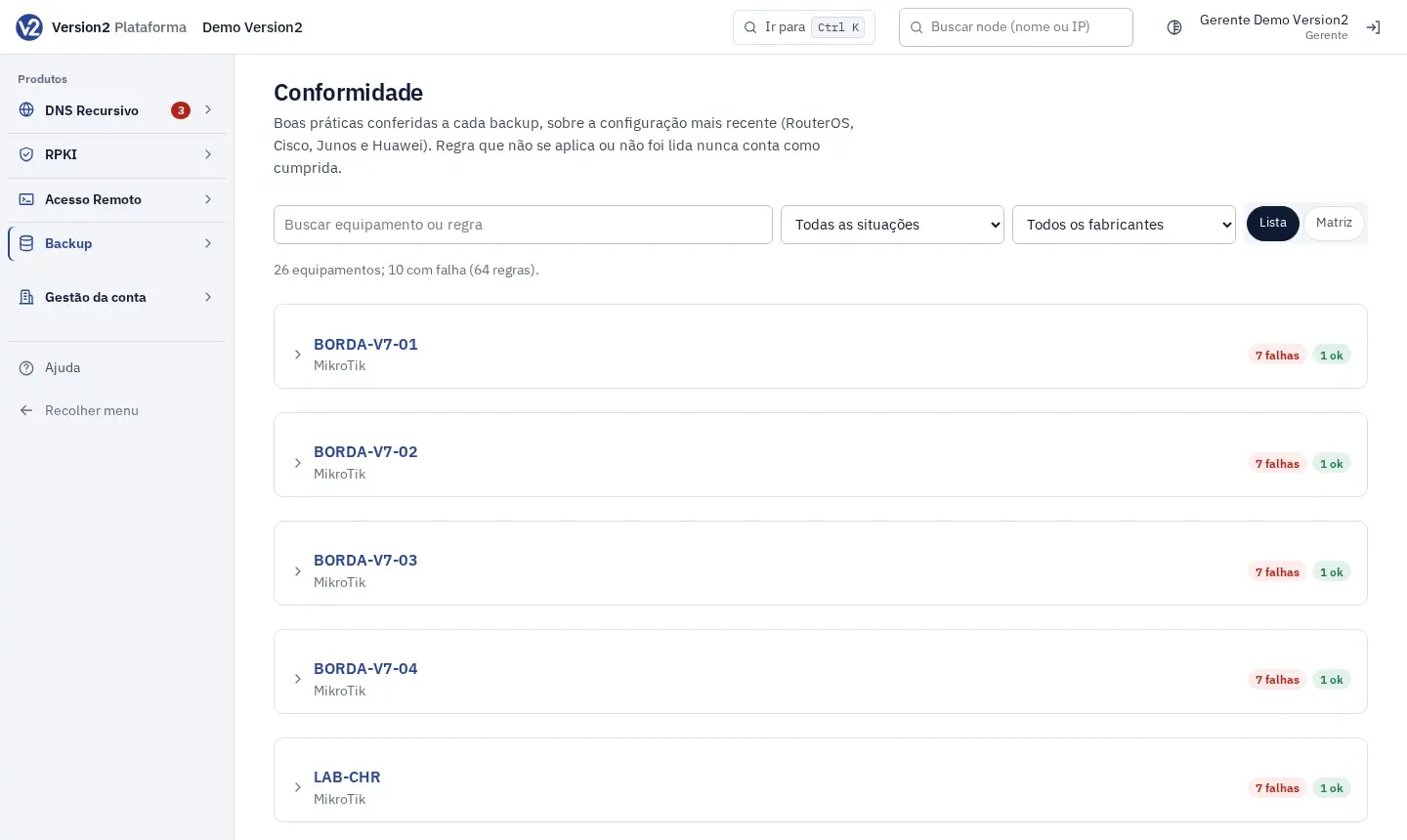
In the menu, open Backup > Conformidade (Compliance). The screen shows a list with one block per device, using the latest configuration. The blocks start closed, and devices with the most failures come first. Each block’s summary counts the rules by status.
-
Open a device to see each rule with its status and detail:
| Status | Meaning |
|---|---|
| Falha (Failed) | The configuration does not meet the rule. The detail says what was found. |
| OK | The configuration meets the rule. |
| Não se aplica (Not applicable) | Another device from the same vendor has the rule, this one doesn’t. |
| Não avaliado (Not evaluated) | The device has no backup yet or the reader doesn’t cover its configuration. It never counts as met. |
- Filter with Buscar equipamento ou regra (Search device or rule), Todas as situações (All statuses, for example only Falha) and Todos os fabricantes (All vendors).
- On a wide screen, Matriz (Matrix) shows the table that crosses each rule with each device, with the same filters. Lista (List) goes back to the list. On a phone the screen is always a list.
Expected result
Section titled “Expected result”You know which devices have management open, what to recommend and since when the exposure exists.
If something goes wrong
Section titled “If something goes wrong”- Device marked as not evaluated: it is from a vendor outside the analysis, which covers RouterOS.
- “Sem regras de entrada na configuração (o RouterOS aceita por padrão).” (No input rules in the configuration; RouterOS accepts by default.) The device has no firewall input rules. Review its firewall.
- “Nenhum equipamento com backup para avaliar.” (No device with a backup to evaluate.) Turn on backup for at least one device. See Devices and schedule.