
Clusters, anycast and prefixes
Create a DNS cluster, set up anycast and authorize the networks allowed to query.
Who can: view, anyone with Ver (View) on DNS Recursivo. Create and change, anyone with Escrever (Write), Editor or Manager. With approval turned on, changes made by Editors become requests.
Step by step
Section titled “Step by step”Create the cluster
Section titled “Create the cluster”-
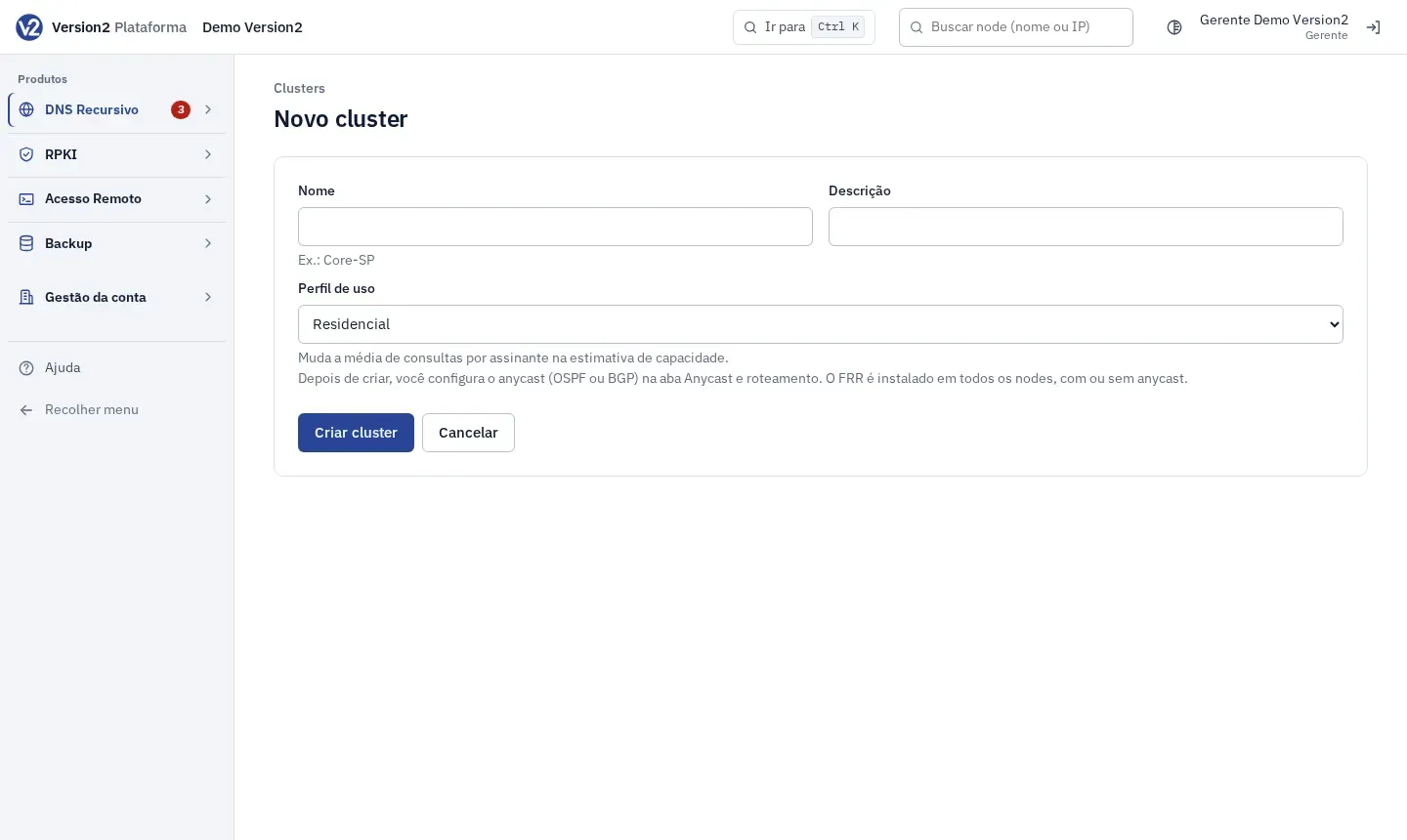
Open Clusters and click Novo cluster (New cluster).
-
Fill in Nome (Name, e.g. Core-SP), Descrição (Description) and Perfil de uso (Usage profile: Residencial, Misto or Corporativo, that is Residential, Mixed or Corporate; it changes the capacity estimate). Click Criar cluster (Create cluster).
-
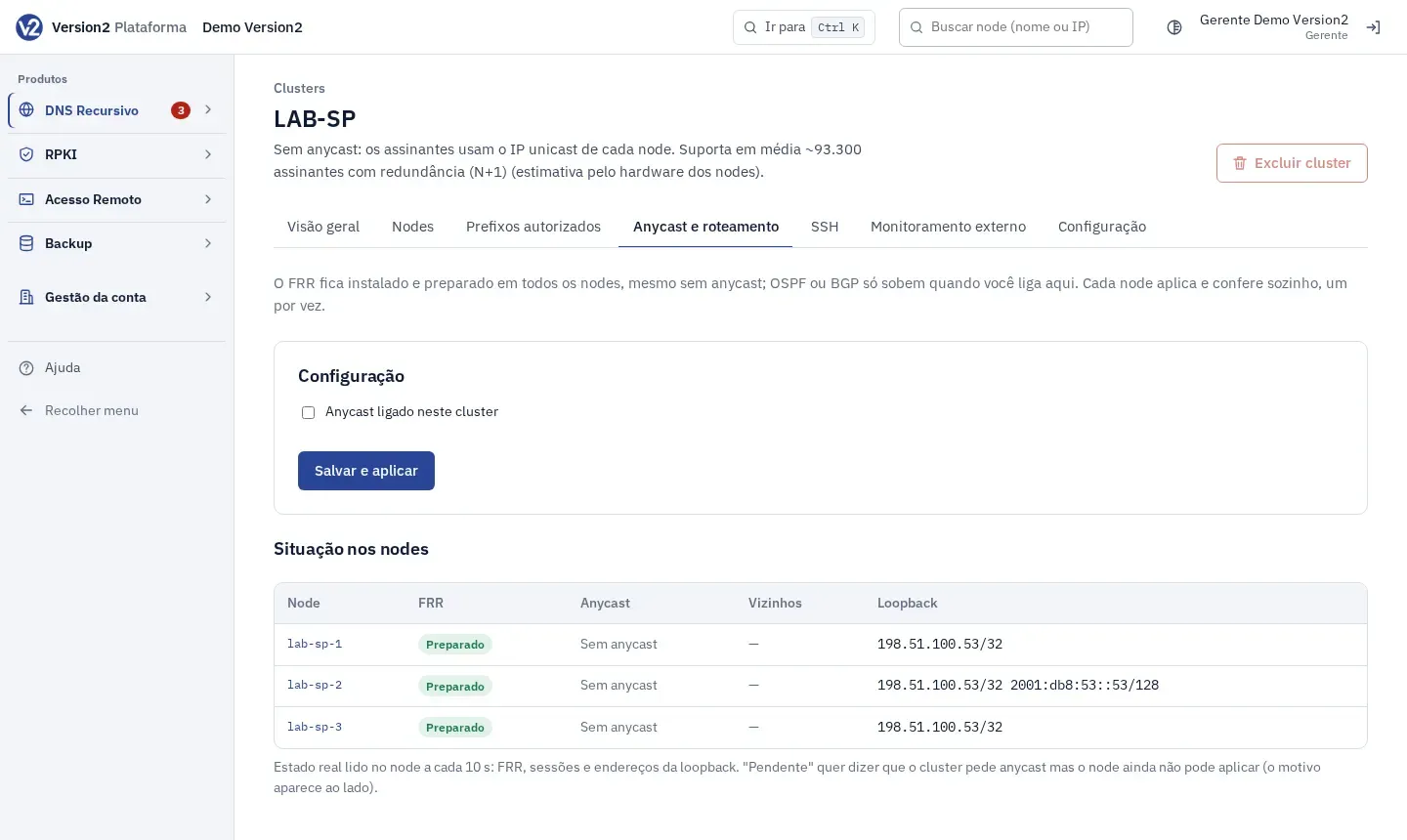
The panel opens the Anycast e roteamento (Anycast and routing) tab of the new cluster. The other tabs are Visão geral (Overview), Nodes, Prefixos autorizados (Authorized prefixes), SSH, Monitoramento externo (External monitoring) and Configuração (Configuration).
Turn on anycast
Section titled “Turn on anycast”-
On the Anycast e roteamento tab, check Anycast ligado neste cluster (Anycast on in this cluster).
-
In IPs anycast (loopback lo1) (Anycast IPs), enter one IP per line, IPv4 and IPv6 (e.g. 203.0.113.53 and 2001:db8:53::53). Another cluster cannot reuse these IPs.
-
In Protocolo que anuncia o anycast (Protocol that announces anycast), choose OSPF or BGP.
- OSPF: Área (Area), Tipo de rede (Network type: point-to-point or broadcast), Custo (Cost), Hello (s), Dead (s) and Chave MD5 (MD5 key, up to 16 characters). Each node’s uplink interface is set on the node page, Roteamento (Routing) tab.
- BGP: ASN local (dos nodes) (Local ASN of the nodes, e.g. 64496), Keepalive (s), Hold (s) and the neighbors (IP do vizinho (Neighbor IP), ASN, Descrição, Multihop, Senha MD5 (MD5 password)), with Adicionar vizinho (Add neighbor). Each neighbor receives only the anycast IPs. IPv6 anycast needs an IPv6 neighbor.
-
Click Salvar e aplicar (Save and apply). Turning anycast off or switching protocol asks for confirmation.
-
Under Situação nos nodes (Status on the nodes), check FRR, Anycast, Vizinhos (Neighbors) and Loopback for each node. “Pendente” (Pending) means the node cannot apply yet. The reason shows next to it.
Authorize prefixes
Section titled “Authorize prefixes”-
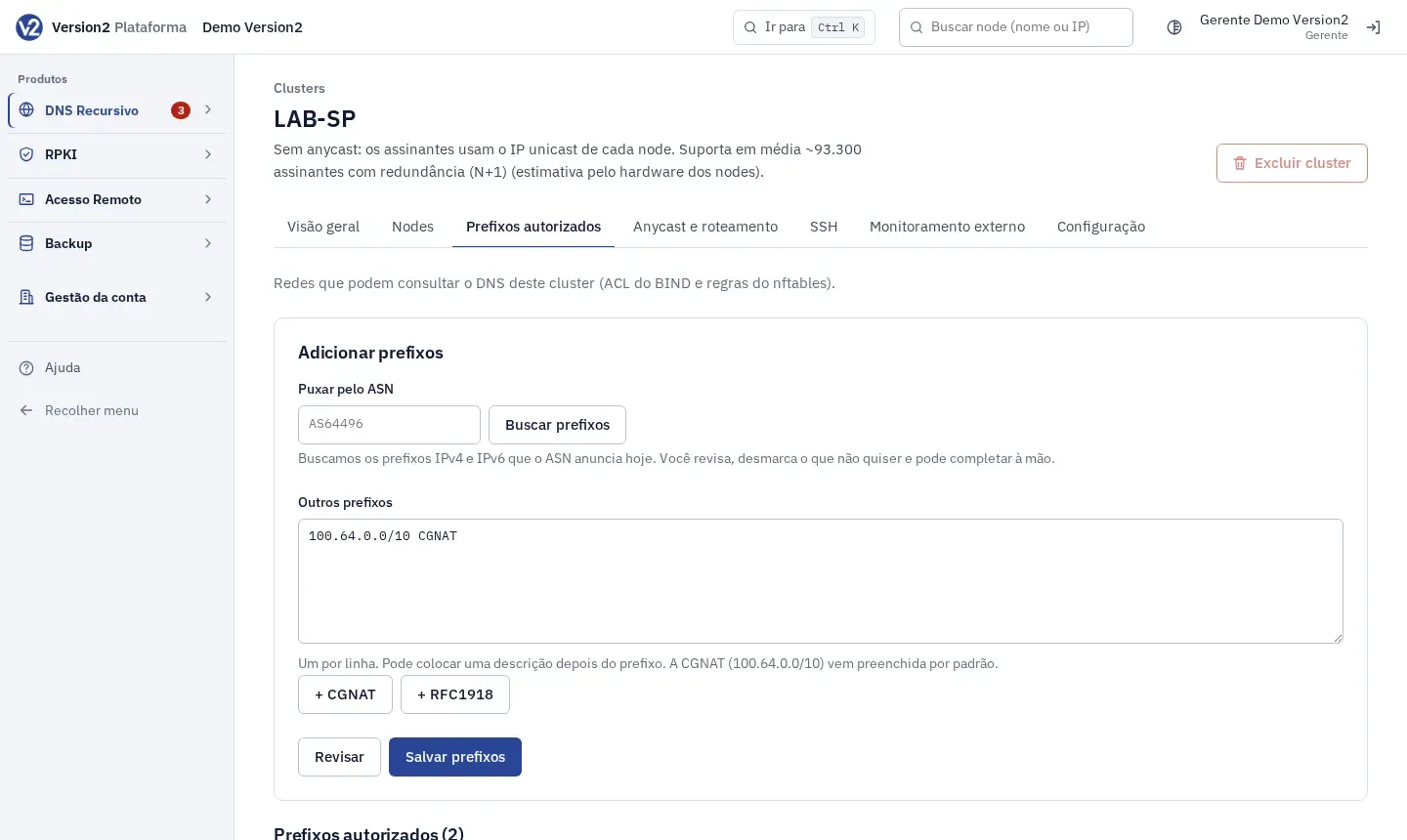
Open the Prefixos autorizados tab.
-
In Puxar pelo ASN (Pull by ASN), type the ASN (e.g. AS64496) and click Buscar prefixos (Fetch prefixes). Uncheck what you do not want. More specific prefixes already covered by a larger one come unchecked.
-
In Outros prefixos (Other prefixes), type one prefix per line, with an optional description. CGNAT (100.64.0.0/10) comes filled in. + CGNAT and + RFC1918 add those ranges to the list.
-
Click Revisar (Review) to see how many are new without saving, then Salvar prefixos (Save prefixes).
-
In the list, use the Editar (Edit) icon to change a prefix or description, and Remover selecionados (Remove selected) to delete the checked ones.
DNS policies
Section titled “DNS policies”- Open the Configuração tab. Under Identificação (Identification), change name, description and profile and click Salvar cluster (Save cluster).
- Under Políticas de DNS (DNS policies), check Validar DNSSEC (Validate DNSSEC) and Registrar consultas para o top de domínios (Log queries for the top domains), fill in Forwarders (opcional) (Forwarders, optional; empty means BIND resolves on its own) and Texto de versão do BIND (BIND version text). Click Salvar políticas (Save policies).
Other tabs
Section titled “Other tabs”- SSH: networks allowed to open SSH on the nodes. Paste them in Redes (Networks), one per line, and click Liberar no SSH (Allow on SSH). After the nodes apply, you have 60 s to click Confirmar: o SSH funciona (Confirm: SSH works). Without confirmation, the previous rules come back.
- Monitoramento externo: check Instalar e manter o Zabbix agent nos nodes deste cluster (Install and maintain the Zabbix agent on this cluster’s nodes), enter IP do Zabbix server ou proxy (Zabbix server or proxy IP), Versão do Zabbix (Zabbix version) and Agente (Agent), and click Salvar monitoramento (Save monitoring).
Expected result
Section titled “Expected result”The nodes get the new configuration within moments, one at a time. The cluster’s Visão geral shows Situação do cluster (Cluster status) and the real state of each node (DNS, Anycast, FRR, Configuration, Agent).
If something goes wrong
Section titled “If something goes wrong”- “Nome com até 63 caracteres: letras, números, espaço, ponto, hífen e sublinhado.” (Name up to 63 characters: letters, digits, space, dot, hyphen and underscore.) or “Nome em uso.” (Name in use.) Change the name.
- “Informe pelo menos um IP anycast (IPv4 ou IPv6).” (Enter at least one anycast IP, IPv4 or IPv6.) Fill in IPs anycast (loopback lo1) before saving.
- “Área OSPF: número (0) ou formato 0.0.0.0.” (OSPF area: number (0) or 0.0.0.0 format.) or “Chave MD5 do OSPF: até 16 caracteres, sem espaço.” (OSPF MD5 key: up to 16 characters, no spaces.) Fix the field shown.
- “Já autorizado.” (Already authorized.) The prefix is already on the list. “No máximo 5.000 prefixos por vez.” (At most 5,000 prefixes at a time.) Split them into parts.
- “Liberar o SSH para a internet inteira não é permitido.” (Opening SSH to the whole internet is not allowed.) On the SSH tab, enter only your management networks.
- Excluir cluster (Delete cluster) is disabled: the cluster still has nodes. Delete or move the nodes first.