
Proxies
Add, install and monitor the proxies that carry Remote Access and Backup to the devices on your network.
Who can do it: anyone with Total (Full) on Remote Access or Backup. In the default roles, that’s the Manager.
The proxy runs on a server in your network. It only opens an outbound connection to V2 and only reaches the devices that use it. A device’s proxy is the one chosen on the device itself. If there is none, the most specific group’s proxy applies and, last, the default proxy.
Step by step
Section titled “Step by step”-
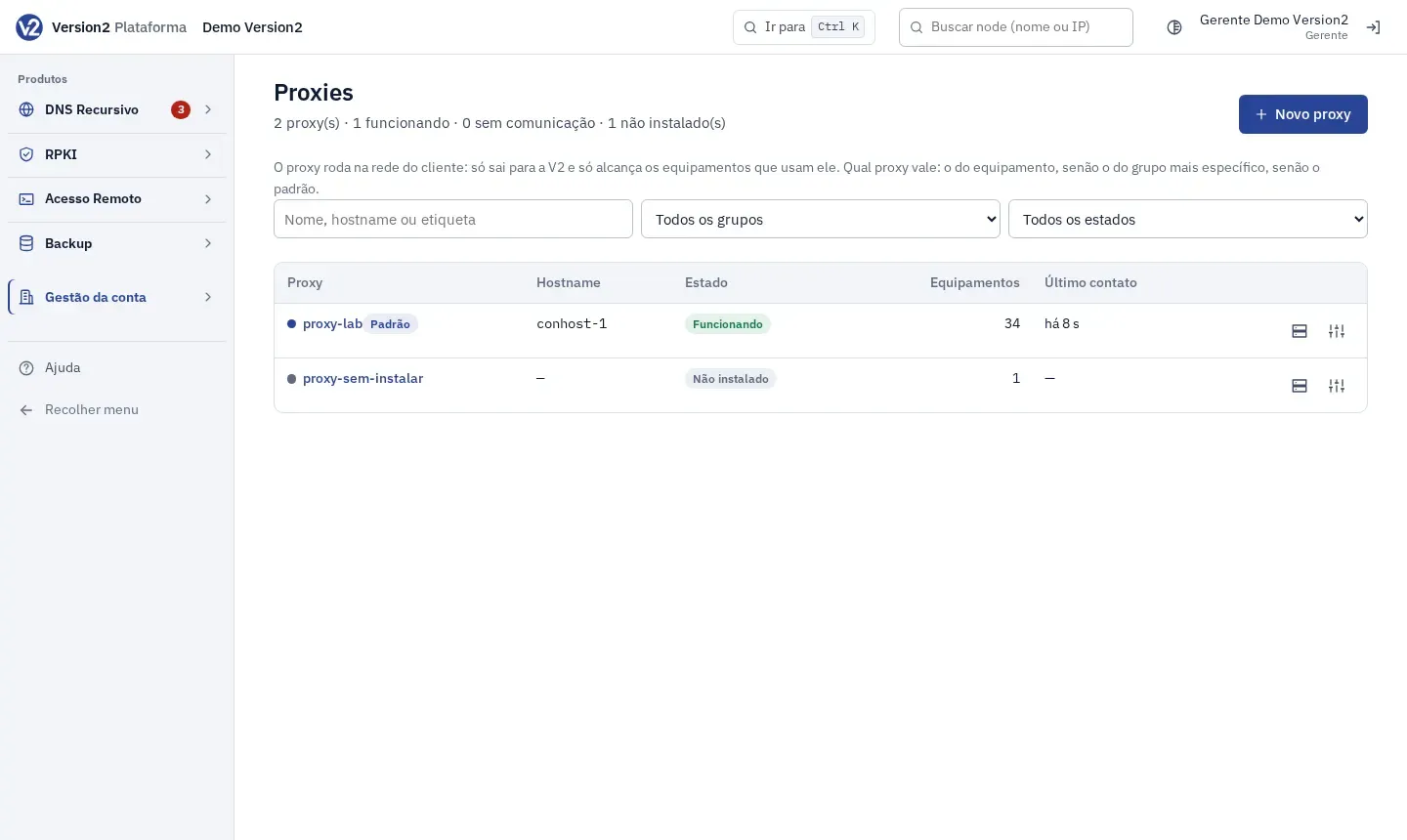
In the menu, open Gestão da conta (Account management) and click Proxies. The list shows Proxy, Hostname, Estado (State), Equipamentos (Devices) and Último contato (Last contact), with filters by name, group and state.
-
Click Novo proxy (New proxy), fill in the fields and click Criar proxy (Create proxy). Installation is covered in Install the proxy.
-
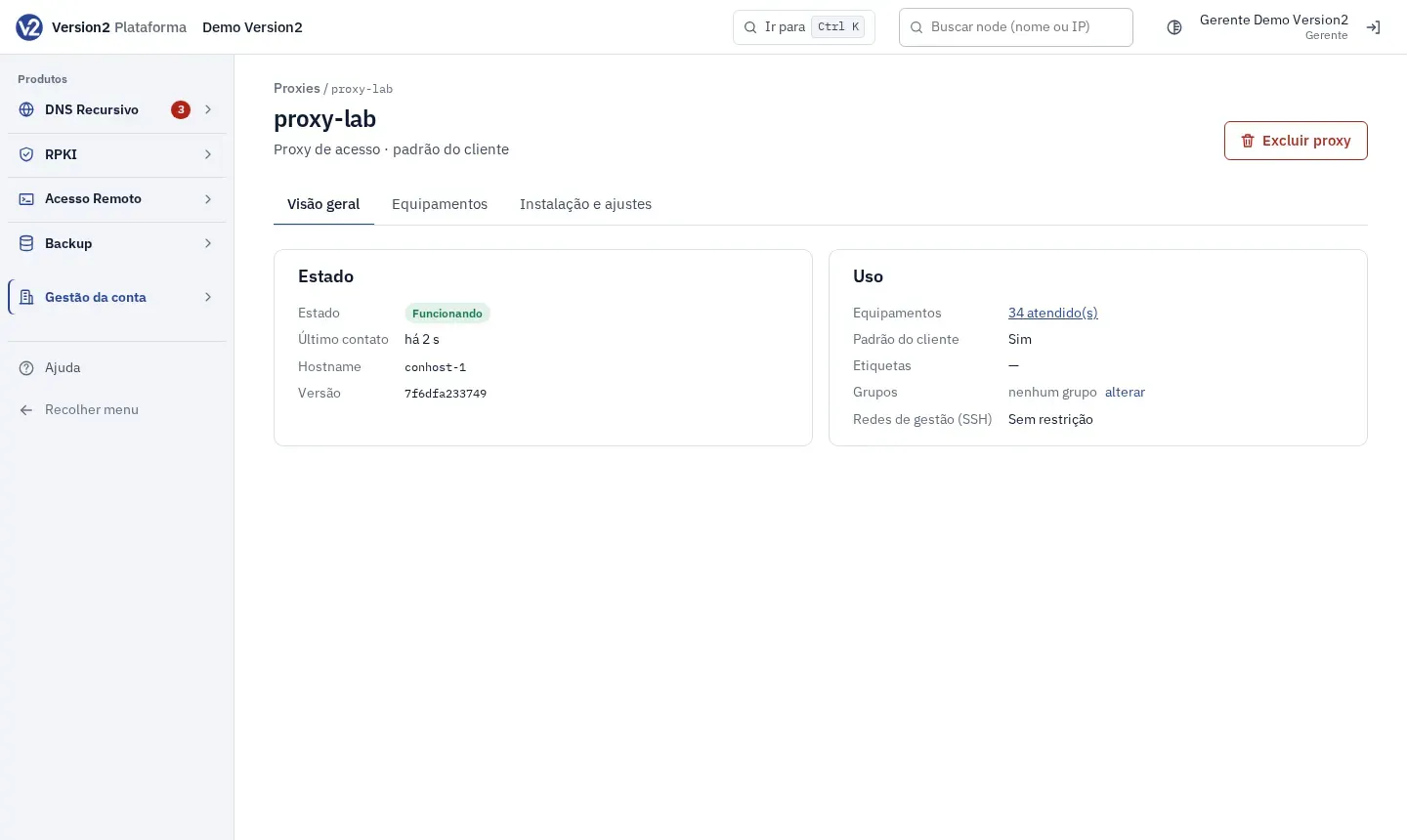
Click a proxy’s name to open its page. The tabs are Visão geral (Overview), Equipamentos and Instalação e ajustes (Installation and settings).
-
On the Equipamentos tab, see the groups using this proxy and the devices it serves. The Como chega a este proxy (How it reaches this proxy) column shows Escolhido no equipamento (Chosen on the device), Herdado do grupo (Inherited from group) or Proxy padrão (Default proxy).
-
On the Instalação e ajustes tab, change Nome (Name), Etiquetas (Tags), Cor (Color), Redes de gestão (SSH) (Management networks, SSH) and the default proxy option, and click Salvar (Save).
-
To delete it, click Excluir proxy (Delete proxy) and confirm. The proxy stops working right away. Its devices move to the next one in order (group or default).
Expected result
Section titled “Expected result”The proxy state shows as Funcionando (Working), Sem comunicação (No communication) or Não instalado (Not installed). The first proxy you create becomes the customer’s default.
If something goes wrong
Section titled “If something goes wrong”- “Dê um nome ao proxy (até 64 caracteres), por exemplo proxy-pop-centro.” (Give the proxy a name, up to 64 characters, for example proxy-pop-centro.) Enter a name of up to 64 characters.
- “Já existe um proxy com esse nome.” (A proxy with this name already exists.) Pick another name.
- “Rede inválida: use CIDR (ex.: 203.0.113.0/24) ou um IP.” (Invalid network: use CIDR, e.g. 203.0.113.0/24, or an IP.) Fix the value in the Redes de gestão (SSH) field.
- “Este equipamento não tem proxy de acesso: escolha um no equipamento ou no grupo, ou marque um proxy como padrão.” (This device has no access proxy: choose one on the device or the group, or mark a proxy as default.) Do one of the three things the message asks.