
Prefix lookup
See whether a prefix is valid, invalid or has no ROA, and which ROAs cover it.
Who can do this: anyone with View permission on RPKI.
Step by step
Section titled “Step by step”-
In the menu, open Validação > Consultar prefixo (Validation > Prefix lookup). The Consultar (Look up) link in the account tables opens this screen already filled in.
-
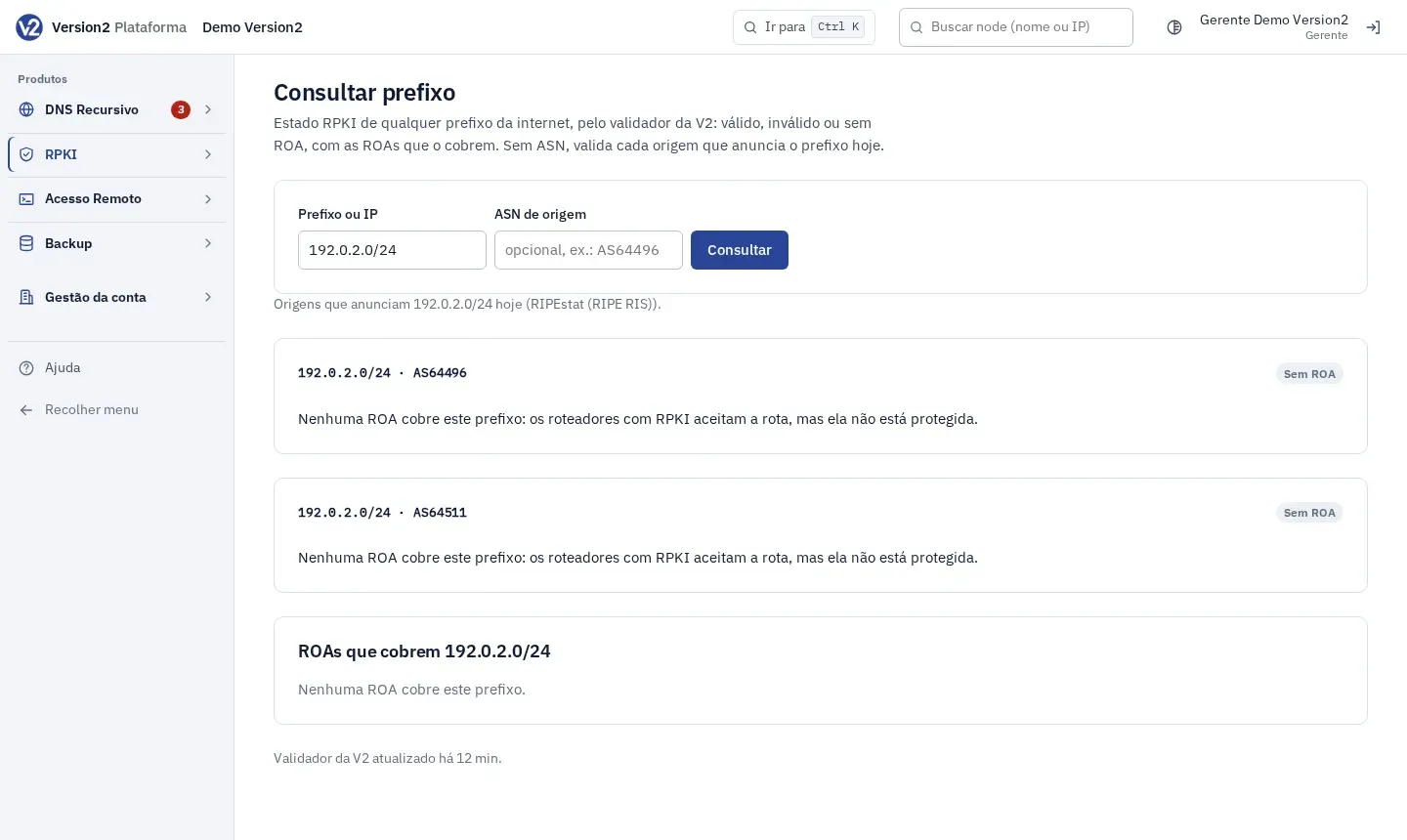
Fill in Prefixo ou IP (Prefix or IP), e.g. 192.0.2.0/24, 2001:db8::/32 or a single IP. ASN de origem (Origin ASN) is optional (e.g. AS64496). Click Consultar.
Expected result
Section titled “Expected result”You see one card per origin with Válida (Valid), Inválida (Invalid, with the reason: other ASN or max-length) or Sem ROA (No ROA), and the ROAs que cobrem (Covering ROAs) table with Prefixo (Prefix), ASN autorizado (Authorized ASN), Max-length and RIR. If you leave the ASN empty, the panel validates each origin that announces the prefix today. A single IP is replaced by the announced prefix that covers it.
If something goes wrong
Section titled “If something goes wrong”- “Informe um prefixo (ex.: 192.0.2.0/24 ou 2001:db8::/32) ou um IP.” (Enter a prefix, e.g. 192.0.2.0/24 or 2001:db8::/32, or an IP.): the field is empty or the value isn’t a prefix or an IP. Fix it and look up again.
- “Ninguém anuncia este prefixo agora. Informe um ASN de origem para validar.” (Nobody announces this prefix right now. Enter an origin ASN to validate.): fill in ASN de origem with the ASN that will announce the prefix.