
Timeline
See when and what changed in your device configurations.
Who can do this: people with Total on Backup or who manage Remote Access.
Step by step
Section titled “Step by step”For one device
Section titled “For one device”-
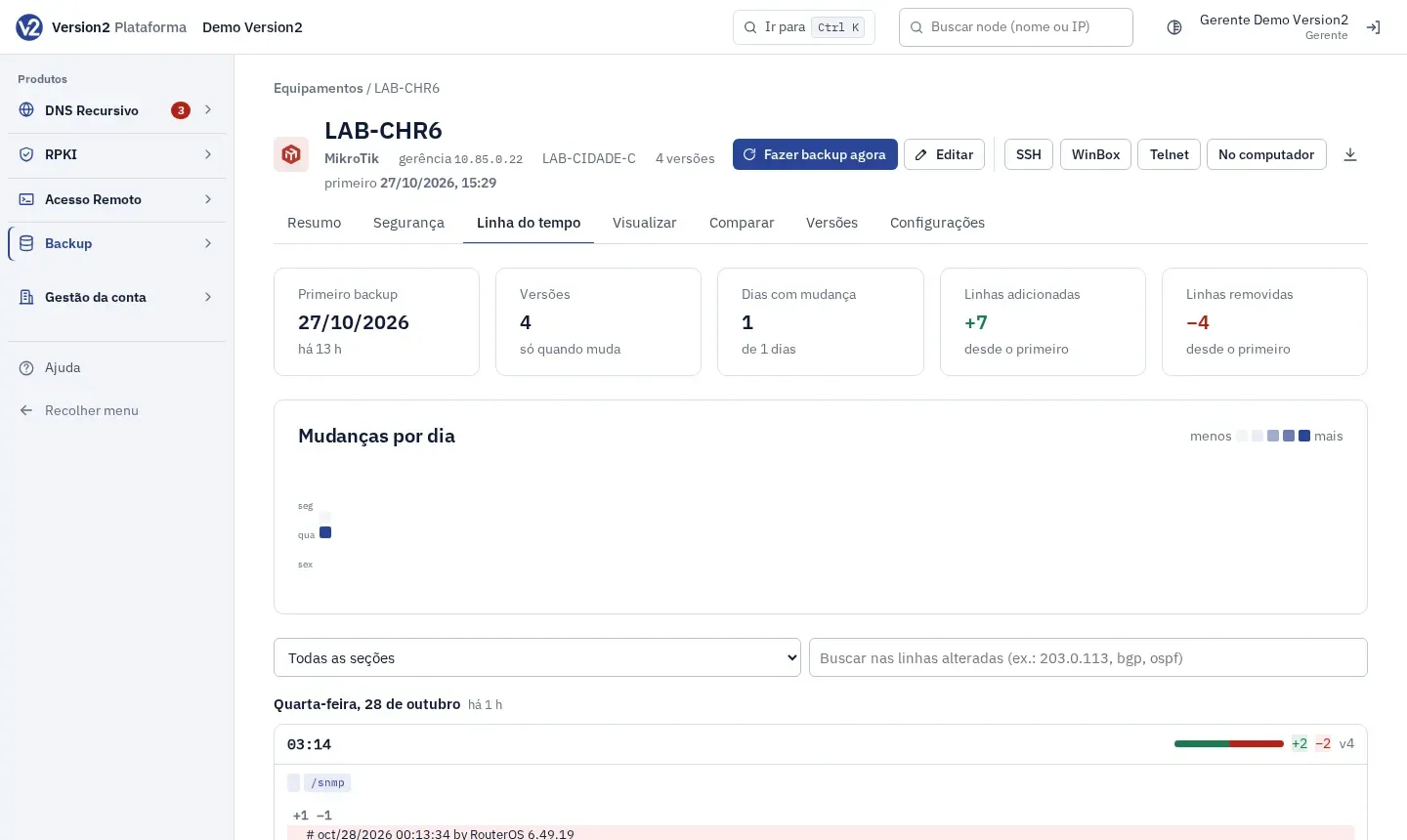
Open the device in Backup and click the Linha do tempo (Timeline) tab.
-
The top shows Primeiro backup (First backup), Versões (Versions), Dias com mudança (Days with changes), Linhas adicionadas (Lines added) and Linhas removidas (Lines removed).
-
Under Mudanças por dia (Changes per day), click a day on the heat map to jump to it.
-
Filter by Todas as seções (All sections) or one section, and by text in Buscar nas linhas alteradas (ex.: 203.0.113, bgp, ospf) (Search changed lines).
-
On each change, use Comparar com a anterior (Compare with previous), Comparar com a atual (Compare with current), Visualizar esta versão (View this version) and Marcar como boa (Mark as good). Mostrar mais (Show more) expands the remaining lines.
For all devices
Section titled “For all devices”-
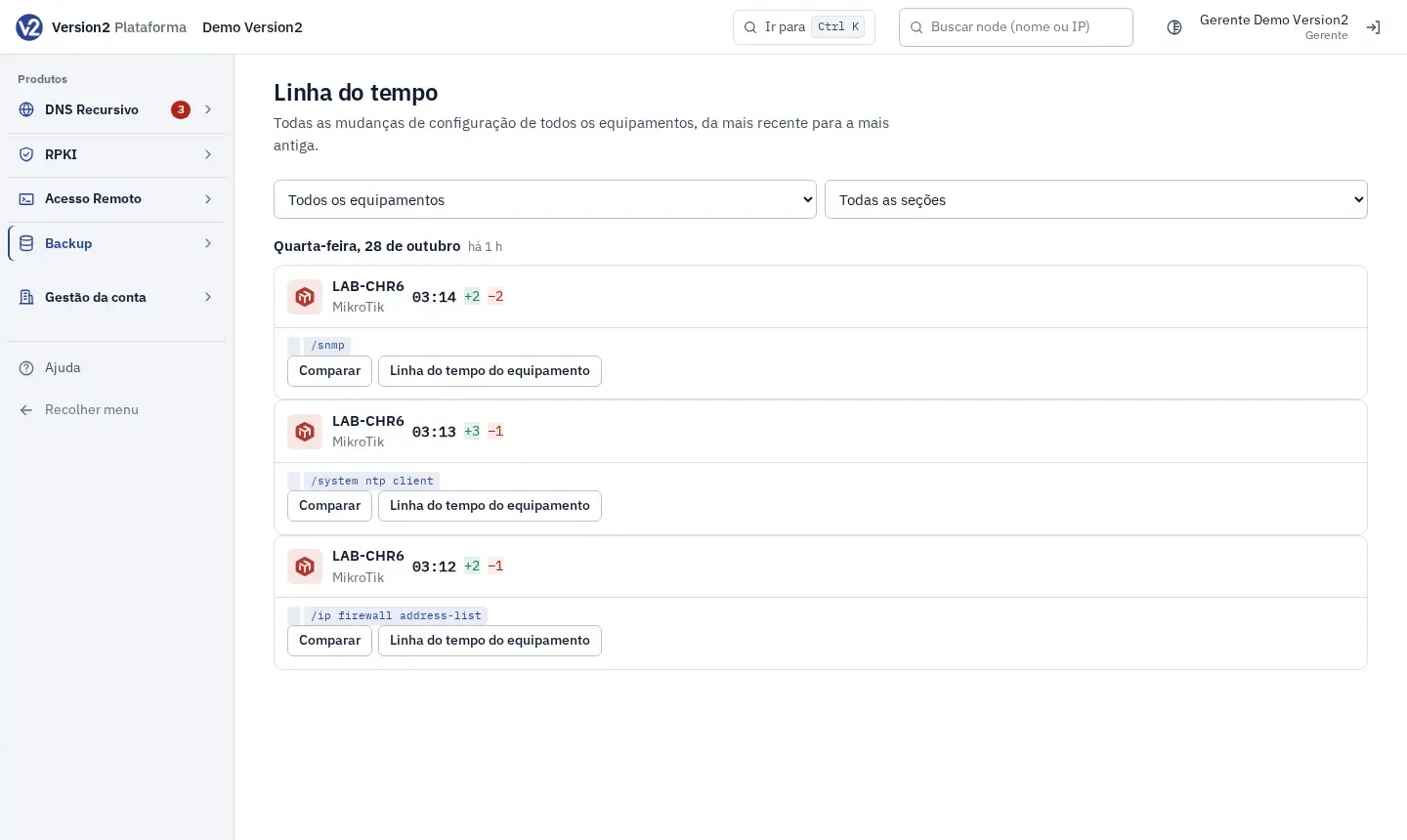
In the menu, open Backup > Linha do tempo. The screen gathers changes from all devices, newest first.
-
Filter by Todos os equipamentos (All devices) or one, and by section. Each card has Comparar (Compare) and Linha do tempo do equipamento (Device timeline).
Expected result
Section titled “Expected result”Changes are grouped by day, with lines added and removed in each section and passwords masked.
If something goes wrong
Section titled “If something goes wrong”- “Só há o primeiro backup; ainda não houve mudança.” (Only the first backup exists; no changes yet.) The timeline shows changes starting from the second backup.
- “Nenhuma mudança com esses filtros.” (No changes match these filters.) Clear the search or pick another section.
- “Ainda não há mudanças guardadas.” (No changes stored yet.) Shows on the general timeline while no device has changed.