
Audit log
See who did what on the customer, in any module, and export the record.
Who can do it: anyone with Total (Full) on Gestão da conta (Account management). In the default roles, that’s the Manager.
Step by step
Section titled “Step by step”-
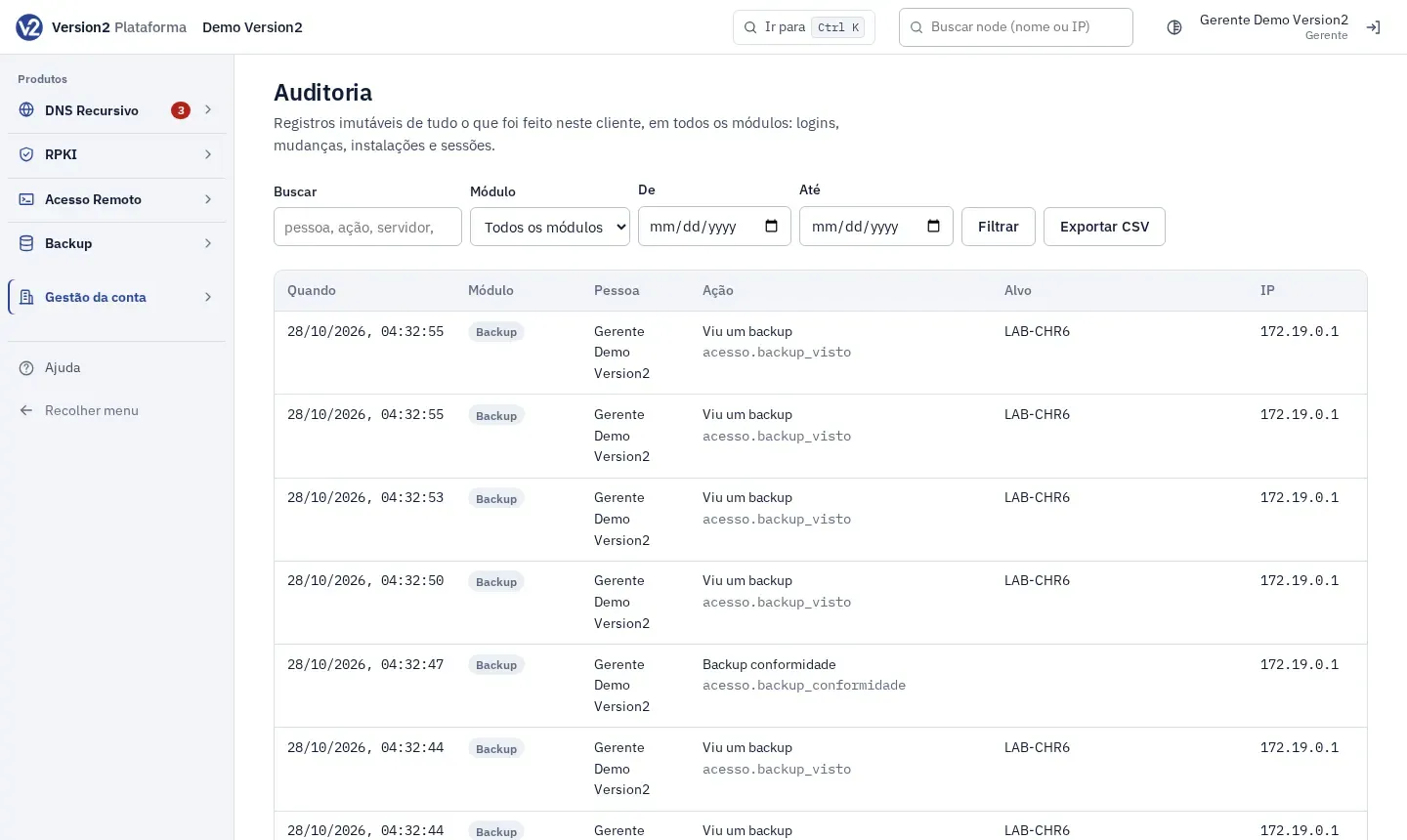
In the menu, open Gestão da conta (Account management) and click Auditoria (Audit log).
-
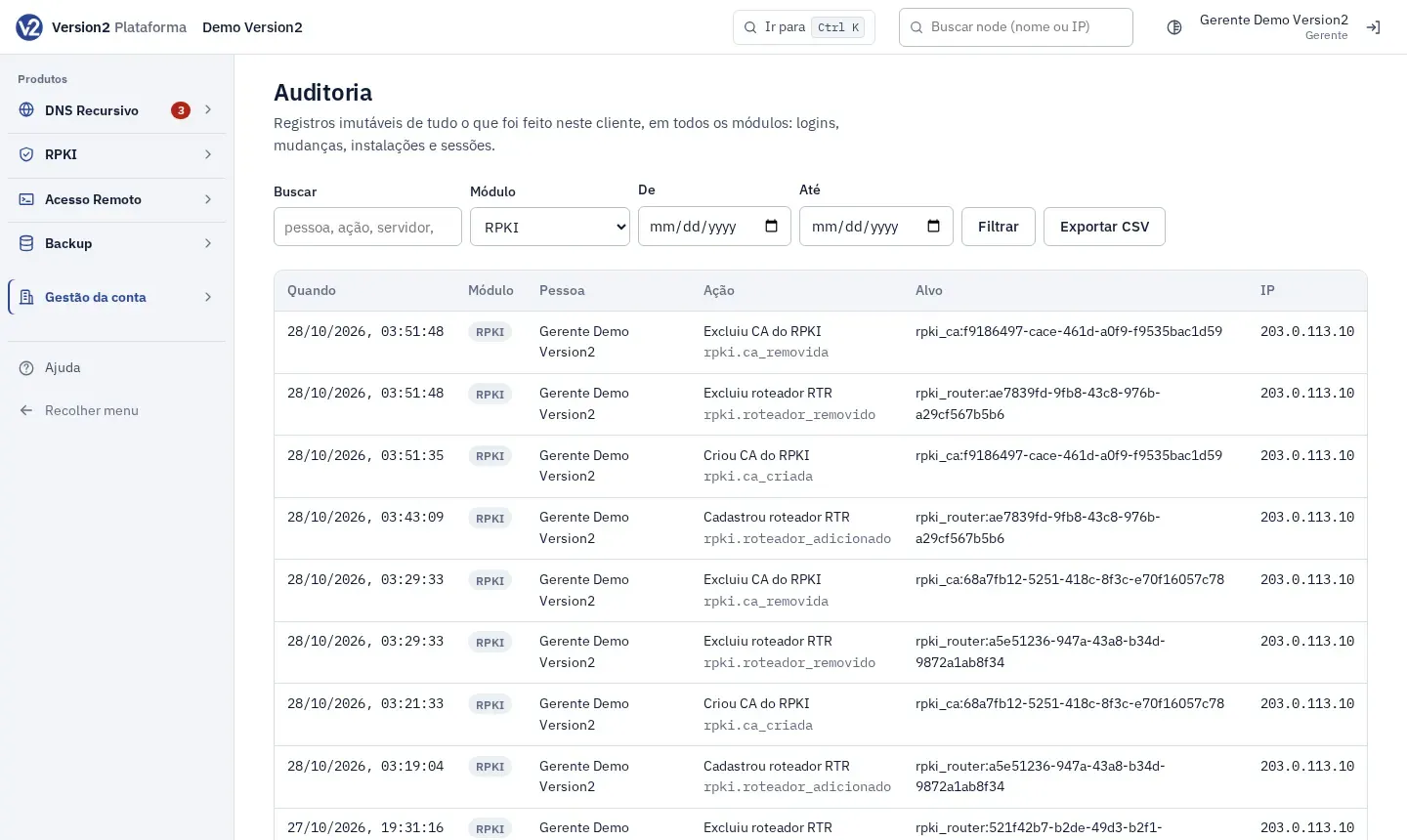
To filter, use Buscar (Search) for person, action, server or prefix, Módulo (Module) with Todos os módulos (All modules), DNS Recursivo, RPKI, Acesso Remoto, Backup or Conta (Account), plus De (From) and Até (To), and click Filtrar (Filter). Changing the module filters the list right away.
-
Hover over a row to see the record details.
-
Click Exportar CSV (Export CSV) to download everything inside the filters.
Expected result
Section titled “Expected result”The table shows Quando (When), Módulo (Module), Pessoa (Person), Ação (Action, in words and with its code), Alvo (Target) and IP. The screen shows the 300 most recent records. The export includes all of them.
If something goes wrong
Section titled “If something goes wrong”- “Nenhum registro com esses filtros.” (No records match these filters.) Widen the date range or clear the search.
- A module is missing from the filter: you need at least Ver (View) on it. Ask a Manager.
- You can’t find a Remote Access session: recorded sessions are under Sessões e gravações (Sessions and recordings).