
Notifications and alerts
Choose who gets alerts by email and understand the notices that show up in the panel.
Who can do it: changing who gets email and the incident notices requires Total (Full) on Gestão da conta (Account management). Everyone with access to Recursive DNS sees the notices in the panel.
Step by step
Section titled “Step by step”-
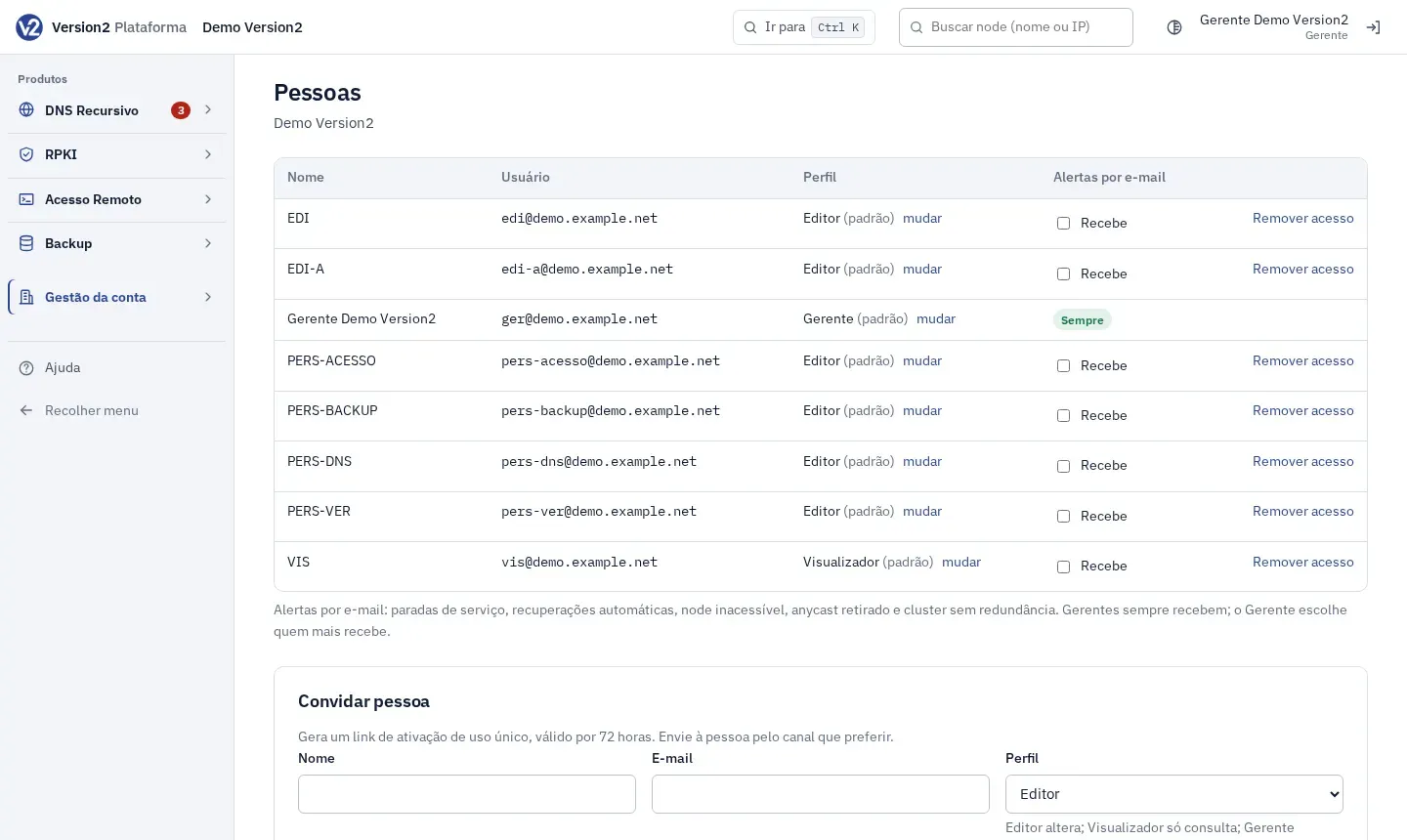
In the menu, open Gestão da conta (Account management) and click Pessoas (People). The Alertas por e-mail (Email alerts) column shows who receives them.
-
Managers show Sempre (Always). For everyone else, check or uncheck Recebe (Receives). The change takes effect right away.
-
Email alerts cover a stopped service, automatic recovery, unreachable node, withdrawn anycast and a cluster without redundancy.
-
To choose the severity of incident notices by email and webhook, open Configurações (Settings) and use Avisos de incidente (Incident notices). See Customer settings.
-
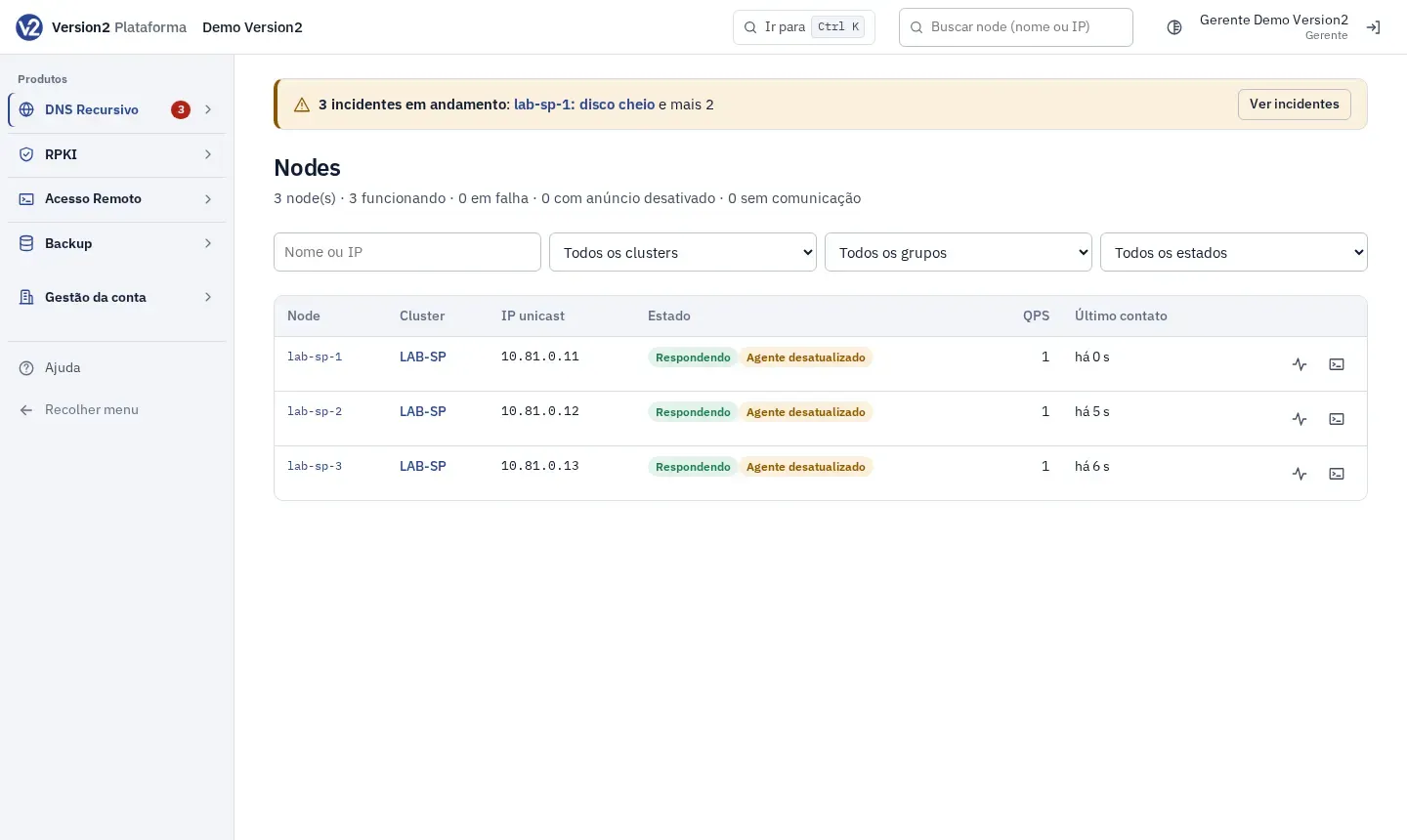
When an incident is open, Recursive DNS pages show a banner at the top with the incident and the Ver incidentes (View incidents) button. When you sign in, a notice lists the ongoing incidents. It shows up again only if a new incident appears.
-
The counters in the menu show what is pending: Incidentes (Incidents), Aprovações (Approvals) and Acesso ao terminal (Terminal access). With the menu collapsed, the number shows on the group name.
Expected result
Section titled “Expected result”People who are checked receive the alert emails. Repeated notices of the same type don’t arrive back to back, and events from the same report arrive together in one email.
If something goes wrong
Section titled “If something goes wrong”- “Sem e-mail cadastrado” (No email registered) next to a Manager: they get nothing by email. Add an email to their account.
- You don’t see the Alertas por e-mail column: it shows only for people with access to Recursive DNS.