
Custom profiles
Create a profile that gives each module a different level. For example, a NOC that sees DNS and doesn’t touch RPKI.
Who can do it: anyone with Total (Full) on Gestão da conta (Account management).
The levels
Section titled “The levels”| Level | What it allows on the module |
|---|---|
| Nenhum (None) | The module doesn’t show up. |
| Ver (View) | Look things up. |
| Escrever (Write) | Make day-to-day changes. |
| Total (Full) | Create, delete and configure. |
The profile modules are DNS Recursivo (Recursive DNS), RPKI, Acesso Remoto (Remote Access), Backup and Gestão da conta, depending on what the customer contracted. People without a profile get the default role: Visualizador (Viewer) is View, Editor is Write and Gerente (Manager) is Full on everything.
Step by step
Section titled “Step by step”-
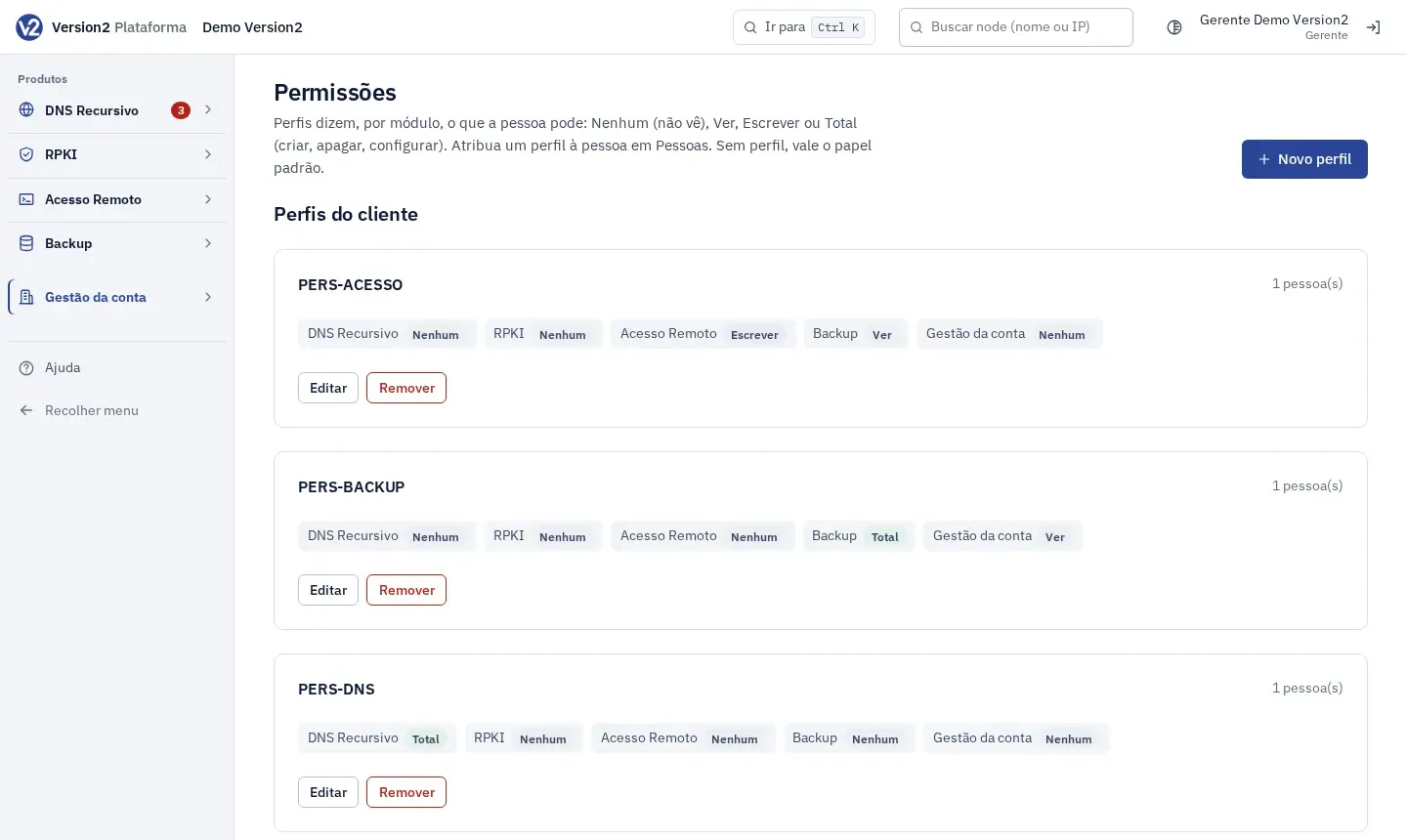
In the menu, open Gestão da conta and click Permissões (Permissions).
-
Click Novo perfil (New profile).
-
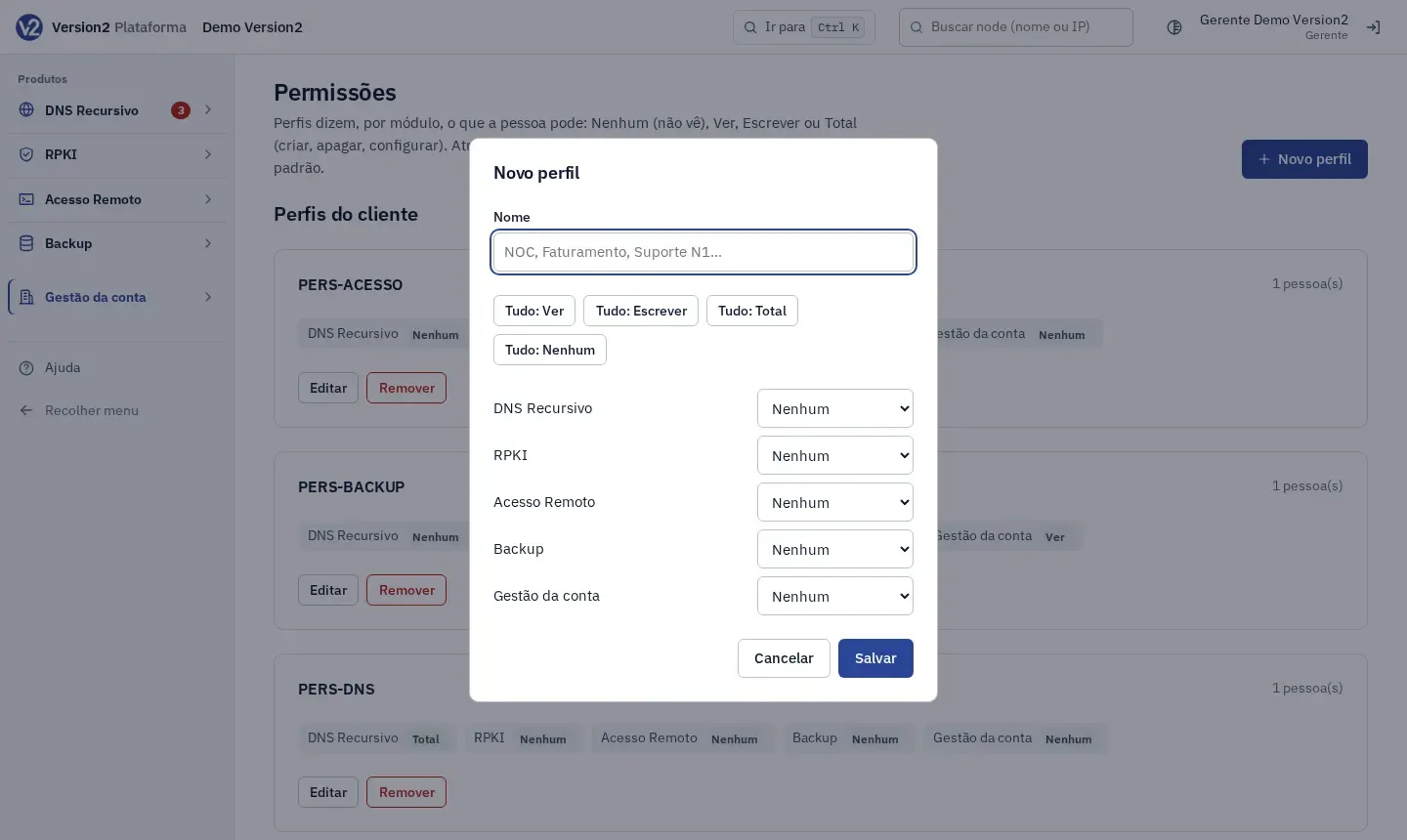
In the dialog, fill in Nome (Name), for example NOC, and choose the level for each module. The Tudo: Ver (All: View), Tudo: Escrever (All: Write), Tudo: Total (All: Full) and Tudo: Nenhum (All: None) buttons fill all of them at once.
-
Click Salvar (Save).
-
To give someone the profile, open Pessoas (People), click mudar (change) in the person’s Perfil (Profile) column, pick the profile and click Salvar.
-
To change a profile, click Editar (Edit) on its card. To delete it, click Remover (Remove) and confirm. People who used it go back to their default role.
Expected result
Section titled “Expected result”The profile card shows the level for each module and how many people use it. A person with the profile sees only the modules set to View or higher.
If something goes wrong
Section titled “If something goes wrong”- “Dê um nome ao perfil (até 64 caracteres), por exemplo NOC.” (Give the profile a name, up to 64 characters, for example NOC.) Enter a name of up to 64 characters.
- “Já existe um perfil com esse nome.” (A profile with this name already exists.) Pick another name.
- “Só quem tem Total em Gestão da conta vê e muda os perfis.” (Only people with Full on Account management can see and change profiles.) Ask a Manager.