
Web terminal on nodes
Open a root terminal on a node from the browser, with request, approval and recording.
Who can: request and open, anyone with Escrever (Write) on DNS Recursivo. Approve, reject and see every recording, anyone with Total (Full), the Manager. Editors see their own recordings.
How it works
Section titled “How it works”Managers get in directly and Editors’ requests wait for a Manager. If the customer turned on Exigir aprovação para todo acesso ao terminal (Require approval for all terminal access) in Settings, every request waits for another person. The authorization lasts for the chosen period. Revoking it or letting it expire closes the open sessions.
Step by step
Section titled “Step by step”-
In the Nodes list, click the Terminal em (Terminal on) (node) icon. On the node page, click Terminal.
-
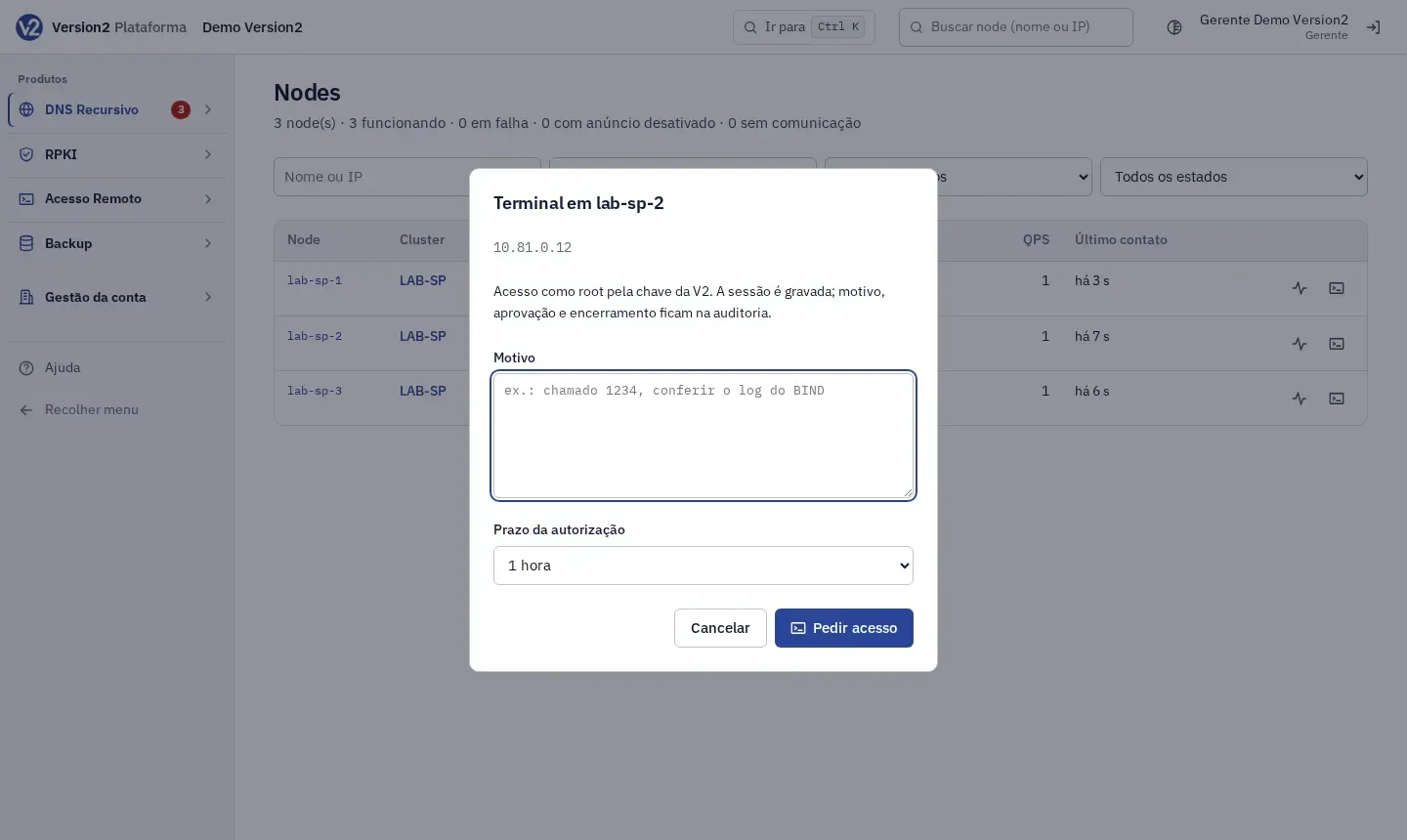
In the Terminal em (node) dialog, write the Motivo (Reason, e.g. chamado 1234, conferir o log do BIND), choose the Prazo da autorização (Authorization period, 15 minutes to 4 hours) and click Pedir acesso (Request access).
-
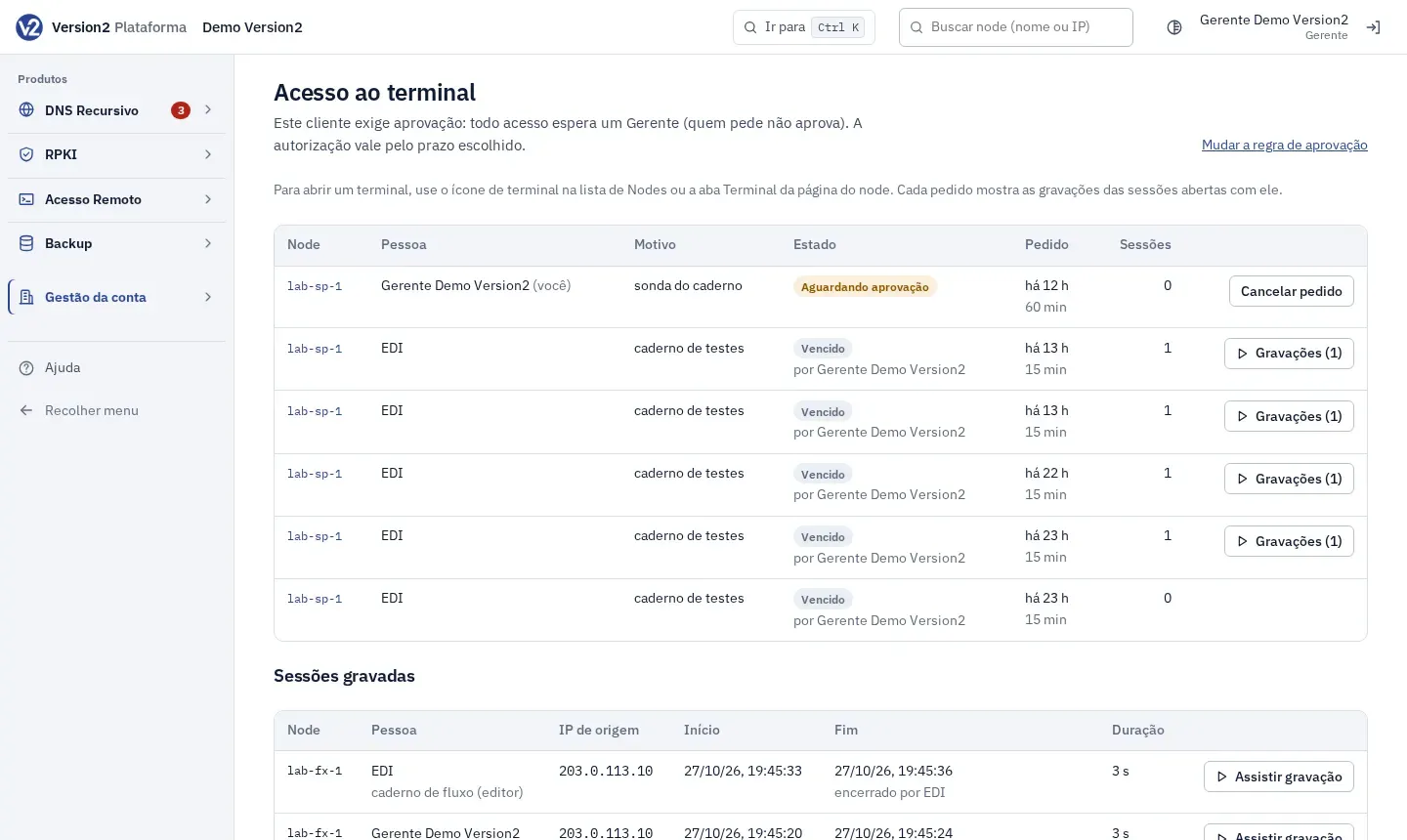
If access is granted right away, the terminal opens. If it needs approval, the panel opens Acesso ao terminal (Terminal access) with the request in Aguardando aprovação (Waiting for approval). The Manager is notified by email and in the panel.
-
To approve, the Manager opens Gestão da conta (Account management) > Acesso ao terminal and clicks Aprovar (Approve) or Recusar (Reject) on the request row.
-
With the authorization active, the requester clicks Abrir (Open). Clicking the terminal icon again also opens it directly while the authorization is valid.
-
To end before the deadline, click Revogar (Revoke). The requester can use Cancelar pedido (Cancel request) while it is waiting.
-
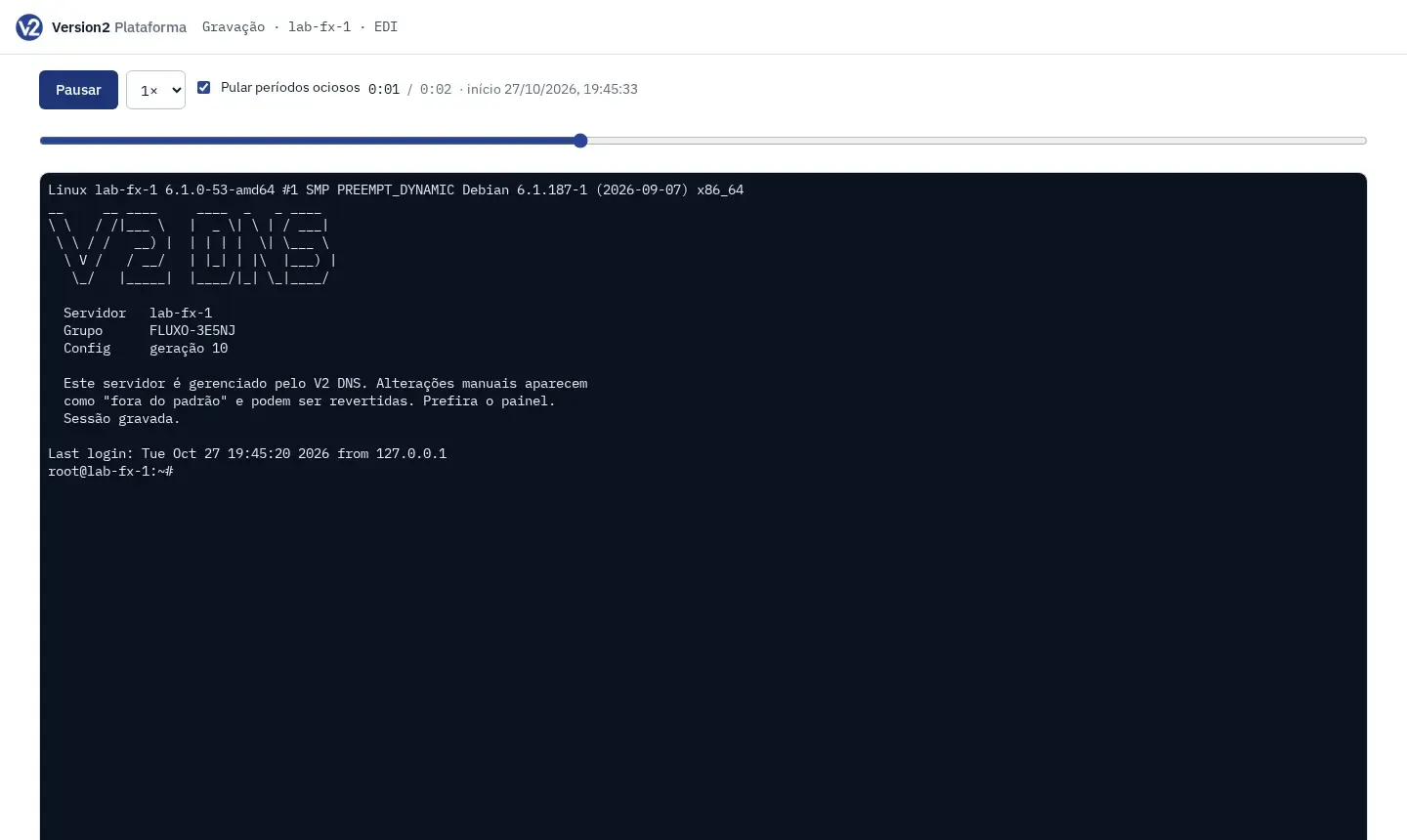
To watch, click Gravações (Recordings) (n) on the request row, or open the node on the Terminal e gravações (Terminal and recordings) tab, and click Assistir gravação (Watch recording). The player has Reproduzir (Play), Pausar (Pause), Velocidade (Speed), a position bar and Pular períodos ociosos (Skip idle periods).
Expected result
Section titled “Expected result”Access is as root and the session output is recorded. Request, decision, opening, revocation and who watched go to the audit log. The Sessões gravadas (Recorded sessions) list shows person, node, source IP, start, end and duration.
If something goes wrong
Section titled “If something goes wrong”- “Escreva o motivo do acesso.” (Write the reason for access.) Fill in Motivo.
- “Quem pediu não pode aprovar o próprio acesso.” (The requester cannot approve their own access.) Ask another Manager to approve.
- “O terminal fica disponível depois que o node é instalado.” (The terminal becomes available after the node is installed.) Finish installing the node.
- “Esta autorização não está mais nesse estado.” (This authorization is no longer in that state.) Someone already decided or it expired. Reload the page.
- “apagada pela retenção” (deleted by retention) on a recording: the content’s retention period is over. The session stays in the history.