
Sessions and recordings
Find an access session and watch its recording.
Who can do this: people who manage Remote Access see everyone’s sessions. Everyone else sees their own.
Step by step
Section titled “Step by step”-
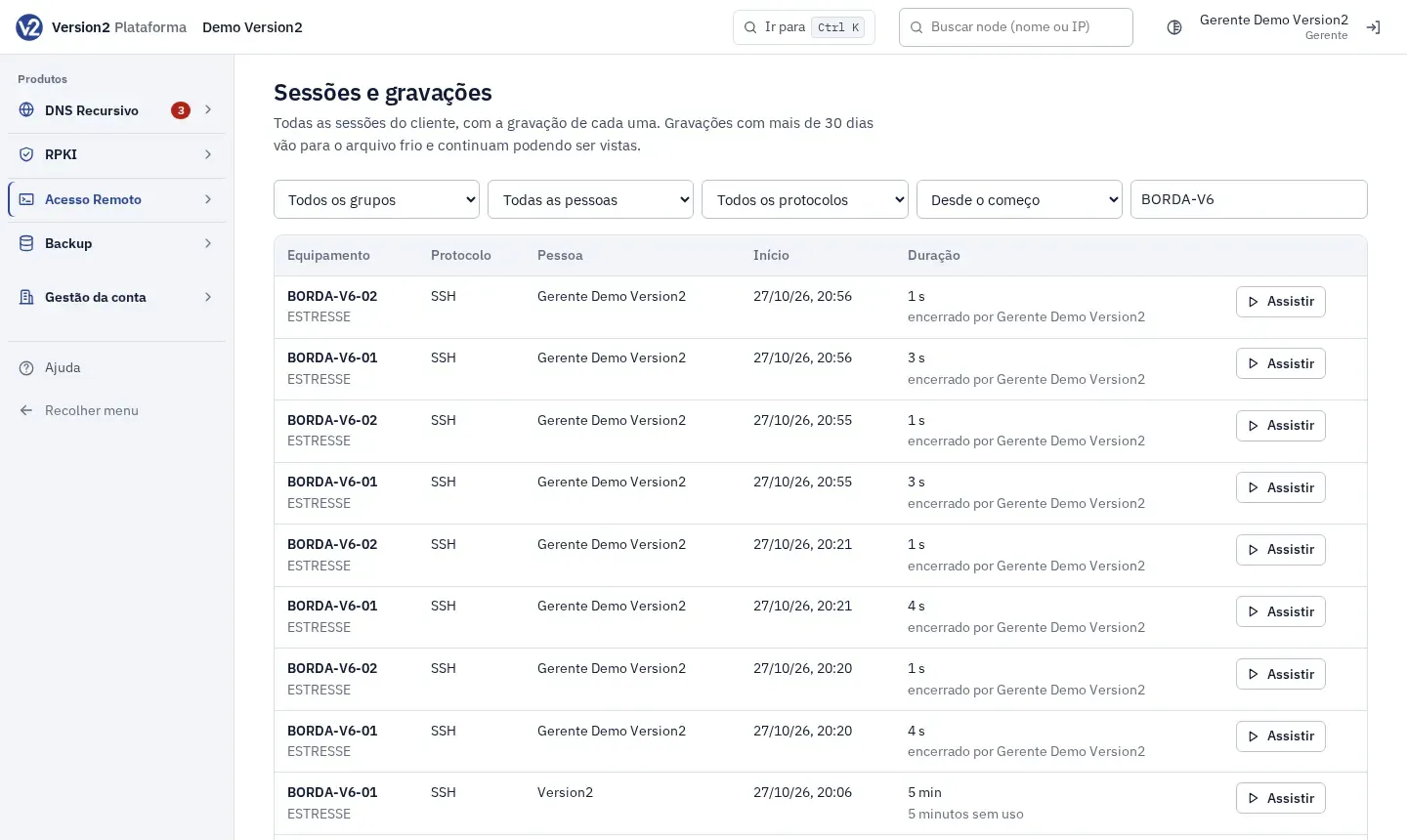
In the menu, open Acesso Remoto > Sessões e gravações (Remote Access > Sessions and recordings).
-
Filter by Todos os grupos (All groups), Todas as pessoas (All people, managers only), Todos os protocolos (All protocols), period (Desde o começo (Since the start), Últimas 24 horas (Last 24 hours), Últimos 7 dias (Last 7 days), Últimos 30 dias (Last 30 days) or Últimos 90 dias (Last 90 days)) and Equipamento (Device).
-
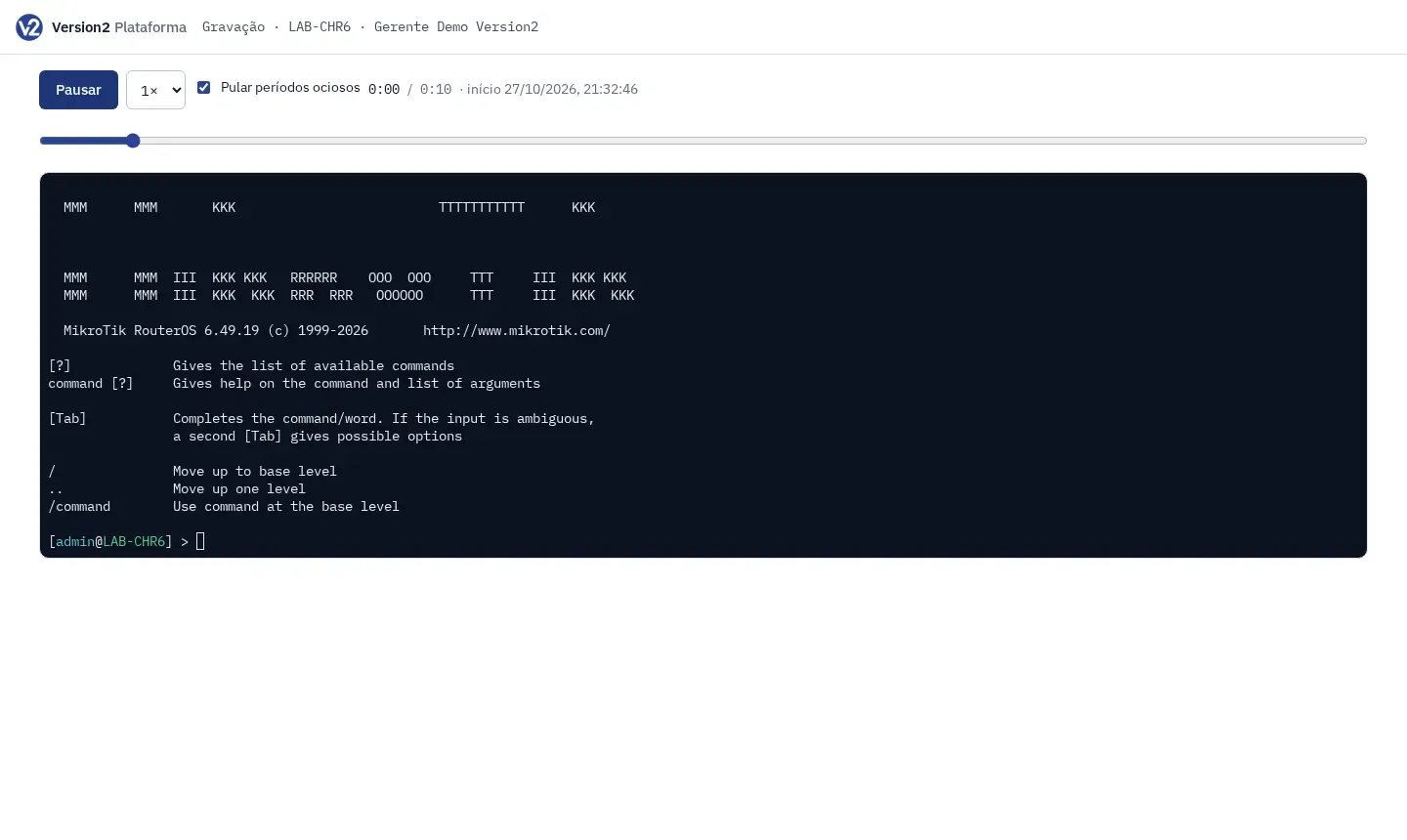
On the session row, click Assistir (Watch). The recording opens in a new tab.
-
In the player, use Reproduzir (Play), Pausar (Pause), Velocidade (Speed), the position bar and Pular períodos ociosos (Skip idle periods).
Expected result
Section titled “Expected result”The table shows Equipamento (Device), Protocolo (Protocol), Pessoa (Person), Início (Start) and Duração (Duration), or Aberta (Open) if the session is still running. Older recordings can be watched too. The screen shows the 500 most recent sessions. To find older ones, use the filters. Every time someone watches a recording, it goes to the audit log.
If something goes wrong
Section titled “If something goes wrong”- “sem gravação” (no recording) on the row: the session ended without producing anything to record.
- “Esta sessão é de outra pessoa.” (This session belongs to someone else.) Only people who manage Remote Access can watch other people’s sessions. Ask a manager.