
Test resolution
Check that the nodes give the same answer to a DNS query.
Who can: anyone with Ver (View) on DNS Recursivo.
Step by step
Section titled “Step by step”-
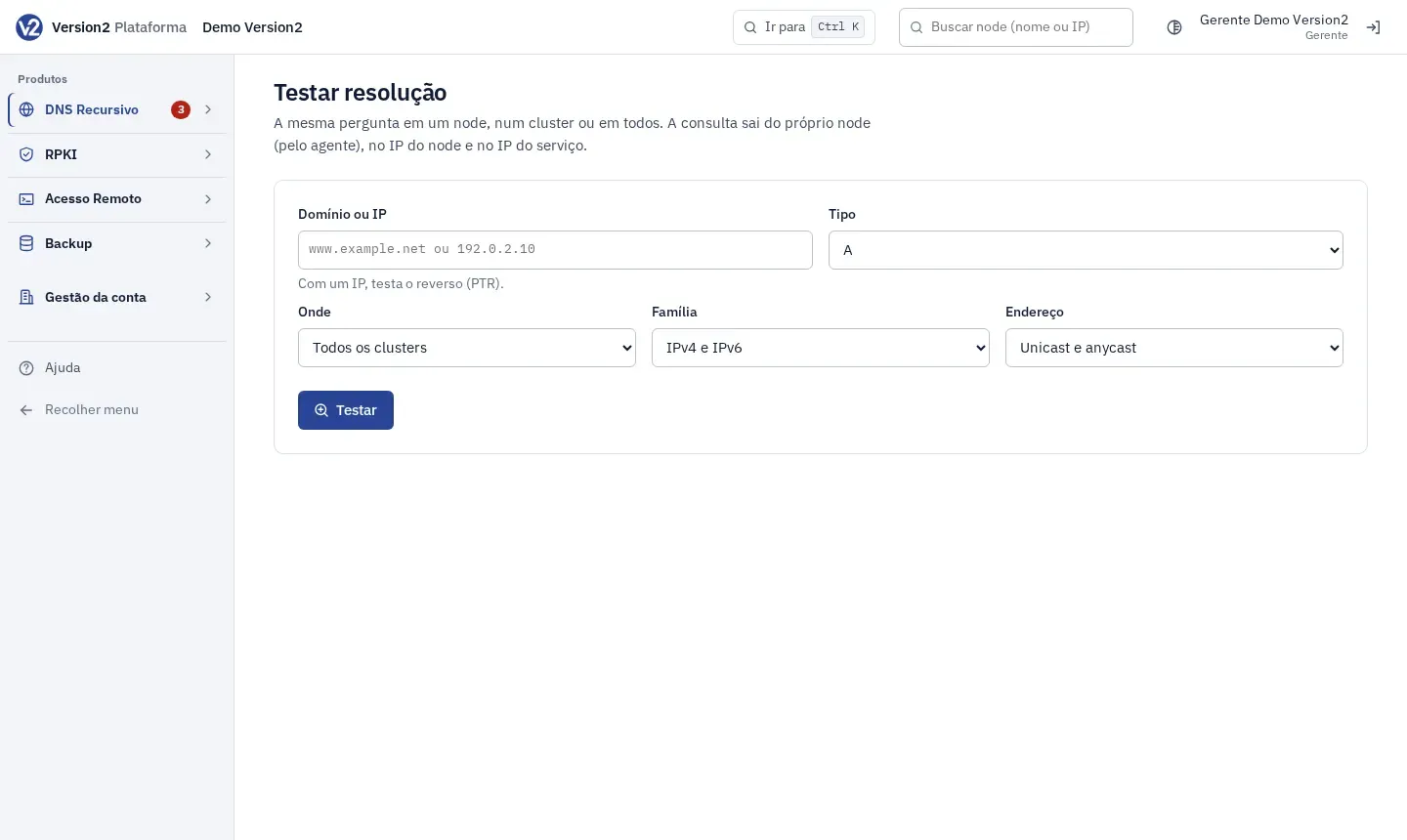
In the menu, open Operação (Operations) > Testar resolução (Test resolution).
-
Fill in Domínio ou IP (Domain or IP, e.g. www.example.net, or 192.0.2.10 to test the reverse) and choose the Tipo (Type: A, AAAA, MX, TXT, NS, CNAME, PTR, SOA, CAA, SRV, HTTPS, DS or DNSKEY).
-
In Onde (Where), choose Todos os clusters (All clusters), a cluster or a node. In Família (Family), IPv4 e IPv6, Só IPv4 (IPv4 only) or Só IPv6 (IPv6 only). In Endereço (Address), Unicast e anycast, Só o IP do node (unicast) (Node IP only) or Só o IP do serviço (anycast) (Service IP only).
-
Click Testar (Test).
Expected result
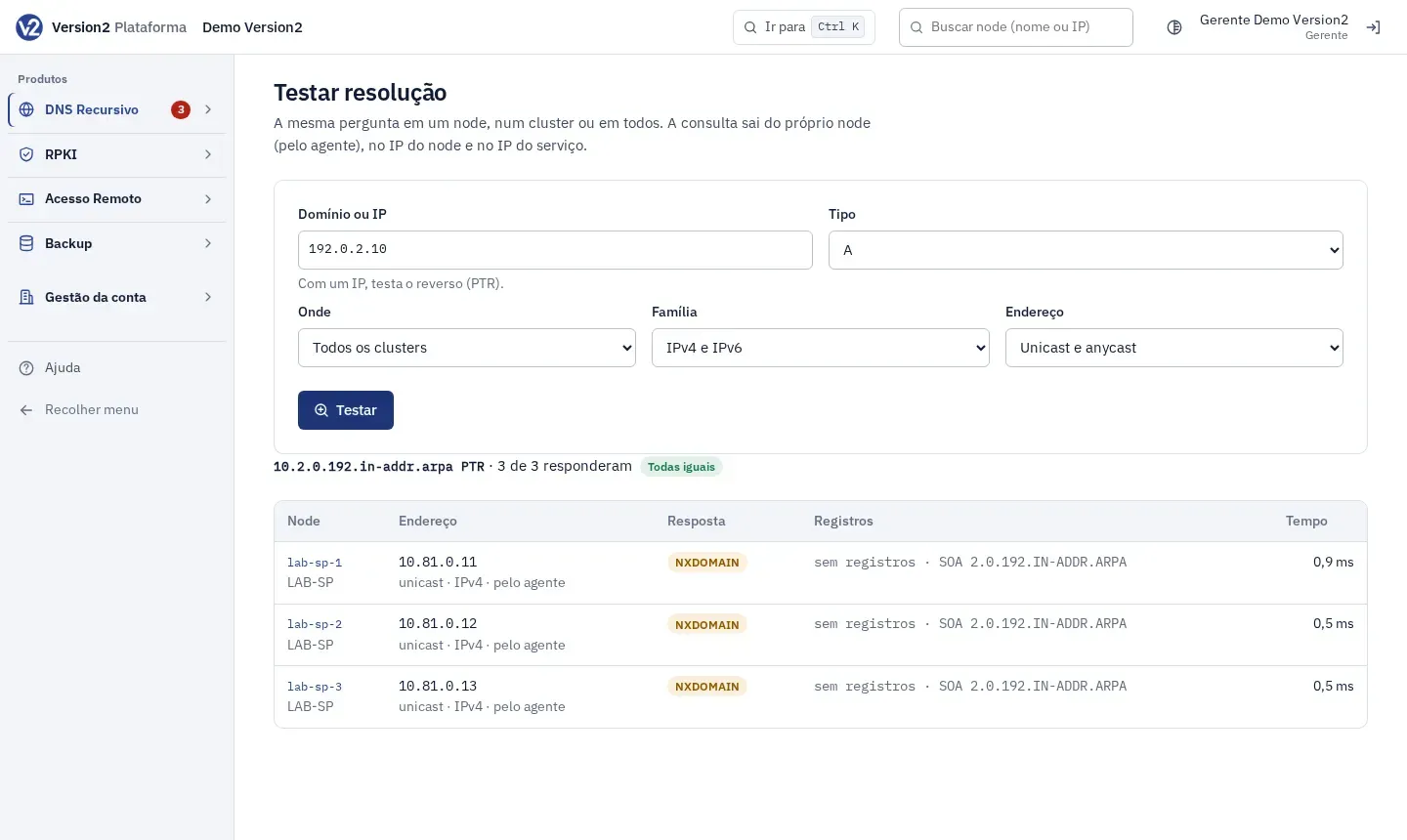
Section titled “Expected result”The table shows Node, Endereço (Address), Resposta (Response: NOERROR, NXDOMAIN and others, plus DNSSEC validado (AD) (DNSSEC validated) when it applies), Registros (Records) with TTL and Tempo (Time). The top says how many answered and whether all answers match. Rows that differ from the majority are highlighted. The query goes out from the node itself.
If something goes wrong
Section titled “If something goes wrong”- “Domínio inválido.” (Invalid domain.) Check the name you typed.
- “Tipo de registro não suportado.” (Record type not supported.) Choose a type from the list.
- “Nenhum endereço para testar com essas opções (confira se os nodes estão ativos e têm o IP dessa família).” (No address to test with these options; check that the nodes are active and have an IP of that family.) Change Família or Endereço, or choose another node.