
Approvals
Approve or reject Editors’ changes when the customer requires approval.
Who can: view, anyone with Ver (View) on DNS Recursivo. Approve or reject, anyone with Total (Full) on DNS Recursivo (the Manager). The requester cannot approve; only the requester can cancel.
How it works
Section titled “How it works”With Exigir aprovação de um Gerente para mudanças de Editores (Require a Manager’s approval for Editors’ changes) turned on in Settings, Editors’ changes to policies, prefixes, clusters, nodes and blocking become requests. The change is validated before it becomes a request and, once approved, runs on behalf of the requester. Changes made by Managers take effect right away.
Step by step
Section titled “Step by step”-
When an Editor saves a change that needs approval, the panel opens the page of the new request.
-
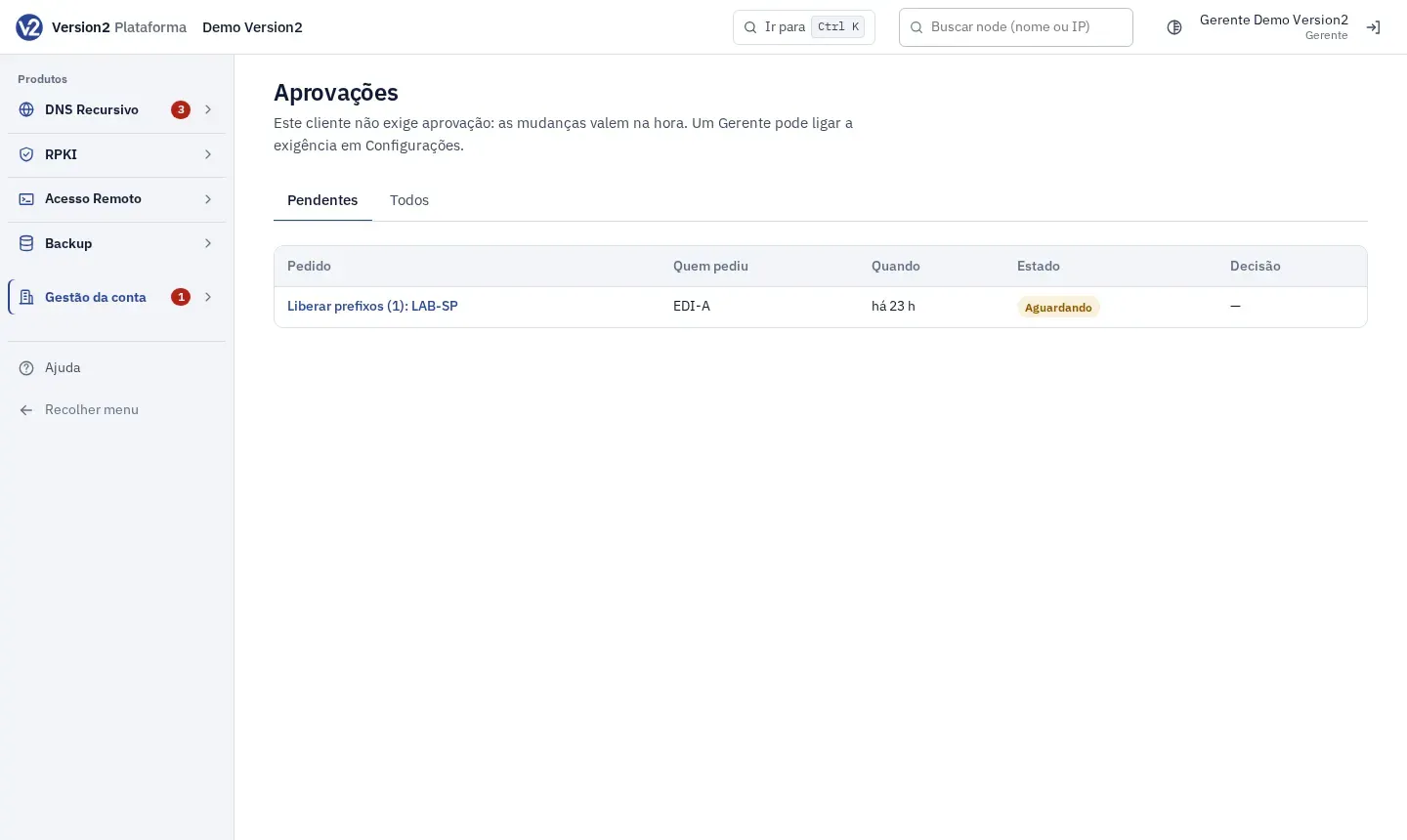
In the menu, open Gestão da conta (Account management) and click Aprovações (Approvals). The number next to it shows the pending ones. The tabs are Pendentes (Pending) and Todos (All).
-
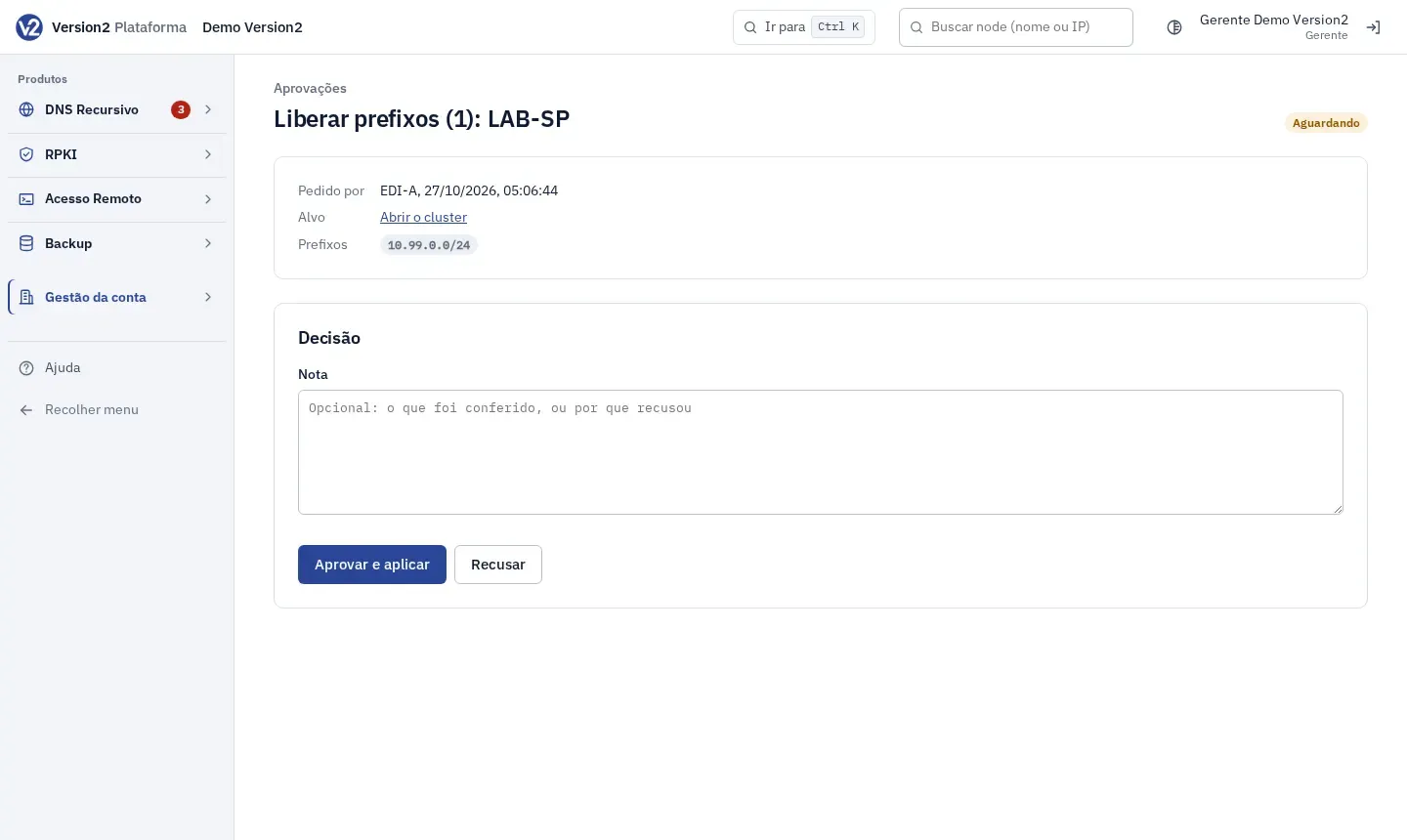
Click the request. The page shows Pedido por (Requested by), the Alvo (Target: link to the cluster, the node or the order) and the content of the change.
-
Under Decisão (Decision), write a Nota (Note) if you want and click Aprovar e aplicar (Approve and apply) or Recusar (Reject). The requester sees Cancelar pedido (Cancel request).
Expected result
Section titled “Expected result”The request status changes to Aplicado (Applied), Recusado (Rejected), Cancelado (Canceled) or Falhou (Failed), with who decided and the result.
If something goes wrong
Section titled “If something goes wrong”- “Quem pediu não pode aprovar o próprio pedido.” (The requester cannot approve their own request.) Ask another Manager to decide.
- “Só um Gerente aprova ou recusa; só quem pediu cancela.” (Only a Manager approves or rejects; only the requester cancels.) Check your permission on DNS Recursivo.
- “Este pedido já foi decidido.” (This request has already been decided.) Someone else decided first. Reload the page to see the result.
- “Aprovado, mas a mudança não pôde ser aplicada: …” (Approved, but the change could not be applied.) Something changed in the account since the request. Read the reason in the message, adjust and request again.