
Versions and compare
See the stored versions of a device, read the configuration and compare what changed.
Who can do this: people with Total on Backup or who manage Remote Access. Viewing, downloading and revealing passwords are recorded in the audit log.
Step by step
Section titled “Step by step”Device page
Section titled “Device page”-
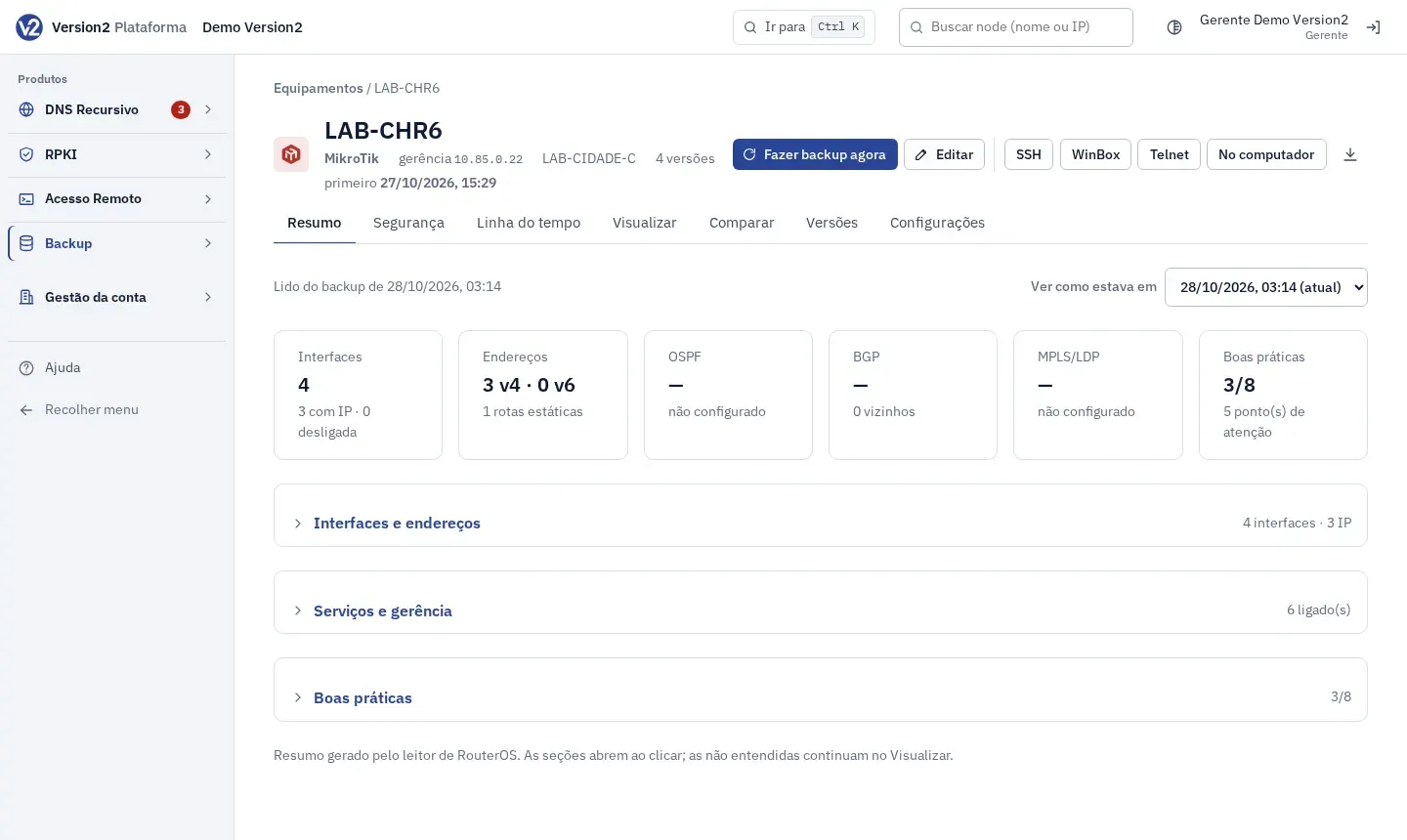
In Equipamentos (Devices), click the device name. The tabs are Resumo (Summary), Segurança (Security), Linha do tempo (Timeline), Visualizar (View), Comparar (Compare), Versões (Versions) and Configurações (Settings).
-
Resumo shows what was read from the configuration (interfaces, addresses, OSPF, BGP, MPLS/LDP, services and best practices) on RouterOS devices. To see an older version, pick it in Ver como estava em (View as it was on).
Versions
Section titled “Versions”- Open the Versões tab. Each row has Ver (View), Comparar (Compare, with the previous one), Baixar (Download) and Marcar como boa (Mark as good), or Desmarcar (Unmark).
- A version marked as good shows boa (good) and is not removed by retention.
-
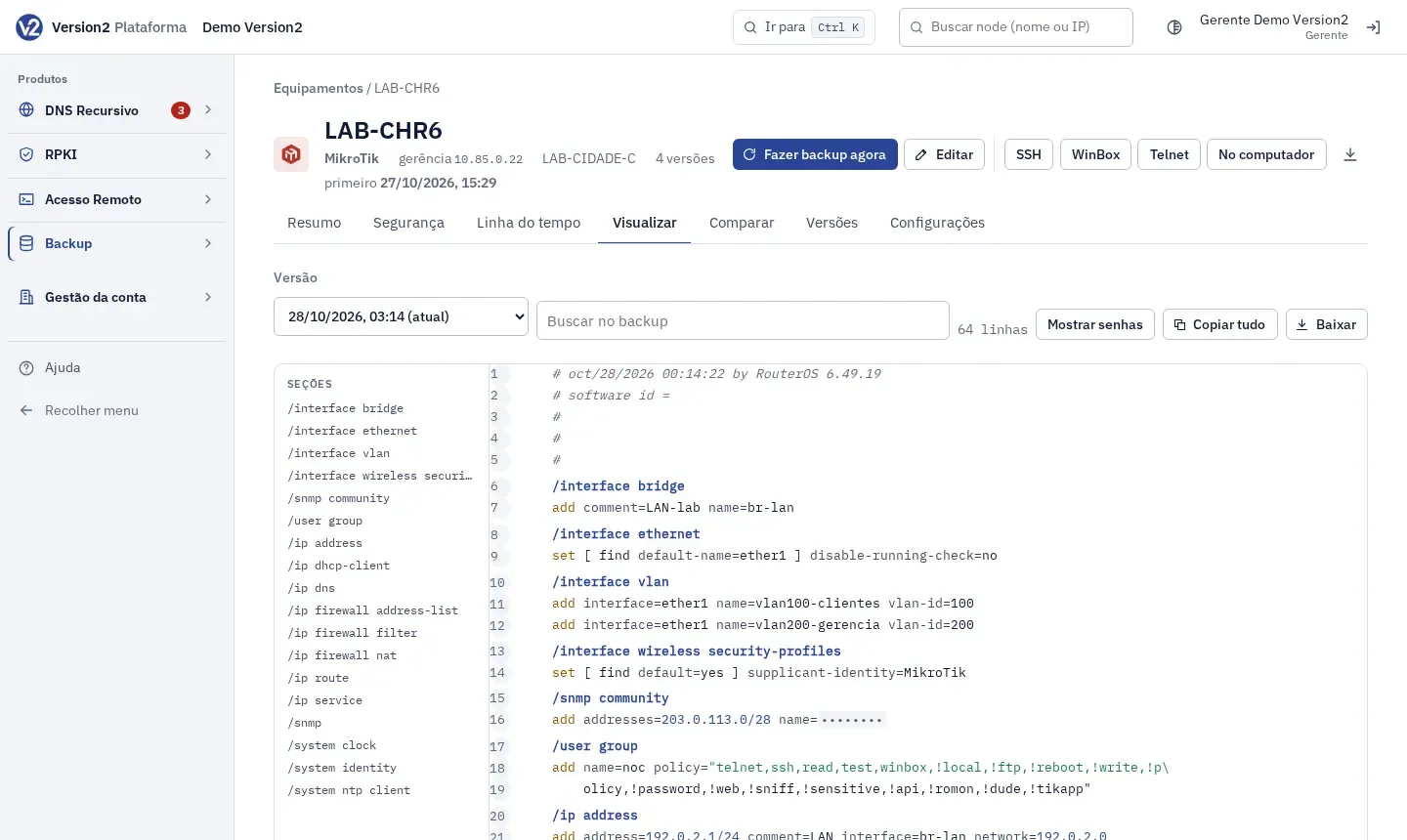
Open the Visualizar tab, pick the Versão (Version) and use Buscar no backup (Search the backup). The Seções (Sections) list jumps straight to each part.
-
Passwords are masked. Mostrar senhas (Show passwords) reveals them and is recorded in the audit log. Copiar tudo (Copy all) and Baixar are next to it.
Compare
Section titled “Compare”-
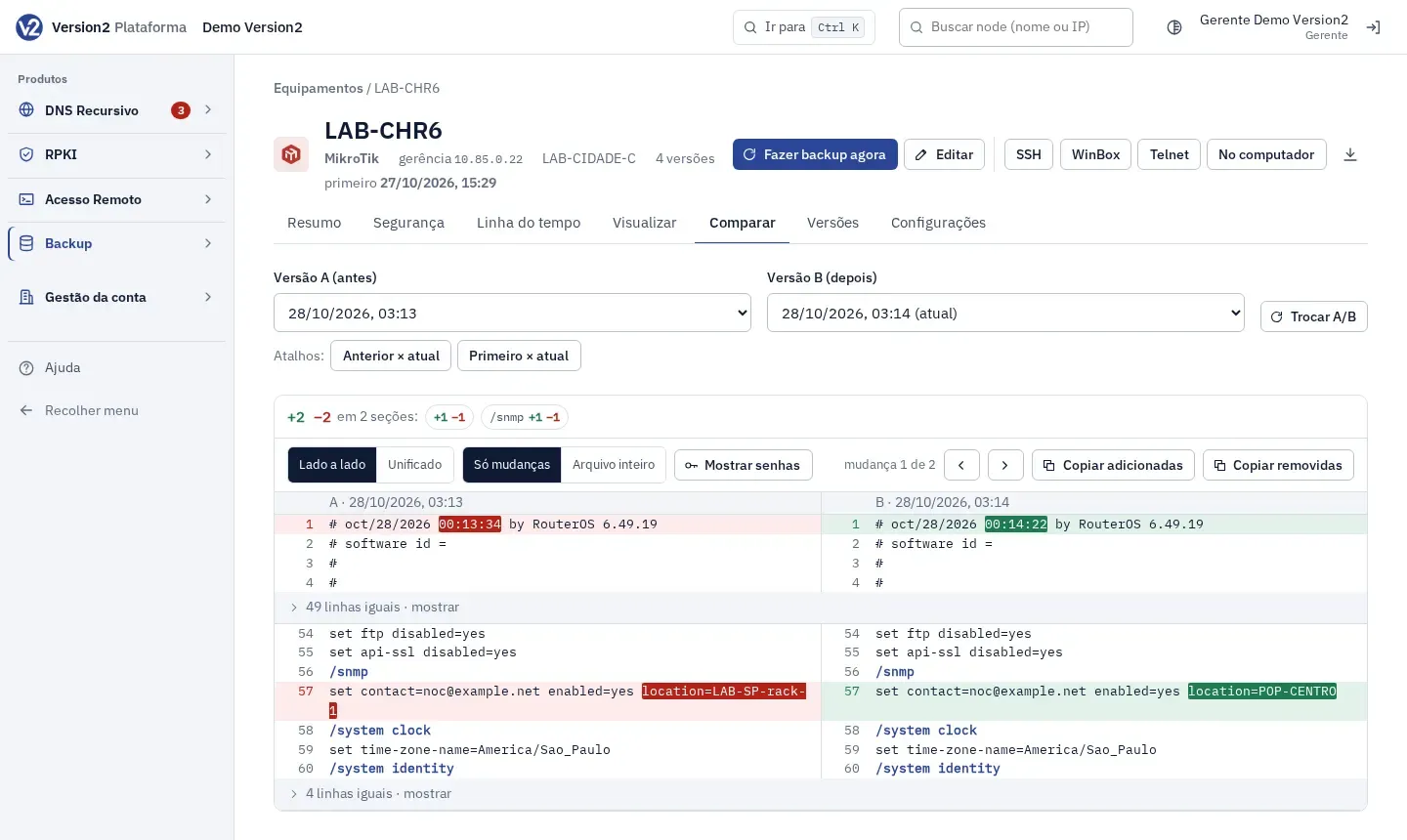
Open the Comparar tab. Pick Versão A (antes) (Version A, before) and Versão B (depois) (Version B, after). Trocar A/B (Swap A/B) swaps them. The shortcuts are Anterior × atual (Previous × current), Primeiro × atual (First × current) and Boa conhecida × atual (Known good × current).
-
The summary shows lines added and removed per section. Click a section to jump to it.
-
Switch between Lado a lado (Side by side) and Unificado (Unified), and between Só mudanças (Changes only) and Arquivo inteiro (Whole file). The arrows, or the N and P keys, jump from one change to the next.
-
Copiar adicionadas (Copy added) and Copiar removidas (Copy removed) copy the lines with each section header.
From the menu
Section titled “From the menu”- Visualizar and Comparar in the Backup menu open the same screen, with the Equipamento (Device) field and the Abrir o equipamento (Open device) button.
- Busca (Search) looks for a snippet in the latest configuration of every device (e.g. telnet, 203.0.113, bgp). Type at least 2 characters and click Buscar (Search). Each result has Abrir (Open).
Expected result
Section titled “Expected result”You can see the configuration of any version and what changed between two, with passwords masked.
If something goes wrong
Section titled “If something goes wrong”- “Só há uma versão; nada para comparar ainda.” (There is only one version; nothing to compare yet.) Comparison becomes available once the configuration changes and a second version exists.
- “As versões são muito diferentes para comparar aqui; baixe as duas.” (The versions are too different to compare here; download both.) Download both versions and compare them on your computer.
- “Escolha duas versões diferentes.” (Pick two different versions.) Change Versão A or Versão B.
- “Nenhum equipamento tem esse trecho na configuração mais recente.” (No device has this snippet in its latest configuration.) Try another snippet.
- “Este equipamento ainda não tem backup.” (This device has no backup yet.) Turn on backup on the device or click Fazer agora (Run now). See Devices and schedule.