
Agent update
Bring the nodes to the new agent version without stopping DNS.
Who can: view progress, anyone with Ver (View) on DNS Recursivo. Request, resume and cancel, anyone with Total (Full), the Manager.
Step by step
Section titled “Step by step”All nodes in the cluster
Section titled “All nodes in the cluster”-
Open Clusters, the cluster and the Nodes tab. The Atualização dos agentes (Agent update) panel is at the top.
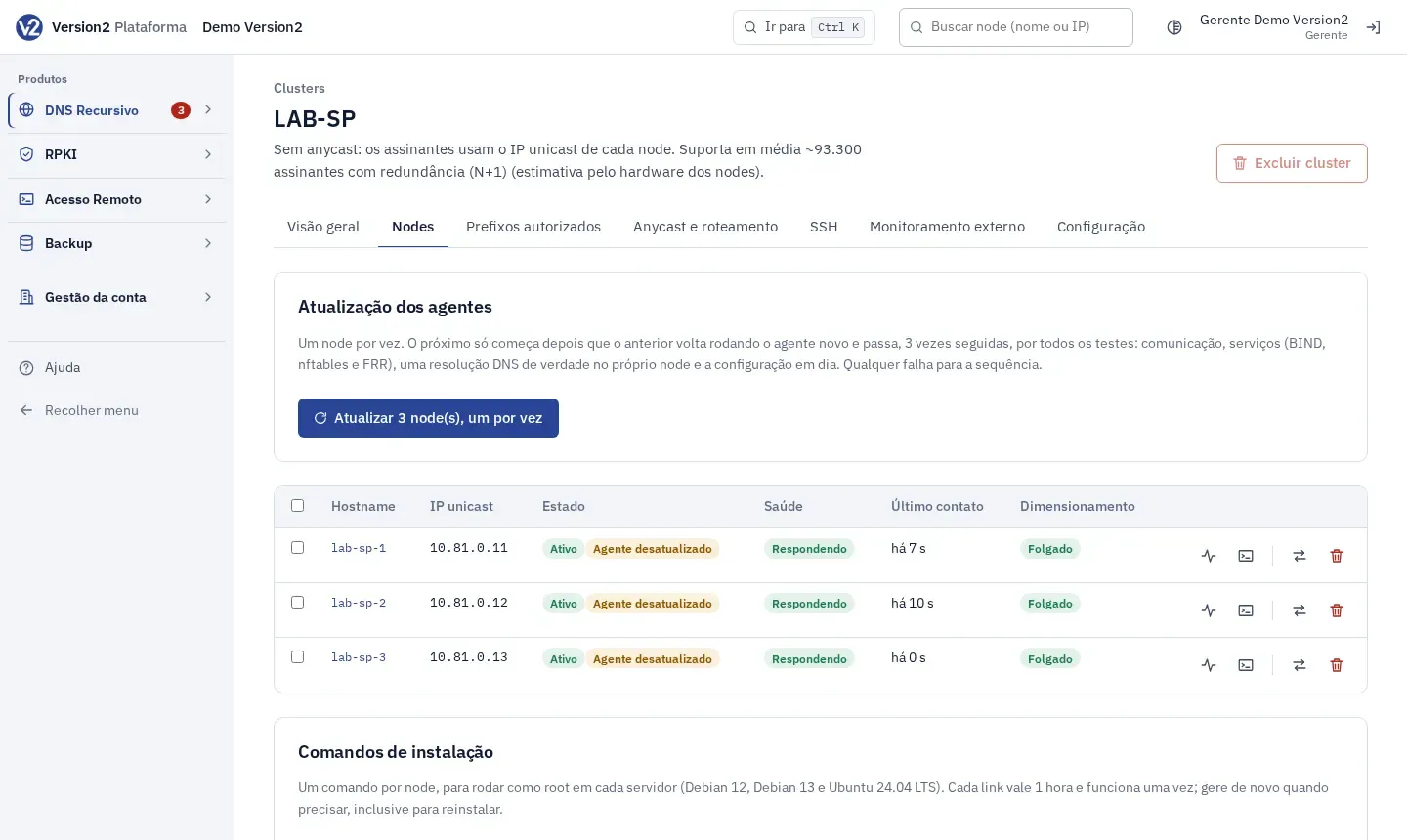
-
Click Atualizar N node(s), um por vez (Update N node(s), one at a time). The dialog shows the order. Confirm with Atualizar em sequência (Update in sequence).
-
Follow the Ordem (Order), Node and Etapa (Stage) table (Aguardando (Waiting), Atualizando (Updating), Validando (Validating), Concluído (Done), Falhou (Failed)). Open Histórico das etapas (Stage history) to see times, versions and tests.
-
If the sequence stops with Parada por falha (Stopped on failure), check the node, fix it and click Retomar (Resume). Or click Cancelar (Cancel).
A single node
Section titled “A single node”- Open the node. Under Agente e configuração (Agent and configuration), Versão do agente (Agent version) shows Atual (Current) or Atualização disponível (Update available).
- Click Atualizar agente (Update agent) and confirm with Atualizar este node (Update this node).
Expected result
Section titled “Expected result”The next node only starts after the previous one runs the new agent and passes 3 checks in a row for communication, services (BIND, nftables and FRR), real DNS resolution on the node itself and up-to-date configuration. At the end, Todos os agentes na versão atual (All agents on the current version) shows up.
If something goes wrong
Section titled “If something goes wrong”- Desatualizado (Outdated) with the old agent note: run the install command once more (node’s Instalação e ajustes (Installation and settings) tab). From then on, you update from the panel.
- Parada por falha: a node did not pass the service, resolution, configuration or communication checks. The reason shows in the panel, by email and in the audit log. Fix the node and click Retomar.